A table for events

Hi,

it is possible to ask a CBUS/VLCB node to tell all configured events.

world.get_object(‘push_button_1’).on_pressed
(
  function ()
    world.get_object(‘cbus_1’).send({0x57, 0x01, 0x02})
  end
)

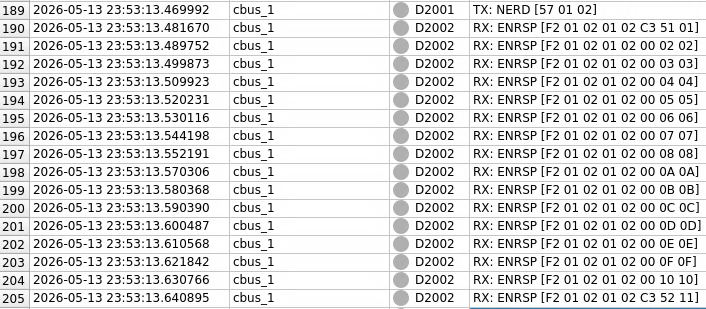
This could be done with the NERD message 0x57. With this Lua script the node 258 sends all configured events.

ENRSP = 0xF2, <NNHi>,<NNLo>,<EN3>,<EN2>,<EN1>,<EN0>,<EN#>

EN3 and EN2 are 0 if it is a short event. EN# is the index in the event table from the node.

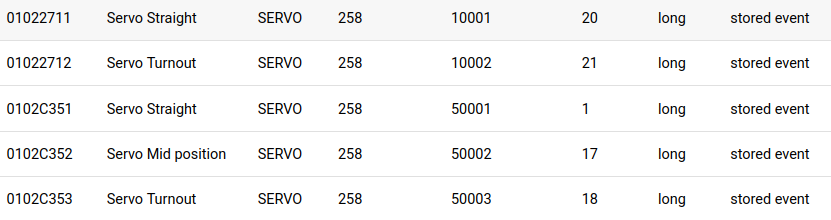
It would be nice to read all the events in a table with the fields nodenumber and eventnumber and have a editable third field for the descriptions, which can be stored (i.e. as csv?) and show this table during the config the board objects.

Could such a function also be useful for S88 or Loconet? I don’t know, I have only CBUS/VLCB

Greetings, Tom

Moin Tom,

Thanks for the input, this also makes it possible to check Traintastic produced/consumend events against node configuration. I didn’t check the docs yet, but can we also determine if the node produces or consumes a specific event?

A Events tab could be added to CBUS/VLCB interdace dialog, something like:

Node Event Node P/C Traintastic P/C Status Description
258 4 Produced Consumed :white_check_mark: Ok Turnout 5 mid
258 5 Consumed :red_exclamation_mark: Missing in node Turnout 5 end

This can help identifying mismatch between nodes and Traintastic. Synchronization should be manually I think, doing it at startup will put a massive load on the bus.

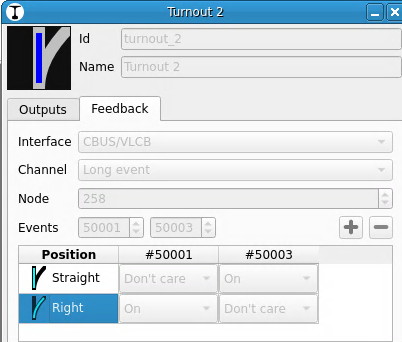
The turnout/signal output tab will need some adjustment as the Event number is just a small spinbox, that won’t fit long descriptions. Placing them vertical instead horizontal will fix that.

Something like this was also mentioned in MERG CBUS/VLCB hardware support - #183 by MZwa, back then I was unsure about the added value…but I’m starting to see it :slight_smile:

Maybe we can discuss it a bit more here what the options are pros/cons etc.

I didn’t do any CBUS/VLCB configuration myself yet, but I think in general it is a bit harder for the user than DCC/S88/LocoNet address stuff, so some extra help to find misconfiguration quickly is nice :slight_smile:

Greetings,
Reinder

No. There is no such information general information in the node.

It is up to each module type to define how an event is treated based on its event variables. Each module has its own way of telling if an event is produced or consumed. And some modules even let an event be both produced and consumed.

Also note that there are some “default” produced events in some modules that exist but are not reported by NERD. The NERD command only lists the events that you can modify.

Moin Reinder,

that’s looks good. As Sven mentioned, it’s not possible to distinguish between produced/consumed events.

A own schema makes sense here, i.e. all 10xxx events are produced, all 20xxx events are consumed.

But you can distinguish between short and long events and have an index.

I would prefer a event list in the configuration dialog for a turnout, signal, sensor for the entered node number. In the interface dialog should be a double click on the node in the node list be enough.

I would mean, a button to view the events with description for the events of the node is enough, a change of the spinbox is not needed. Otherwise, there could be more than 3 events for a turnout or signal, so a vertical list could be more practise. I would prefer always the event number, that’s the index, the description should only be a help in Traintastic, so that you don’t have to write it down somewhere else. If the spin box requieres a description, you must always enter one, but the user should have the choice.

However, the description is not stored in the node; if the event list is updated, previously known events must not be overwritten, except they are deleted in the node.

Greetings, Tom

Sorry, that won’t work as an event is produced by one node and consumed by another. I.e. an event is both produced and consumed.

Hi Sven,

ups, sorry! I mentally confused that with short and long events. I want to set it up so that there is a number range for signals, switches, feedbacks and for short and long events.

Greetings, Tom

Yes, that makes more sense.

Hi,

I’m still a bit in doubt about this option. The primary goal should be, help the user not confuse the user.

Two limitations:

  • Hard coded events can not be detected.
  • Produced and/or Consumed can not be detected.

This eliminates the Node P/C and Status column because we can not be certain, so it might confuse the user.

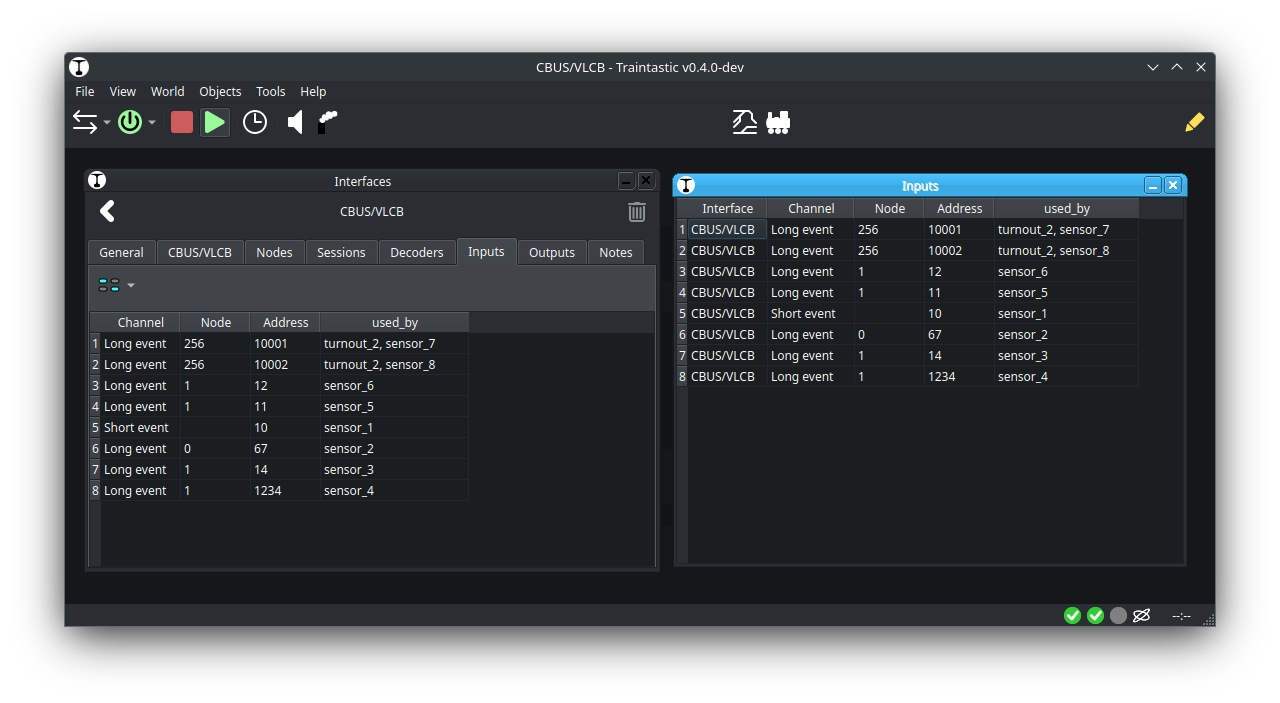
What is left are the Node, Event, Traintastic P/C and Description columns. Apart from the Description this information is already available in the Inputs and Outputs tabs. (Description could be added to Inputs and Outputs as well.)

We could remove/hide the Inputs and Outputs tabs and add an Events tab which basically is a combined list of both. Having Inputs, Outputs and Events is confusing I think. Downside of this is that it than is different than all other (and future) interfaces.

I’d love to here you opinion on it as user, I just entered CBUS/VLCB land :slight_smile:

Greetings,
Reinder

Moin Reinder,

if I have a node with a very large number of events. I configured it using MMC, and now I would like an overview of all those events for the configuration in Traintastic.

I could certainly do this using a spreadsheet or MMC; the question simply boils down to: which is the better solution? A single click in Traintastic or call a other tool? I tried to attach the .ods export from MMC, but discourse says no.

But there are two .json files:

layoutData.json

 "256": {
      "CANID": 2,
      "nodeNumber": "256",
      "manufacturerId": 165,
      "moduleId": 32,
      "moduleIdentifier": "A520",
      "moduleVersion": "4d",
      "parameters": {
        "1": 165,
        "2": 100,
        "3": 32,
        "7": 4,
        "8": 95,
        "9": 23,
        "20": 7
      },
      "nodeVariables": {},
      "storedEventsNI": {
        "01022711": {
          "eventIdentifier": "01022711",
          "variables": {},
          "eventIndex": 1
        },
        "01022712": {
          "eventIdentifier": "01022712",
          "variables": {},
          "eventIndex": 2
        },

nodeConfig.json

 "256": {
      "CANID": 2,
      "nodeNumber": "256",
      "manufacturerId": 165,
      "moduleId": 32,
      "moduleIdentifier": "A520",
      "moduleVersion": "4d",
      "parameters": {
        "1": 165,
        "2": 100,
        "3": 32,
        "7": 4,
        "8": 95,
        "9": 23,
        "20": 7
      },
      "nodeVariables": {},
      "storedEventsNI": {
        "01022711": {
          "eventIdentifier": "01022711",
          "variables": {},
          "eventIndex": 1
        },
        "01022712": {
          "eventIdentifier": "01022712",
          "variables": {},
          "eventIndex": 2
        },

That’s also a possibilty, to read these files from MMC to get the name (and other information about the node) and show the info in a read only table (i.e. with a “Information” button). You had asked about an export, but using the .json files directly would be better, as they are more up-to-date and no extra export clicks are required.

But the user must configure the right filepath.

Greetings, Tom
Tom, I think I am missing something here. What do you want to do with this events table? Are you going to do something similar to JMRI where any feature that uses events (turnouts and sensors in JMRI terminology) uses these events rather than hardcoding the event ID every time? Yes, this has the benefit that the user can use event names rather than numeric IDs.

This shouldn’t be restricted to CBUS/VLCB events. This is a powerful concept in JMRI where it is used for all hardware systems.

Hi,

This crossed my mind too, basically all systems can benefit from this, the only difference might be a systems specific format import option.

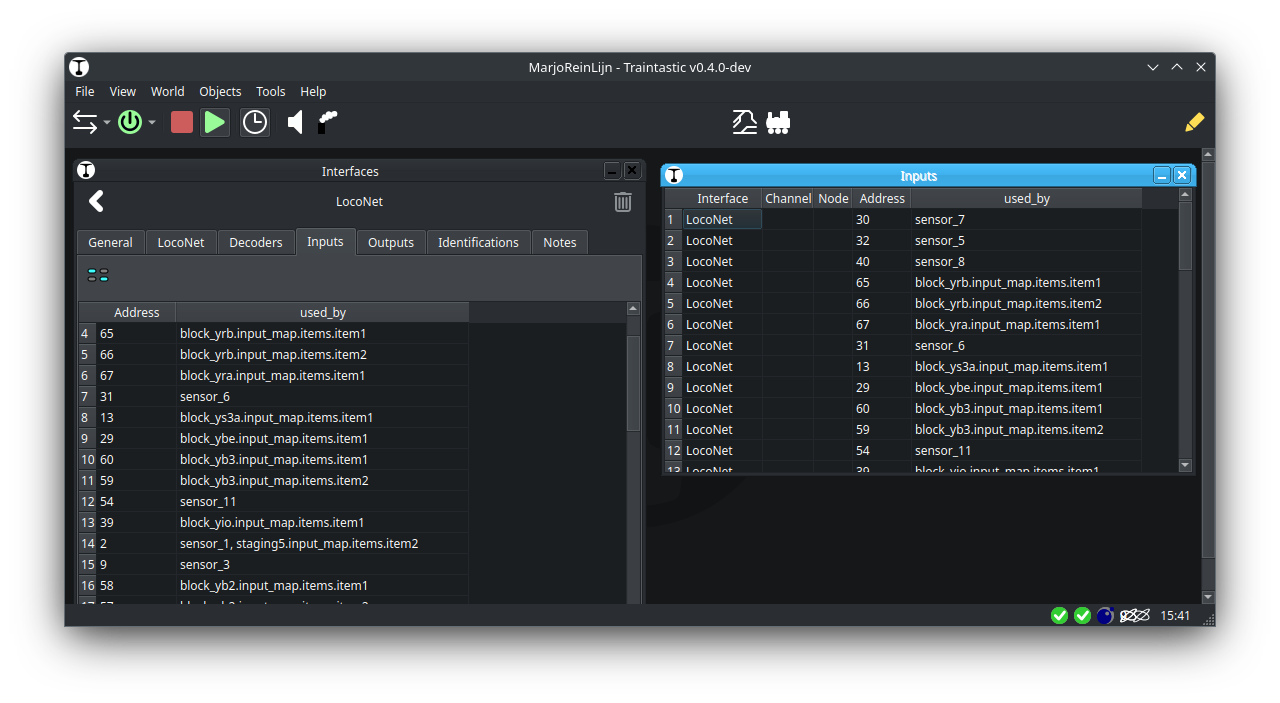
LocoNet/XpressNet/Z21 etc. users usually just talk about feedback/turnout addresses, so they might not use it…but it won’t hurt to generally support it.

@sven-e what is you opinion on seperate input/output tab vs. combined events tab for CBUS/VLCB? (In CBUS/VLCB this a shared address space, in most other protocols/systems it are different address spaces.)

Greetings,
Reinder

1 Like

Hard to say without trying it out. :wink:

In a way I can see the benefit of keeping one tab for events generated by the layout and only used as input in Traintastic and one tab for events that are created by Traintastic. But there may be events that are generated by the layout that is also sent by Traintastic.

MMC does not separate these. But it is possible to group them, manually.

JMRI separates events (and commands for other systems) in turnouts (outputs) and sensors (inputs).

FCU colour codes the events but keeps them in a list for each node which means the list is not too big. FCU has no “global” list of all events.

Maybe at least allow to filter / consecutive filters?

In that way it is at least applicable and manageable for larger instances; bonus for having a Cbus/loconet/??? Filter additional to board / name/ [ node / dcc address/ …]

My setup with about 100 events is already unwieldy enough → excell with stacking and searching has helped me in the past :rofl:

Hi,

some things get complicated when you talk about them :grinning_face:

My idea was just to have a table for documentation, Node #, Event # and Description, so that you wouldn’t need any other software for it. I haven’t thought about combo boxes with a text or other automatic functions before.

How often we need this data? Only if we change something or want to do a lookup during board creation. One has to ask the question: is the effort justified compared to a simple table?

Another way could be, to show all configured events with node # and description for a board. Which turnout use event #50000 without clicking all turnouts and search manually?

Greetings, Tom

Hi,

Just something else I’d like to throw into the mix, a quick unpolished version, but the idea is clear I think:

Currently the id’s are shows, I want to change that to name and make them clickable like a website link, so you can open the corresponding property dialog.

Besides that an editable description/notes column could be added, and problably a search bar for installations with huge amounts of items.

Sorting is also not supported yet.