@Randy, good news  I’ve started with some basics for automatic train control.
Things I’ve added so far (not yet public):
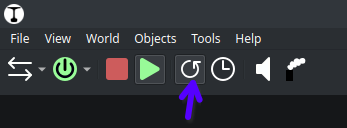
Button to allow/disallow automatic driving:
Basic form of routes:
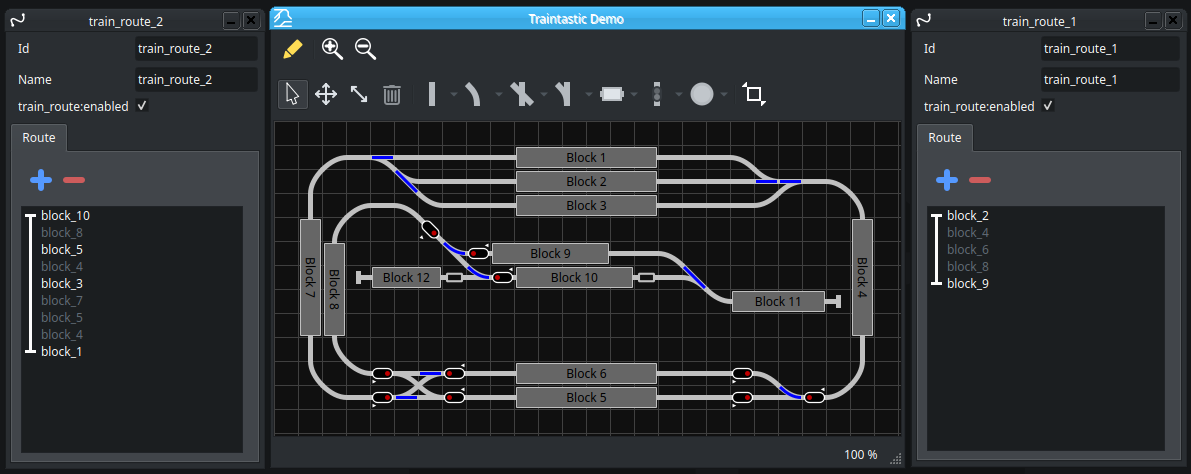
I want to keep the first version simple, just a list of blocks and an optional wait time.
The white text entries are user provided, the gray entries are resolved intermediate blocks. For path finding it uses Dijkstra’s algorithm, for distance it uses path cost.
The default path cost is 1, but every turnout in the path adds 1 for straight and 3 for diverged, changing direction has a cost of 1000. (These costs are just guesses, time will tell what is best I hope.)
If a path can’t be found, the vertical line in front of the block names will have a gap.
For blocks where the train has to wait (e.g. a station) I’m thinking about adding a dot to the line, this will make is visual easy to understand the rout quickly I think.
I’m going to demonstrate Traintastic October 17th in Ermelo, The Netherlands for the first time using the Demonstration and Test layout I’m building, try to get a very basic form of automatic driving ready before that. Beside the Traintastic work I also need to do some layout wiring… 
Greetings,
Reinder