DR5088RC RailCom

Hi Reinder,

thanks, but never tried to transmitt the direction in the Block. I send direction always with the Lok-Adress!

First i tried to configured as shown in your own example in #2:
https://discourse.traintastic.org/uploads/short-url/bLH4xZhti1w7tyt9L3rK2idvPic.zip

in my DR5088RC was configured:
OPC_MULTI_SENSE both
direction in Lok-Adress

My examples was shown in #9**. Only one DCC- Adress 1020.**

But in #13 you proposed me to switch the direction in Traintastic to “none”.
I’ve done this in #19, but did not understood why, because I need the direction in Layout of occupied blocks. in this example i used two Loks with DCC-Adress 1090 and 1037.

lets stay with the DR5088RC direction in Loco-Adress and having also configured
OPC_MULTI_SENSE = Standard

Only using DCC Adresses lower 4096.

Let us talk about OPC_MULTI_SENSE = Both another time.

[quote=“reinder, post:20, topic:144, full:true”]

[/quote]

unfortunately this I do not understand!
Independ of the coded numbers (Adress and direction) in the logs, never a number greater 4095 may be displayed in the block of the Layout. Only adresses up to 4095 and arrows should be displayed in the blocks of the layout.

no!
All used and displaed loco address must be 4095 or lower!

Next real trial is possible probably not before 8. Juli, but I dont know what i should try exactly.

By the way: If the Arrow in the DR5088RC shows to the right, the arrow on a block in a traintastic-layout should even show to the right, if Locs and detectors are connected corresponding to the NEM.
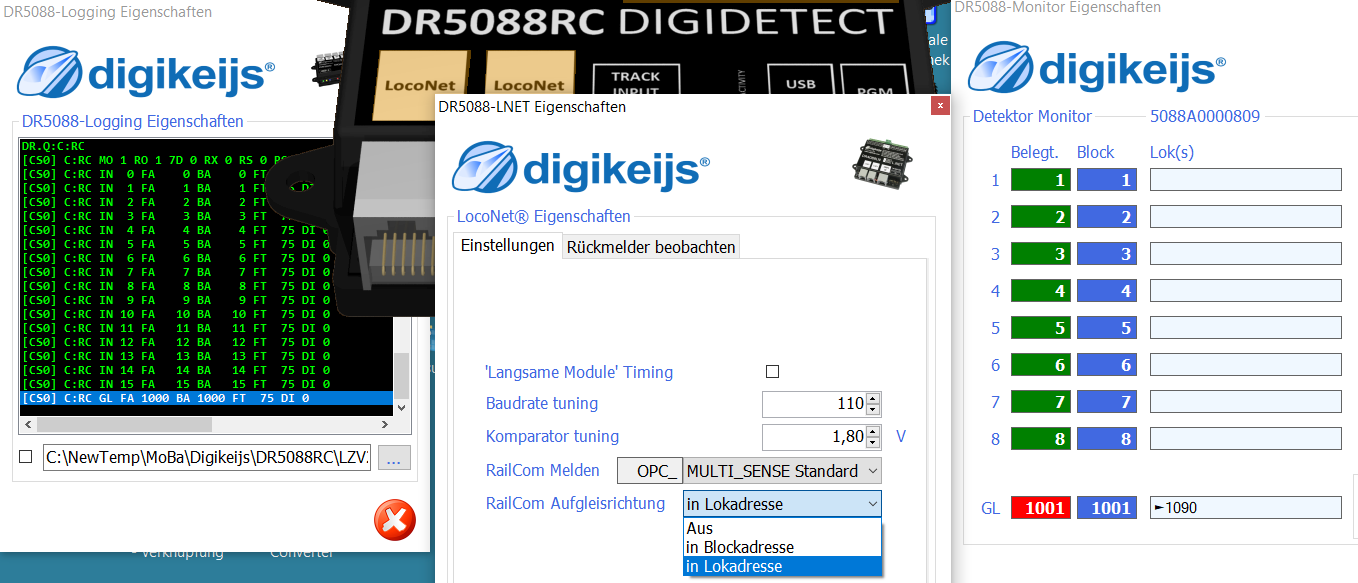
May be you have an examlpe for the DR5088RC only. OPC_MULTI_SENSE Standard.

Direction in mode Locadress (adress itself max 4095) “Blücher-mode”

Only a West-Block and a East-Block

No need to configure Loks in Traintastic in this mode. If there is a proper DCC-Protokoll on the Track, the DR5088RC will show the Adresses and the direction in the configuration-tool and traintastic will display the Adress and direction in the Blocks of the Layout.

Greetings

vik

Hi Reinders,

in the moment i am feeling Traintastic a little bit like an text-adventure. Everything seems possible, but how are the rules.

May be you can show me how tin install a Line with two blocks (and Railcom-Sensors) West and East and some straight railes (without Blocks, etc. ) between.

on the Track a Railcom-Protokoll with the Railcom-Cut in On! But only rhe DR5088RC is in Traintastic as Interface installed.

You can put a Lok on the West-Block and immediately the Railcomdecoder sends his DCC-Adress in Railcom-Channel one, so it schould be also displayed in the West-Block in the Layout.

If you may move the Lok in the middle between both Blocks. All Blocks are displayed as free.

You move the Lok on the East-Block and the DCC-Adress will displayed on the East-Block in the Layout.

If you flippe the Lok the DCC- Adress will displayed in the Block, but the arrow turns 180°.

What is absolutly necessary to install in Traintastic and in what order with the DR5088RC as unique interface?

kindly regards

vik

Hi vikr,

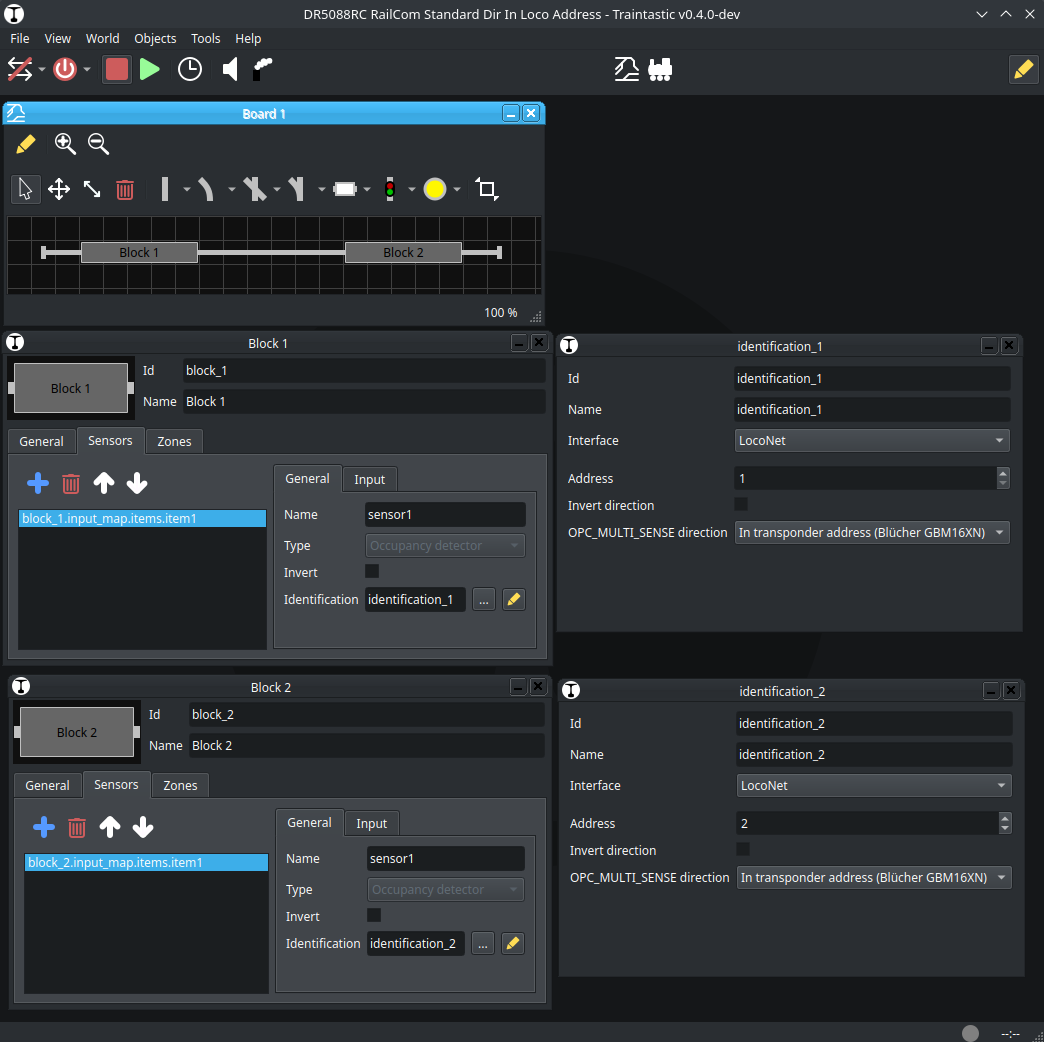
I’ve created a world with two block with occupancy sensors and RailCom feedback. Block 1 uses address 1, Block two uses address 2. RailCom directon is read from the transponder/loco address. So the DR5088 must be configured the same :slight_smile:

DR5088RC RailCom Standard Dir In Loco Address 2026-07-04.ctw (1.3 KB)

Traintastic tries to keep track of a train, so if the train is between blocks (in the undetected section), it will generally not release the previous block until the train has entered a section with detection.

Greetings,
Reinder

Hi Reinder,

Thanks for the 5088RC-World.

this may be an explanation for a lot of problems i found, even after a newstart with completly different loks there seems to appear DCC-Numbers from early times.

Is there a possibility (option) to eliminate this behavior in traintastic? “Empty” without “Pride and Prejudice”?

Greetings

vik

Hallo Reinder,

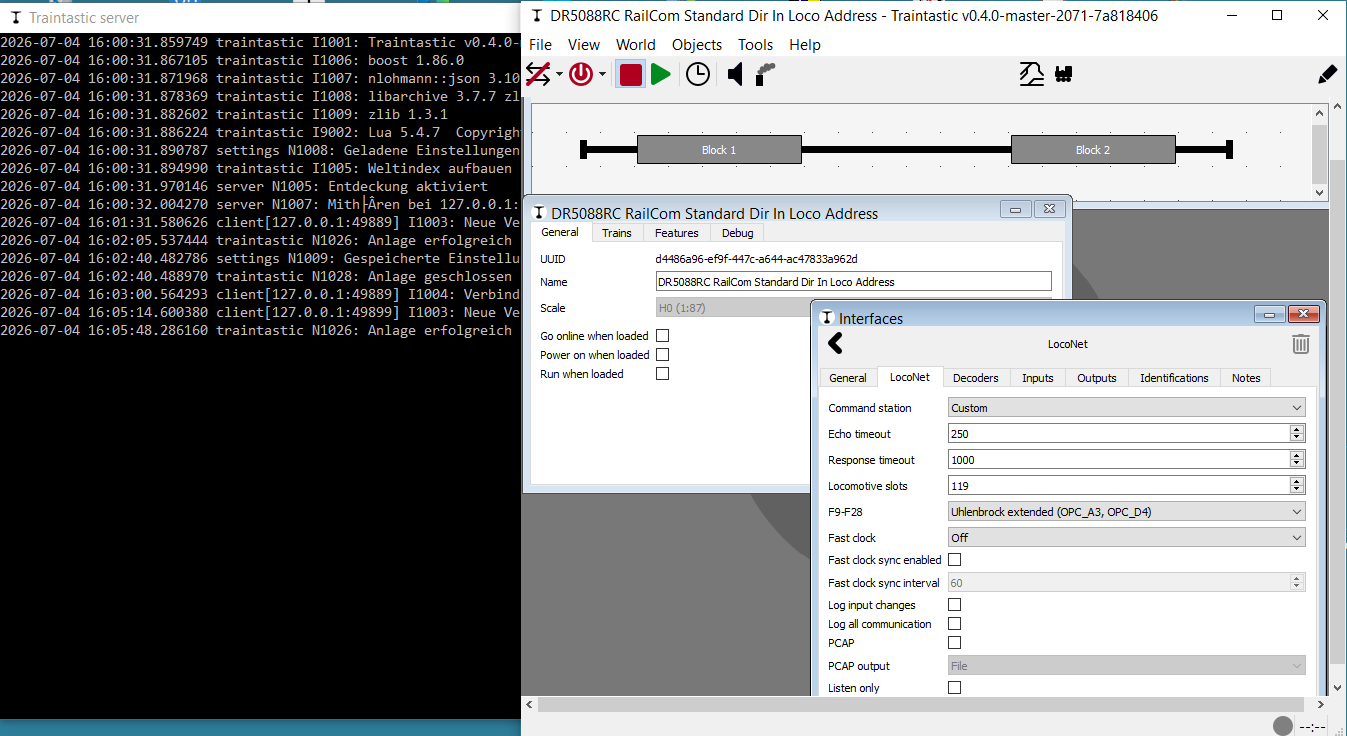
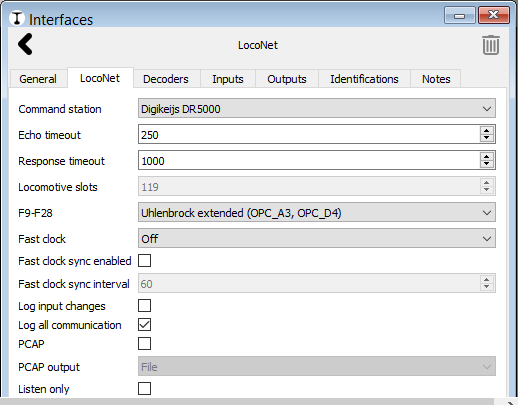
the big difference is: You used “LocoNet” as Interface:

I have choosen as interface DR5000:

I will try “Loconet” as Interface in all Sub-Dialogs of the Blocks and report here …

Greetings

vik