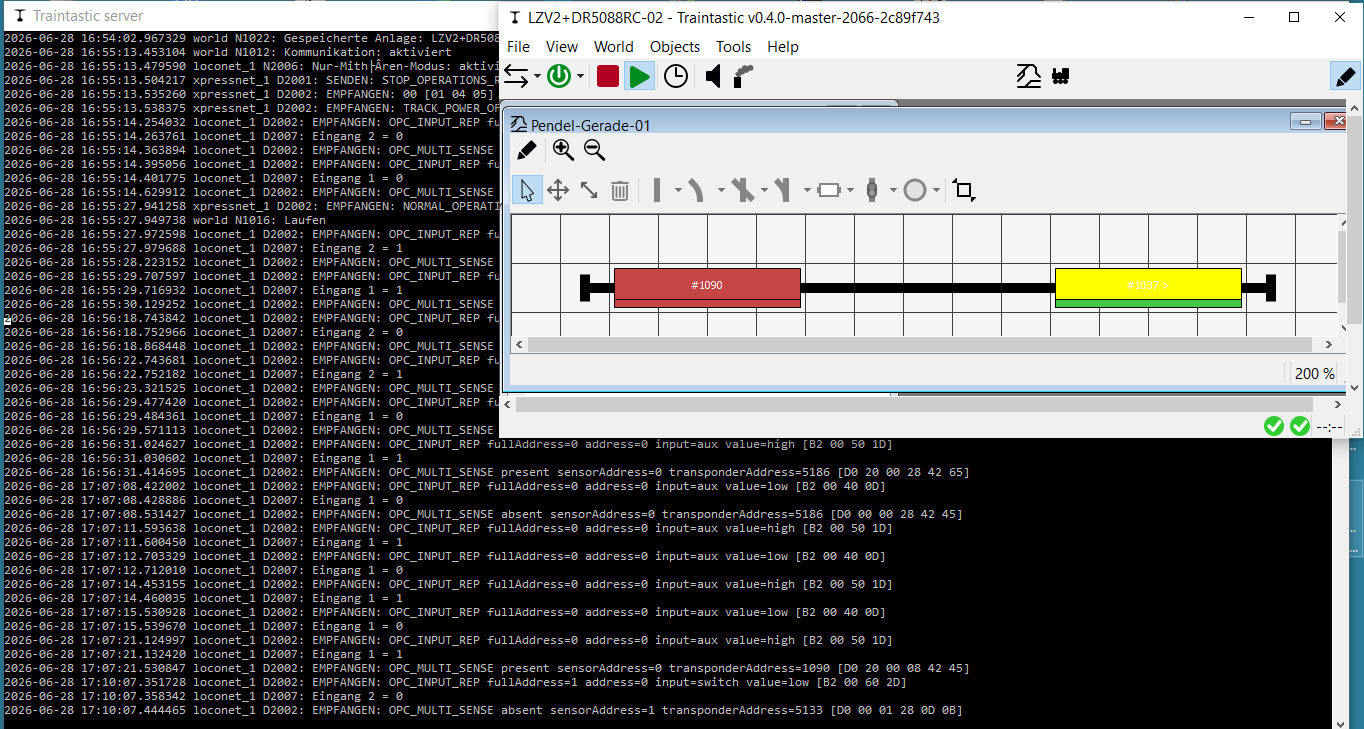
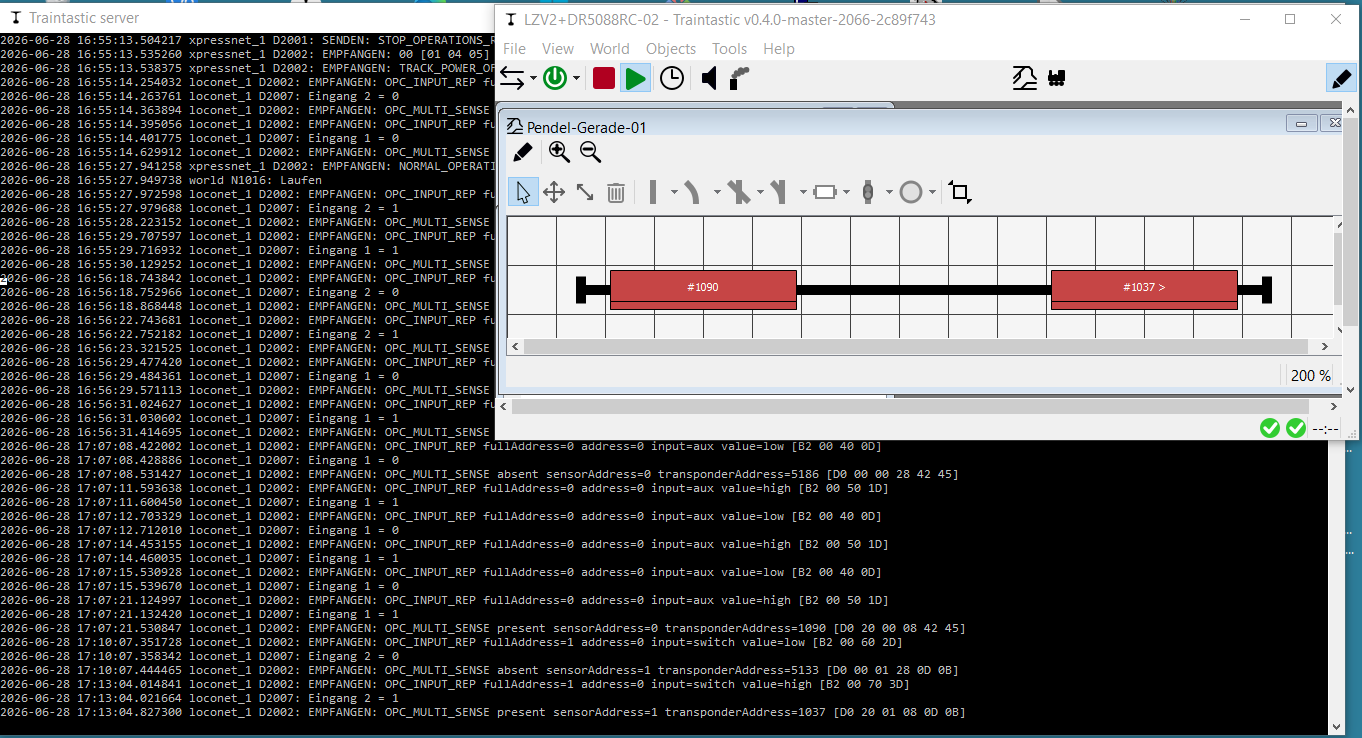
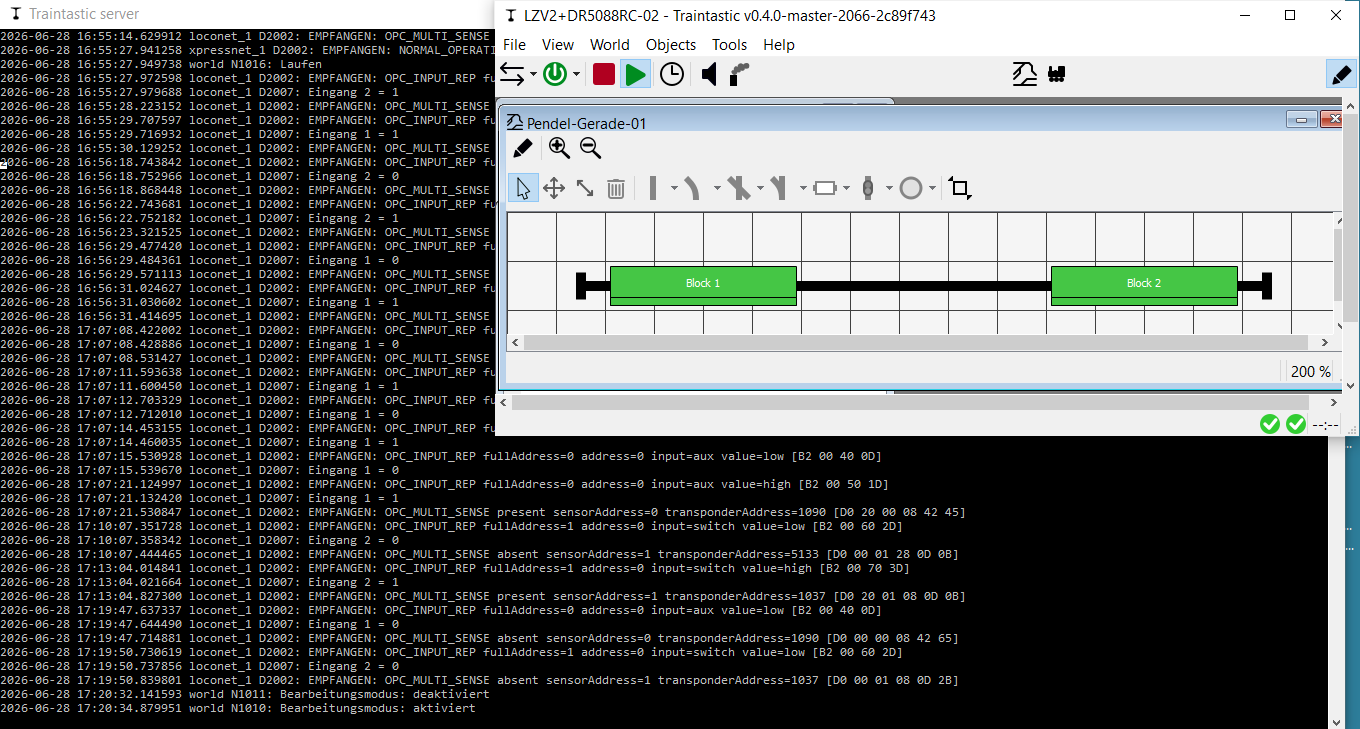
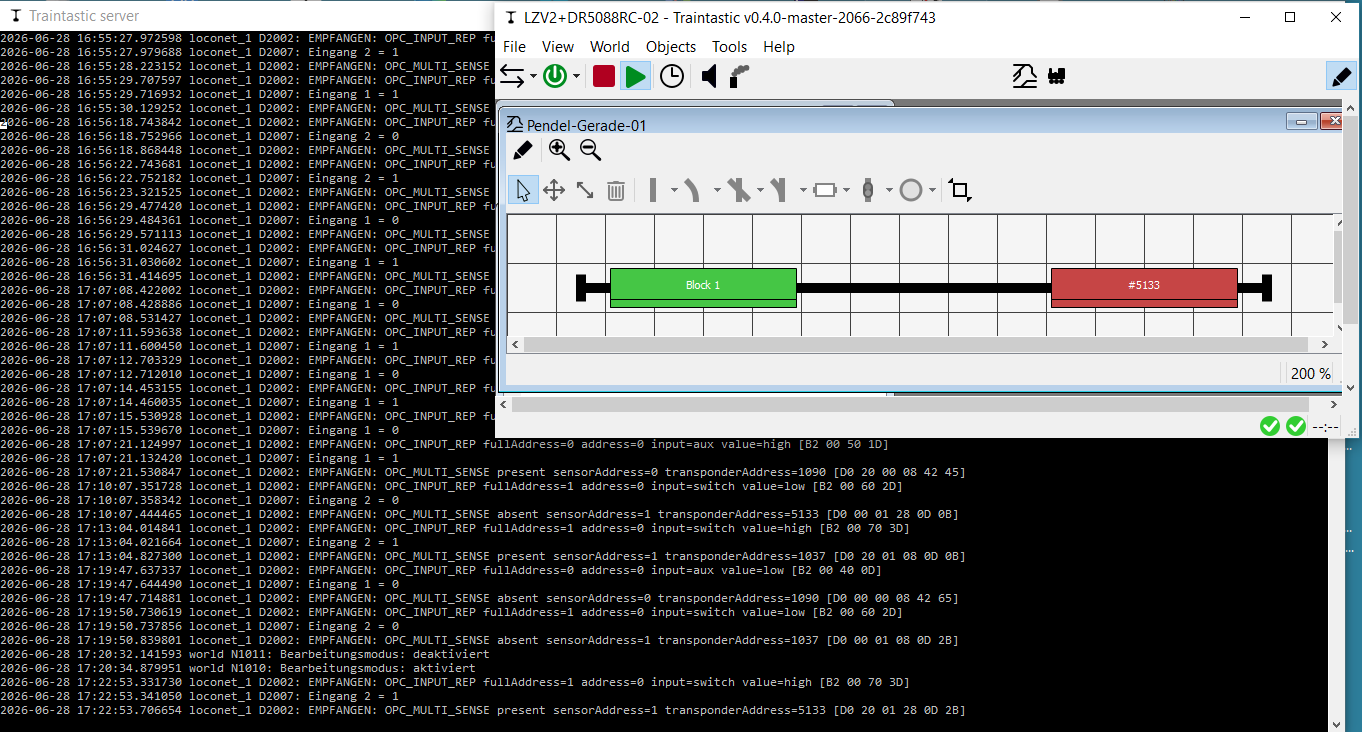
Is there a way to configure it similary in Traintastic 0.4.0 Build 2066?
It should work with every Central who gives a propper DCC-Signal and a booster, build in or not, who cuts the cut exactly.
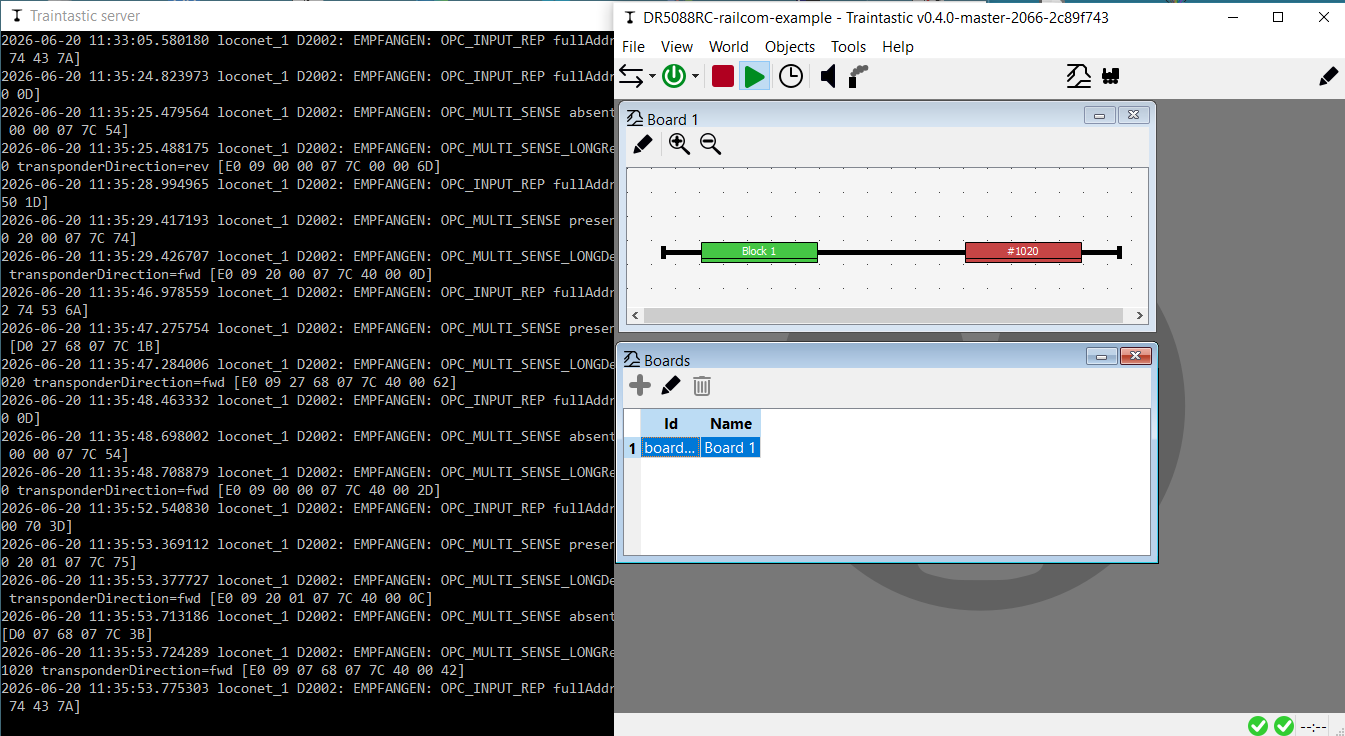
Yes that is possible, I’ve created a world as example.
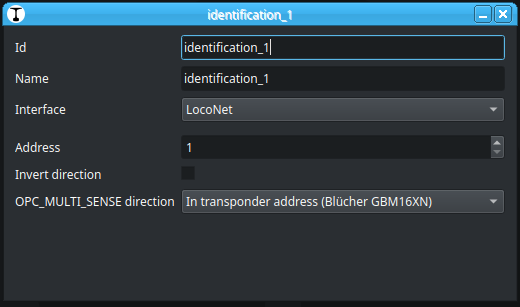
It uses sensor addresses 1 and 2.
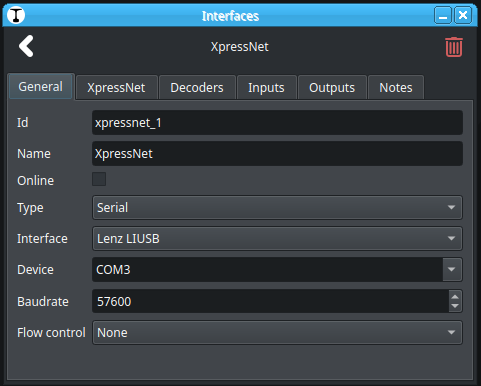
You might need to update the LocoNet connection settings for your setup.
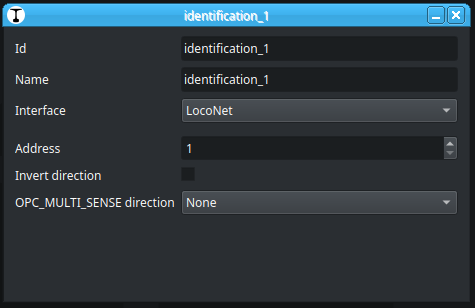
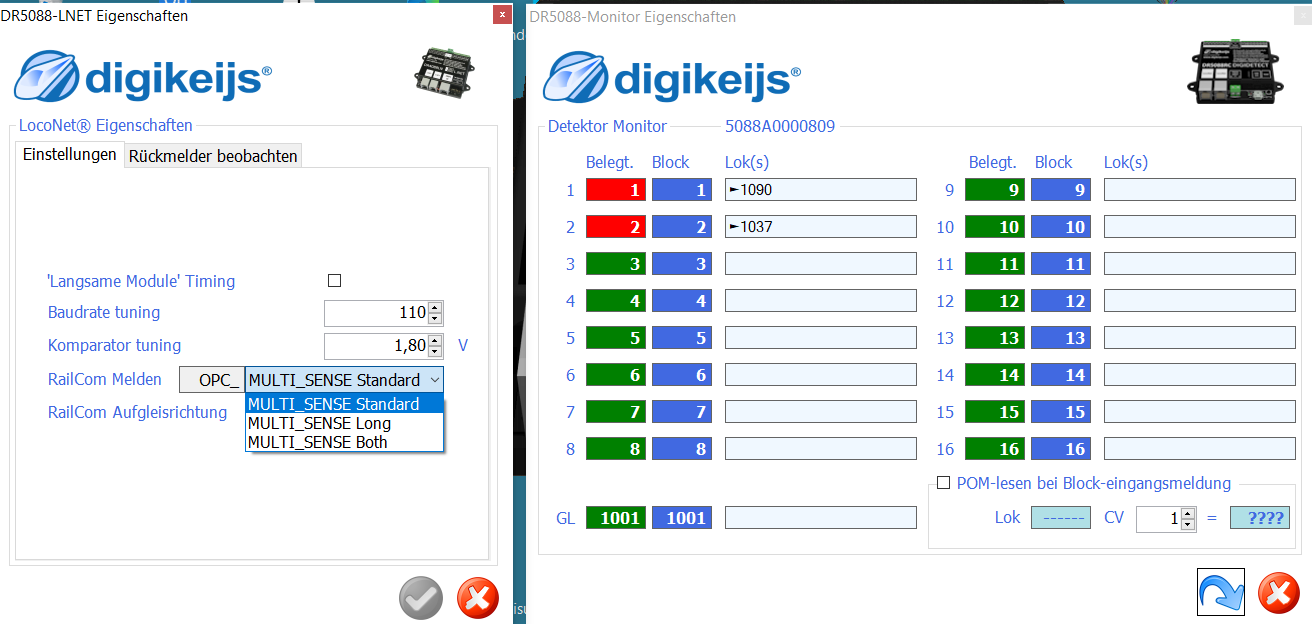
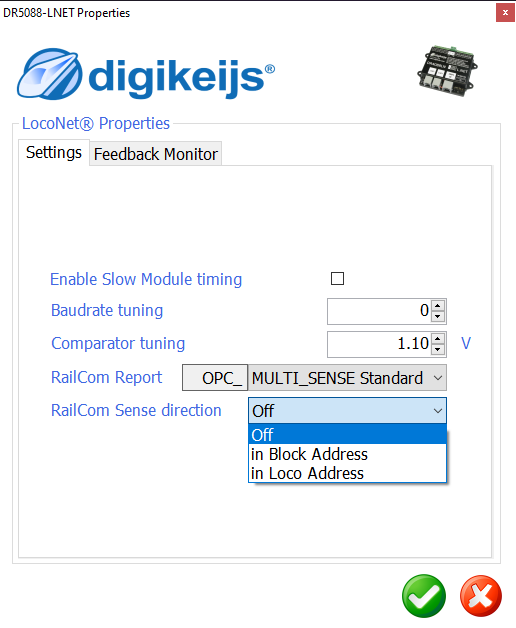
Depending in how your DR5088RC is configured you might need to correct the OPC_MULTI_SENSE direction setting:
For further experiments i`ve to combine some boards (for example pendel-line, Model railway Y-junction, Oval), one to three lokomotives and different interfaces.
Is there a possibility to export configured working boards or lokomotives, out of an existing world, in a file and later import in annother world?
No there isn’t yet, it is something I’d like to add in the future. The export is not that difficult, but the import is challenging, it has to resolve missing references handle conflicts etc. so that will take some time to figure out.
What I could add more easily is a world clone option, then you have a copy that you can adjust. Would that help?
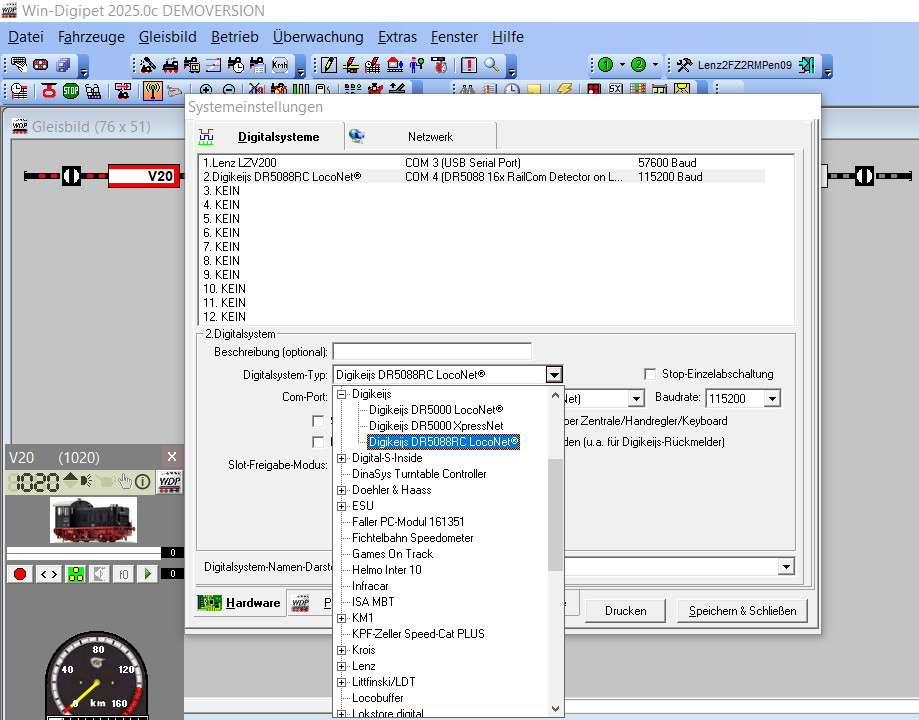
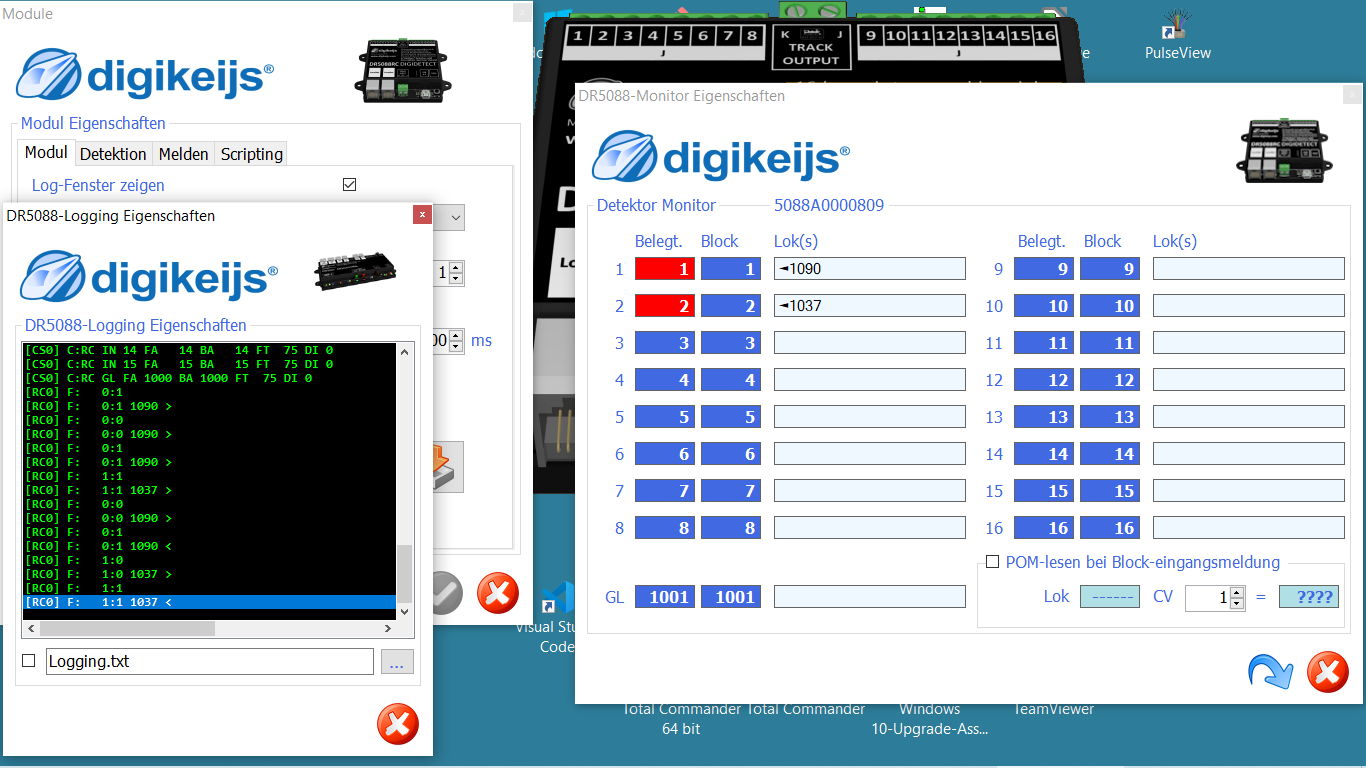
How is your DR5088RC configured in the windows configuration program?
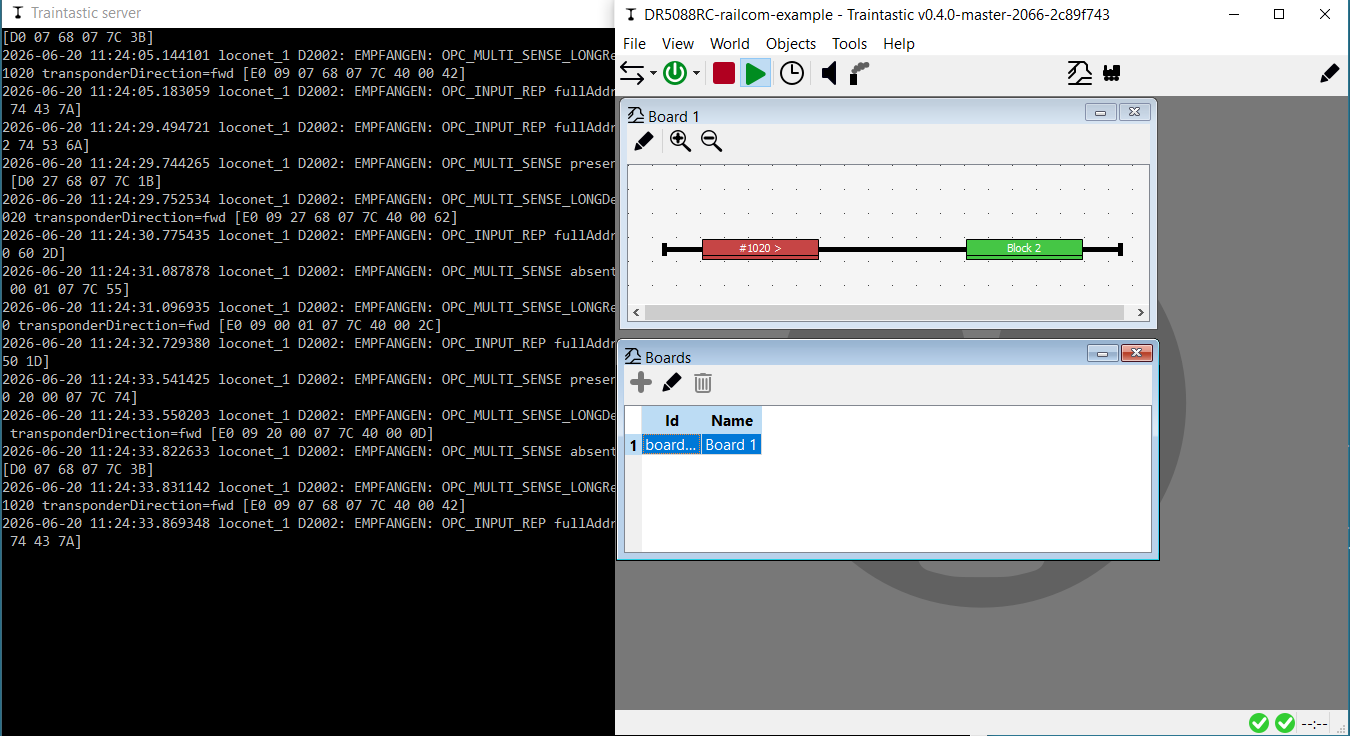
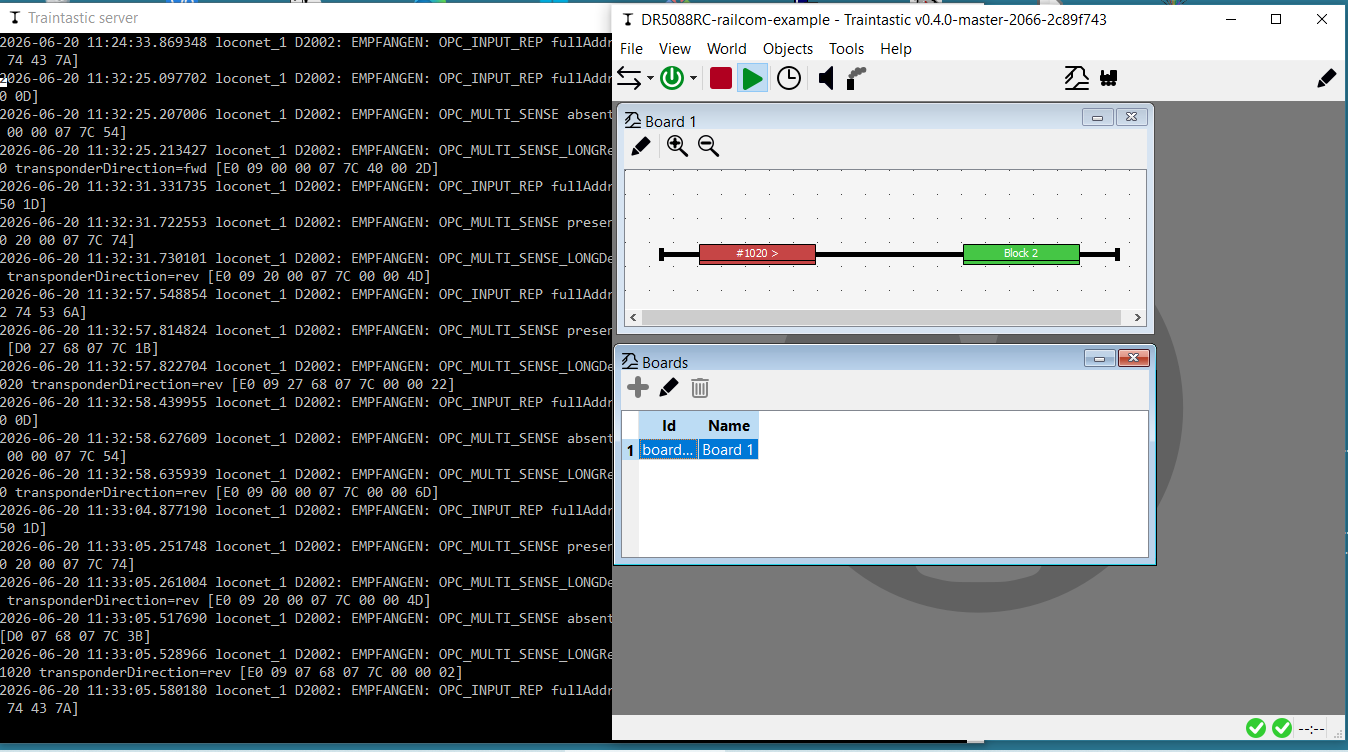
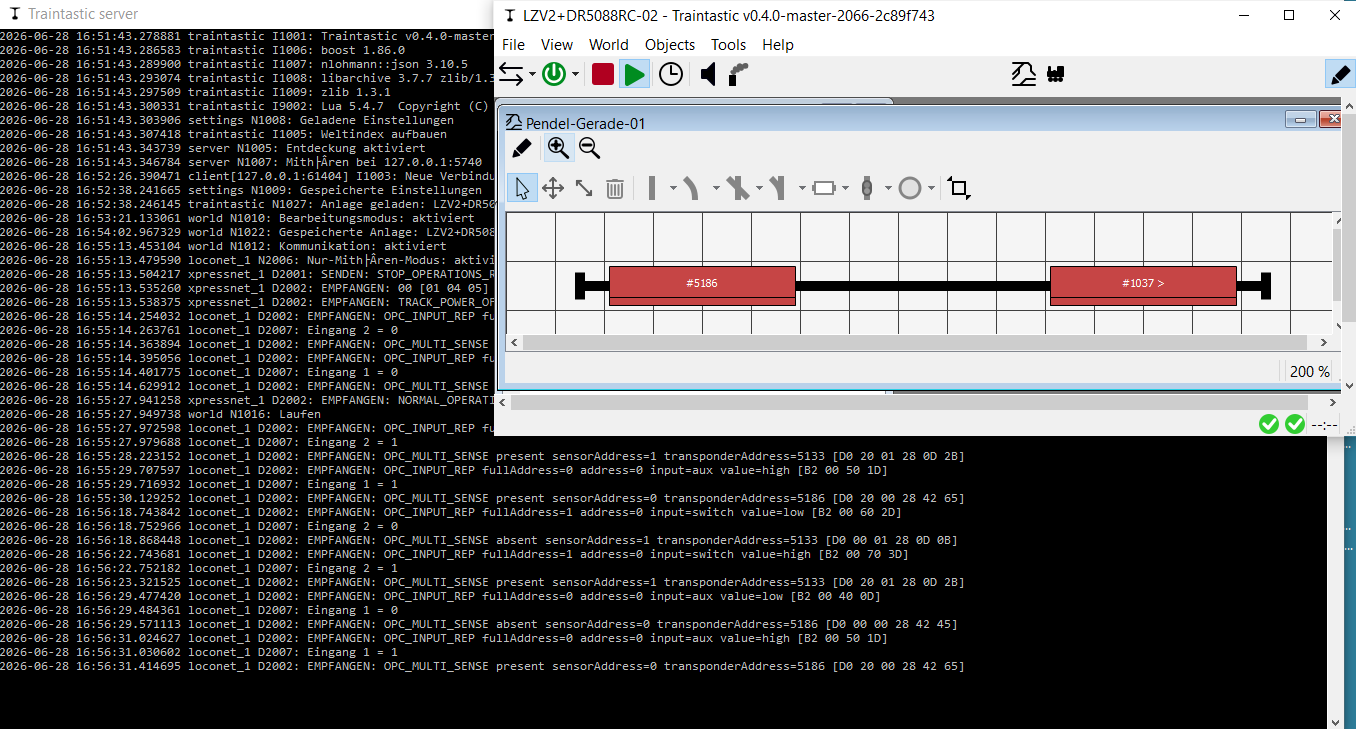
What I see in the log is that: OPC_MULTI_SENSE is both times decoded as transponderDirection=fwd OPC_MULTI_SENSE_LONG is reporting different directions
Karst Drenth reportet, that the final firmware for the 5088RC was 1.4.3. Earlyer Versions are buggy.
Unfortunately i’ve only firmwareversion 1.4.2.
With which Firmwareversion do you use your 5088RC?
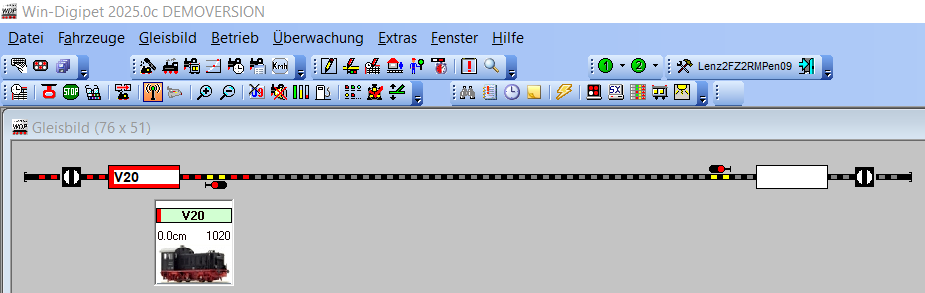
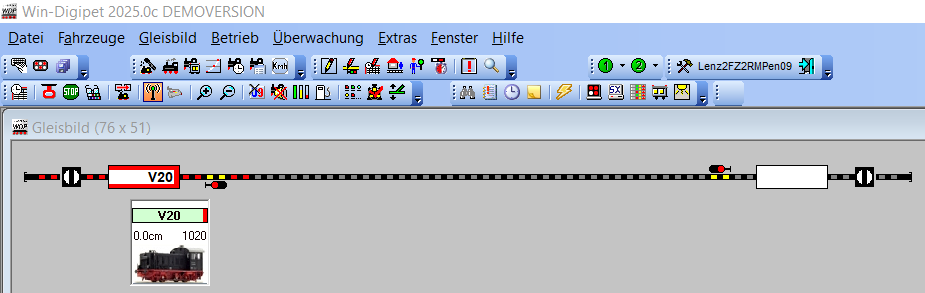
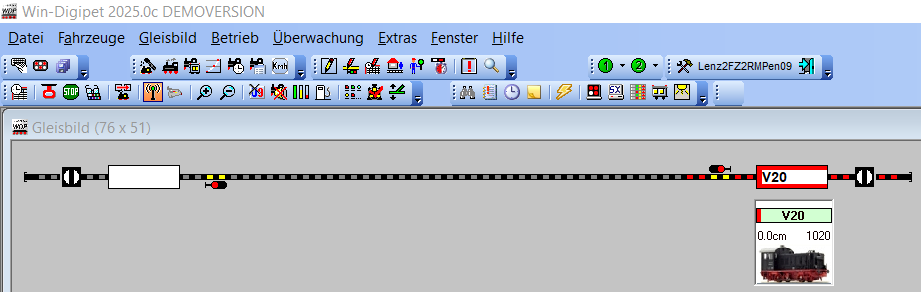
Any idea, why - with the same hardware, configured identically - Traintastic will be confused, but Windigipet seems to be able reporting the real direction?
I, ll try to change the firmwaresettings next time, but at the moment i`ve no time to test.
Do you have a complete list, which settings I should choose in the 5088RC with firmware 1.4.2?
Any experience withe the YD6016LN-RC? Which firmwareversion, how configured?
Mine is v1.4.2 too, al least that is what the DR5088RC config too reports as latest version. To be sure I’ll have to check with the real device which is in a storage box.
The challenge with the OPC_MULTI_SENSE message sent by the DR5088RC is that you can configure it to have three different formats:
No direction information
Direction in sensor address
Direction in loco address
Traintastic (or WinDigiPet, or other software) must intrepid this the same, else it won’t work as expected.
Can you change the OPC_MULTI_SENSE direction setting to None:
as you know, all these software uses often his own tracking information and not always the Railcom data. I have found some articles about that, with links to the WinDigipet site, but it seems, it’s down.
If you don’t know what other software actually uses for the display, whether it’s own tracking data or real time data from a RailCom detector, I wouldn’t put any stock in it at all.
very sure!
Windigipet and traintastic are working in all my here presentet settings as pure graphical track-monitor, driven always manually directly by real throttle or as alternativ the graphic throttle. No automatic outside the decoder-settings.
You are completely right! All these programms (iTrain, Rocrail, TC, Windigipet etc.) are using there own informations in there reposery, if there is a collision, they use theire stored data independent of the age of these stored data! (its a little bit like within Galilei and his observations of the moving earth…
But there is a reason! The hardware itselves is to often delivering inconsistent data. The 5088RC is one example. Unfortunately its the same with ECoS and there own Detectors (or even with Lenz). There ist not really a Referenz-Implementation for the complet way of the RailCom-Informations (and their context) from the Decoder to the user-gui.
So i`am rather hopeful, traintastic is doing it much better…
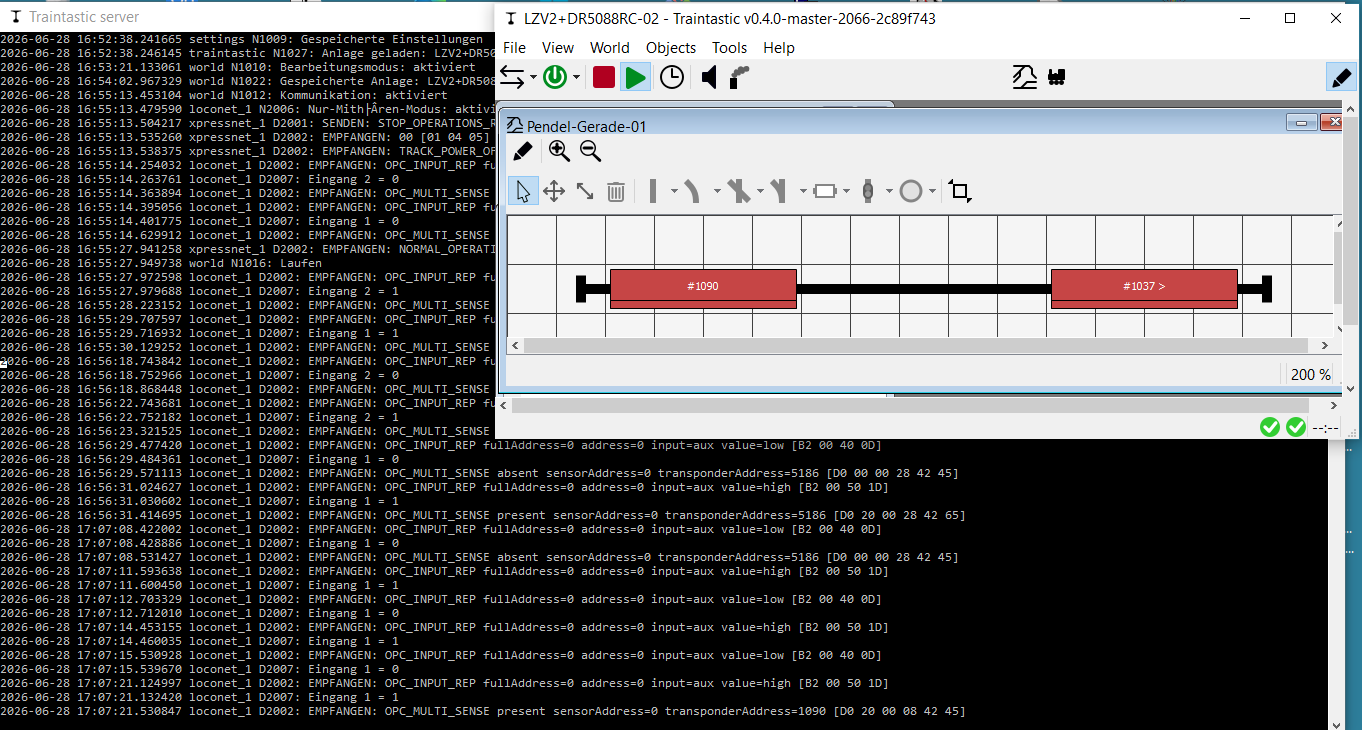
Sorry it took me a bit longer. I think it is a Problem in Traintastic with the Interpretation of messages from the DR5088RC independent if there OPC_MULTI_SENSE_STANDARD or OPC_MULTI_SENSE_BOTH is configured.
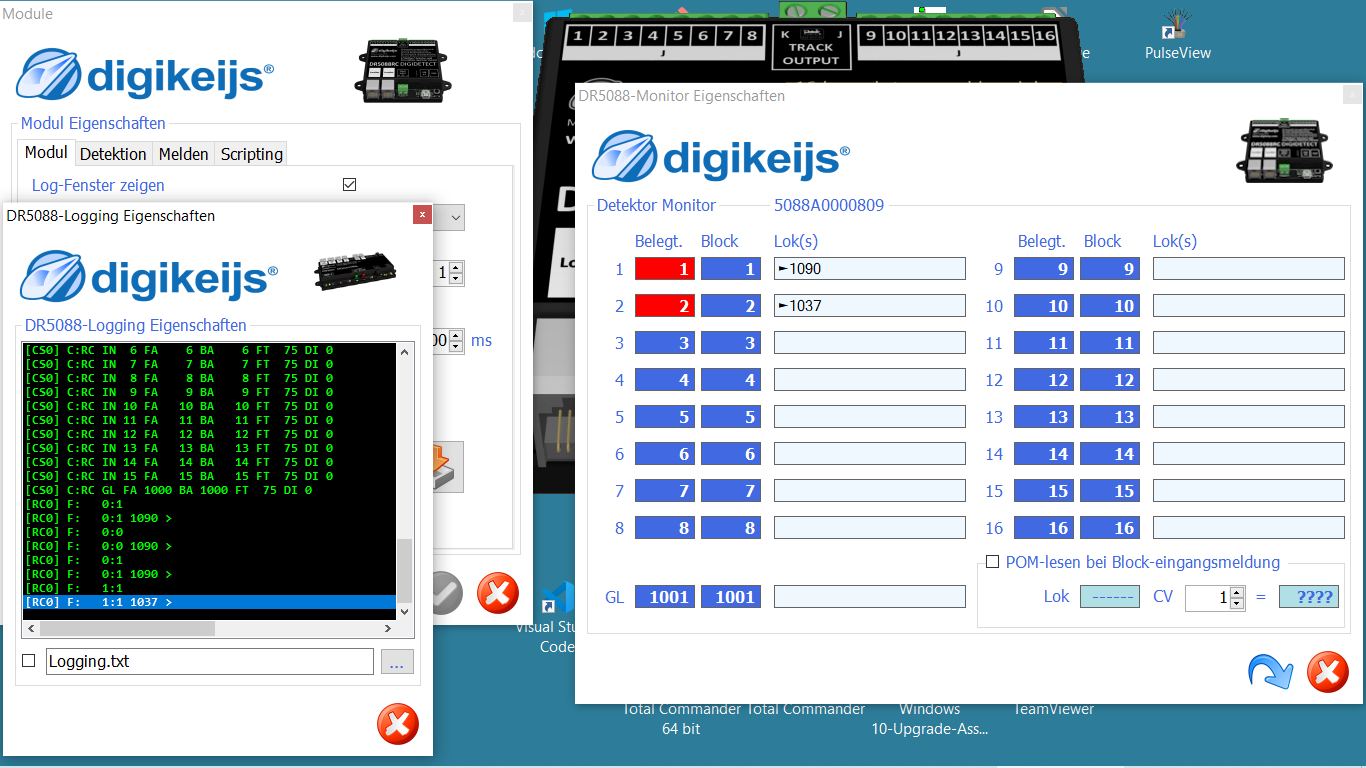
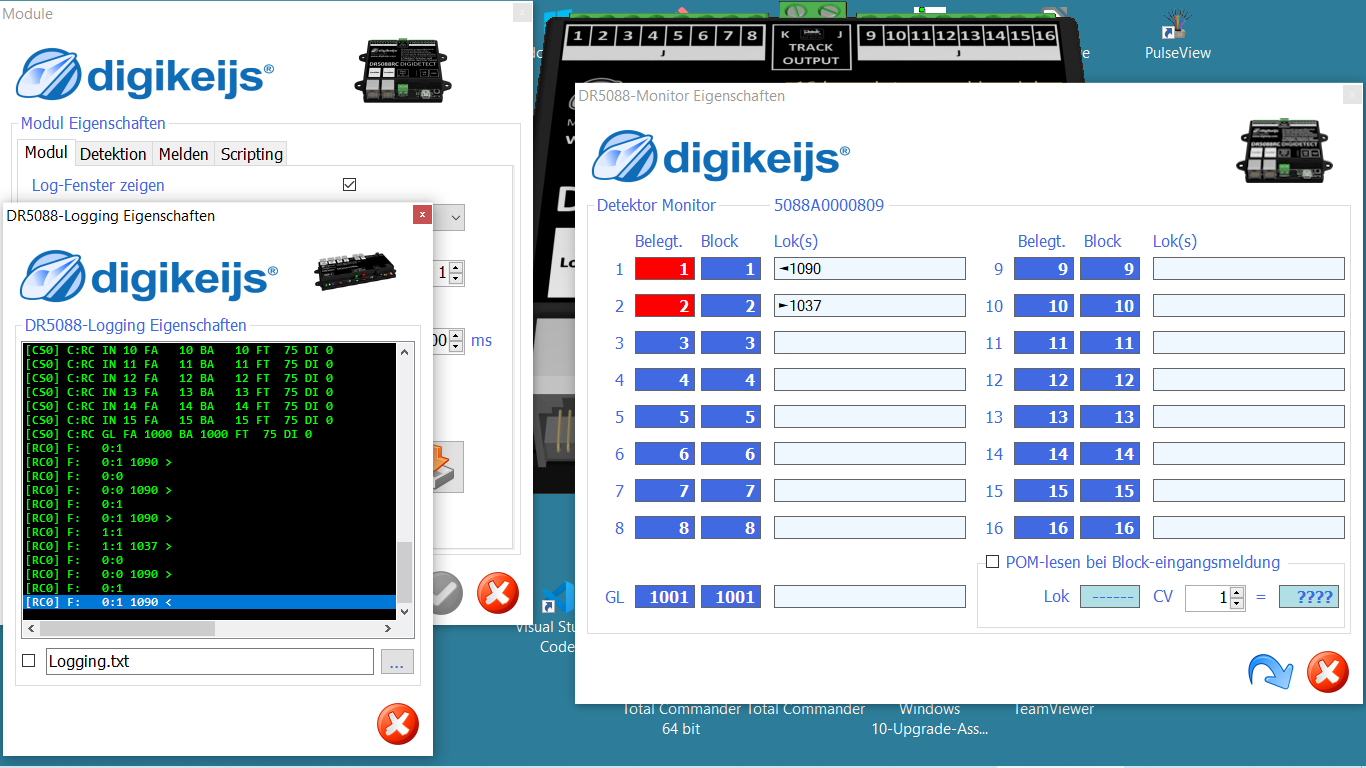
On the Monitor of the DR5088RCKonfiguration-Tool all Railcom-Messages will be showed correctly, but in Traintastic 0.4.0 the same messaages will displayed chaotic.
I am very interested, that under Traintastic 0.4.0 any Combination (DR5088RC or YD6016LN-RC with a Central who produces the Railcom-Cut) will work!
all here used DCC-Adresses are smaller than 4096!
The DR5088RC OPC_MULTI_SENSE is configured as “Standard”.
In Traintastic 0.4.0 (Build 2066)
OPC_MULTI_SENSE direction is configured as “none”.
some Protocols and Pictures: traintastic_diagnostic_report_20260628_173129.zip (26.0 KB)
In the DR5088RC-Monitor all DCC-Adresses will displayed always correctly:
When Off the DR5088RC will not send direction information to Traintastic via LocoNet.
When in Block Address the DR5088RC will encode the direction in the block address:
Block address 1 → block 1 reverse
Block address 2049 (=1+2048)-> block 1 forward
This limits the number of usable blocks to 2048.
When in Loco Address the DR5088RC will encode the direction in the loco/transponder address:
Loco address 1090 → loco 1090 reverse
Loco address 5186 (=1090+4096)-> loco 1090 forward
All used loco address must be be 4096 or lower.
Traintastic must know how the DR5088RC is configured in order to decode the message properly, based on the 4096 difference I see in the logs, you have configured in Loco Address in the DR5088RC, so in Traintastic you have to do the same in order to get proper address/direction feedback.