Hi,
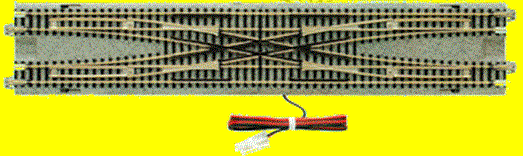
I’ve developed the turnout link feature, this will make it possible to handle mechanically or electrically coupled turnouts properly in Traintastic. e.g. the Kato Unitrack cross over’s and the double cross over are electrically coupled, each turnout has its own coils but the are electrically connected, so all turnouts will move at the same time and thus use a single hardware address.
Some example turnout arrangements:
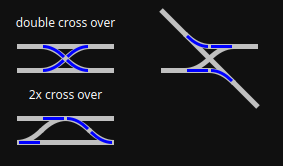
How it works:
The primary/master turnout is configured as usual, setup interface/channel/address:
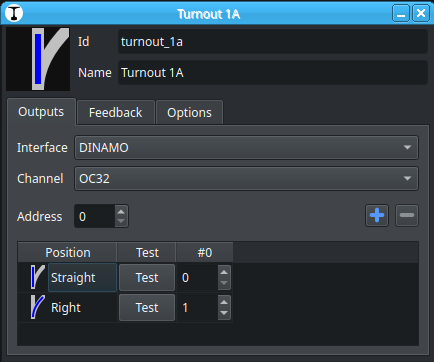
The secondary/slave turnouts are linked to the primary/master:
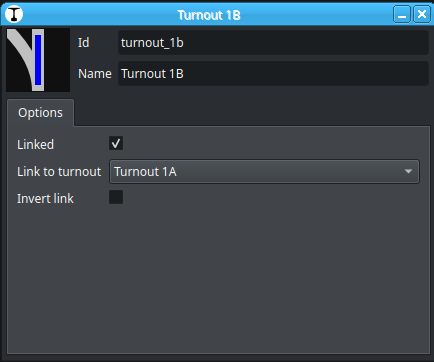
Once the Linked option is selected the Output and Feedback tabs are hidden, they no longer have a function, two new options become visible.
Link to turnout specifies the primary/master turnout it is linked to.
The Invert link option can be used to inverse the position, normally Straight maps to Straight and Right/Left to Right/Left. For some turnout arangements it might be required that that Straight maps to Right/Left in that case enable this Invert link option.
The feature is available is available in master development build #2074 and later.
Feedback is welcome 
Greetings,
Reinder