The ESU ECoS (all models) are supported by Traintastic, however not everything is fully tested. I don’t own an ECoS myself (yet) I can borrow a unit from time to time. Driving, switching turnouts/signals and using S88 / LocoNet feedback sensors is tested. The RailCom ECoS detectors aren’t tested, so there might be a few glitches.
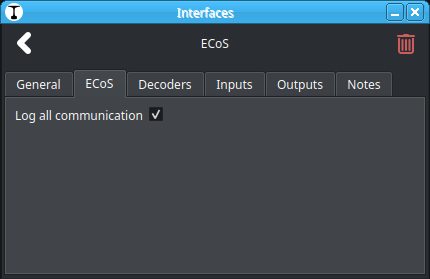
When testing, please enable the Log all communication setting.
This will log all commands sent/received by Traintastic.
Using the Diagnostic Report option, world configuration, log etc. can be collected and posted here. That will help with diagnosing issue and improving support for the ESU ECoS command stations.
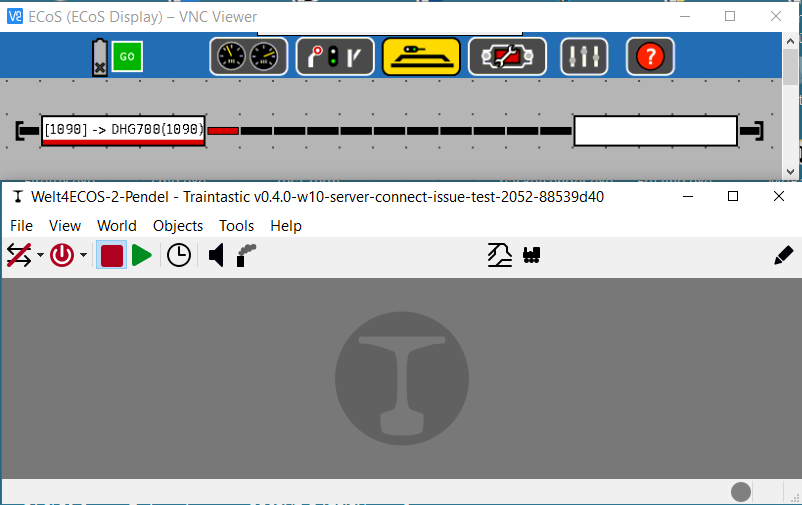
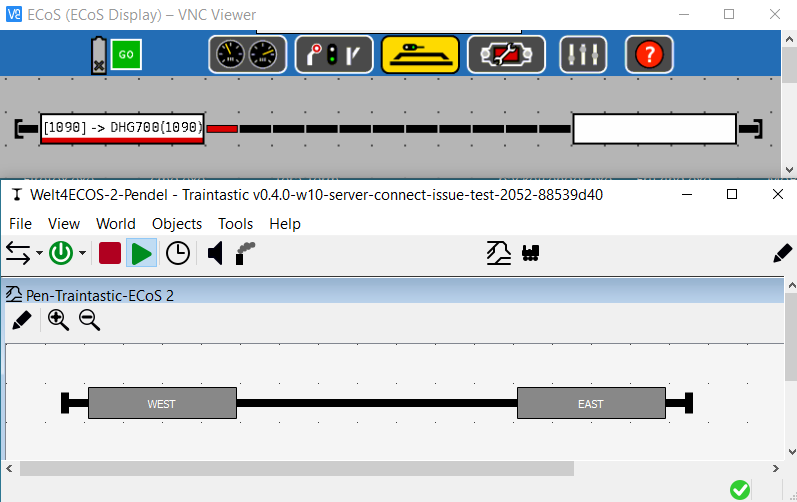
How to configure Traintastic 0.4.0. so it shows a move of the DHG700 from the East-End to the West-End of the line?
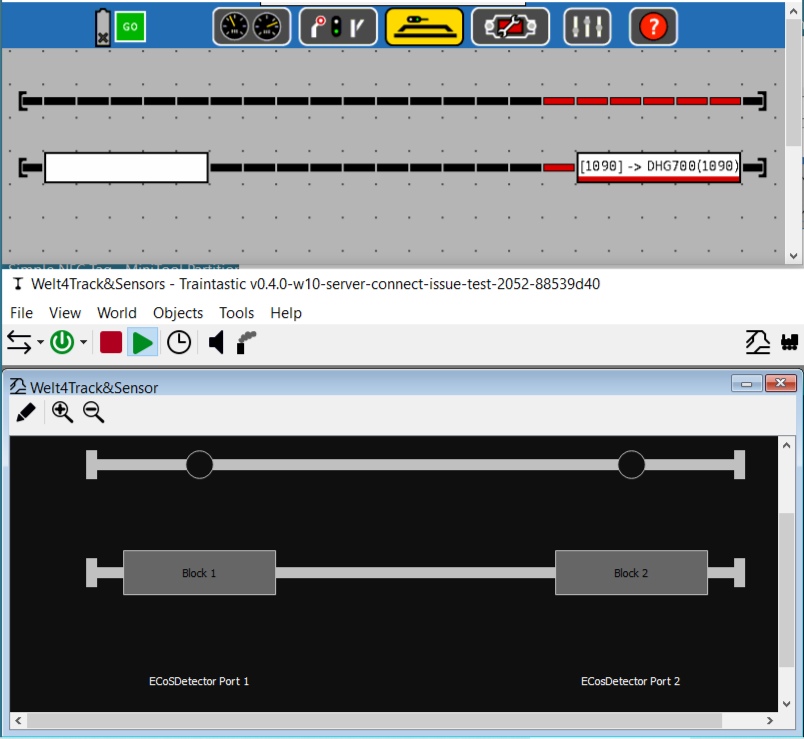
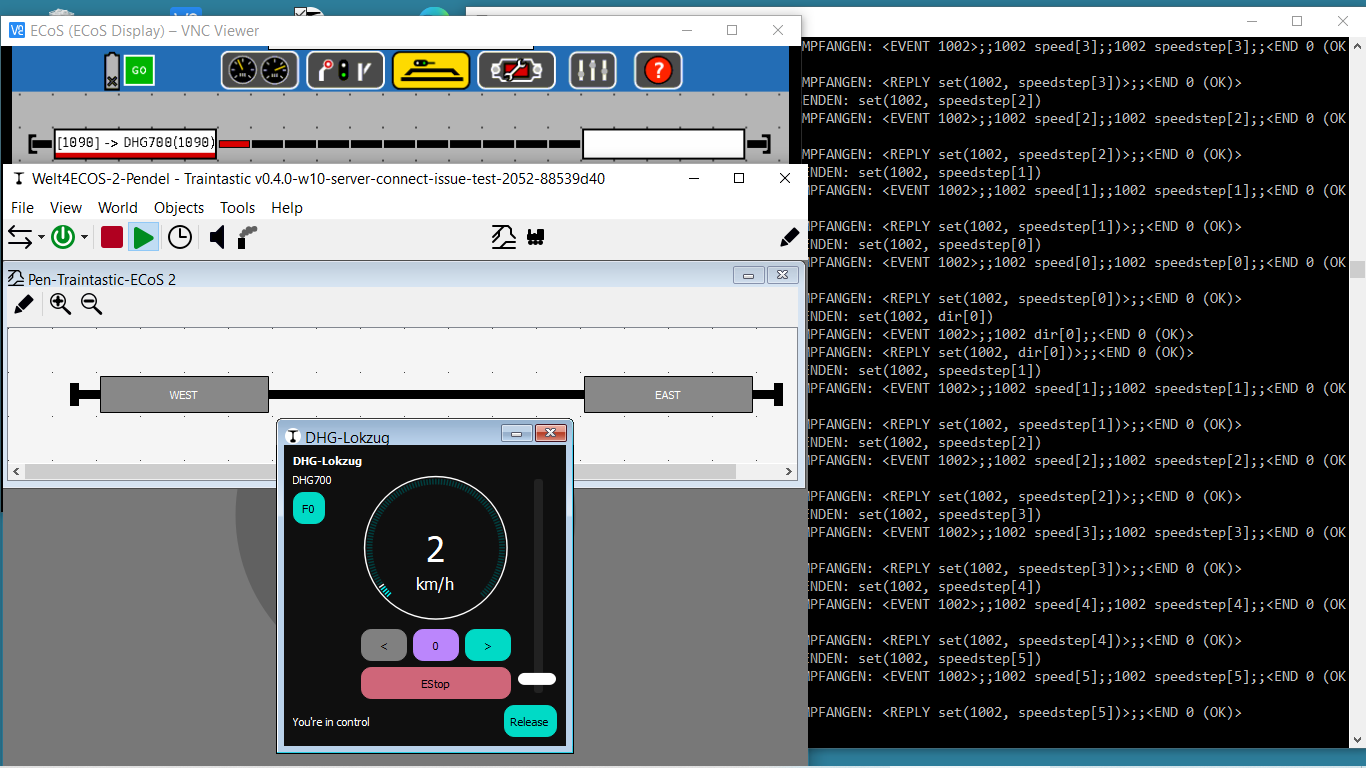
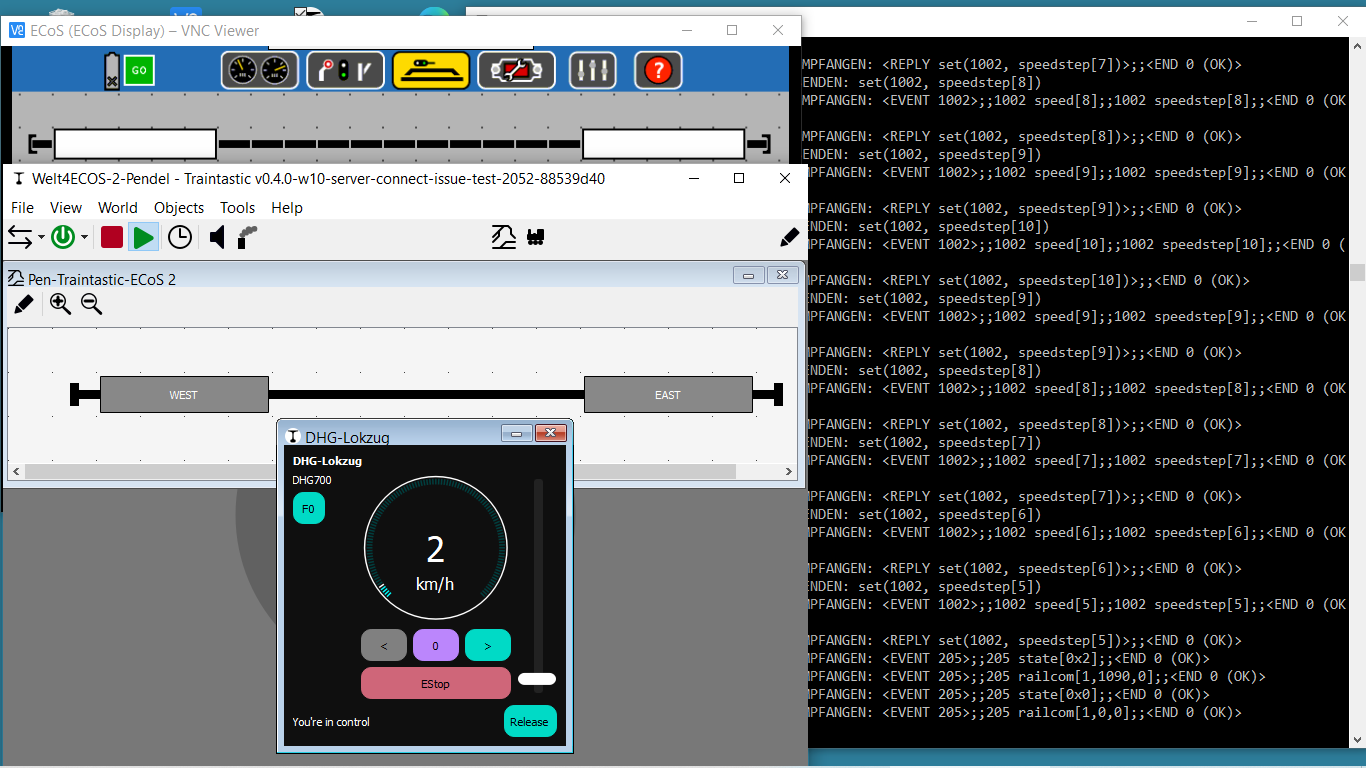
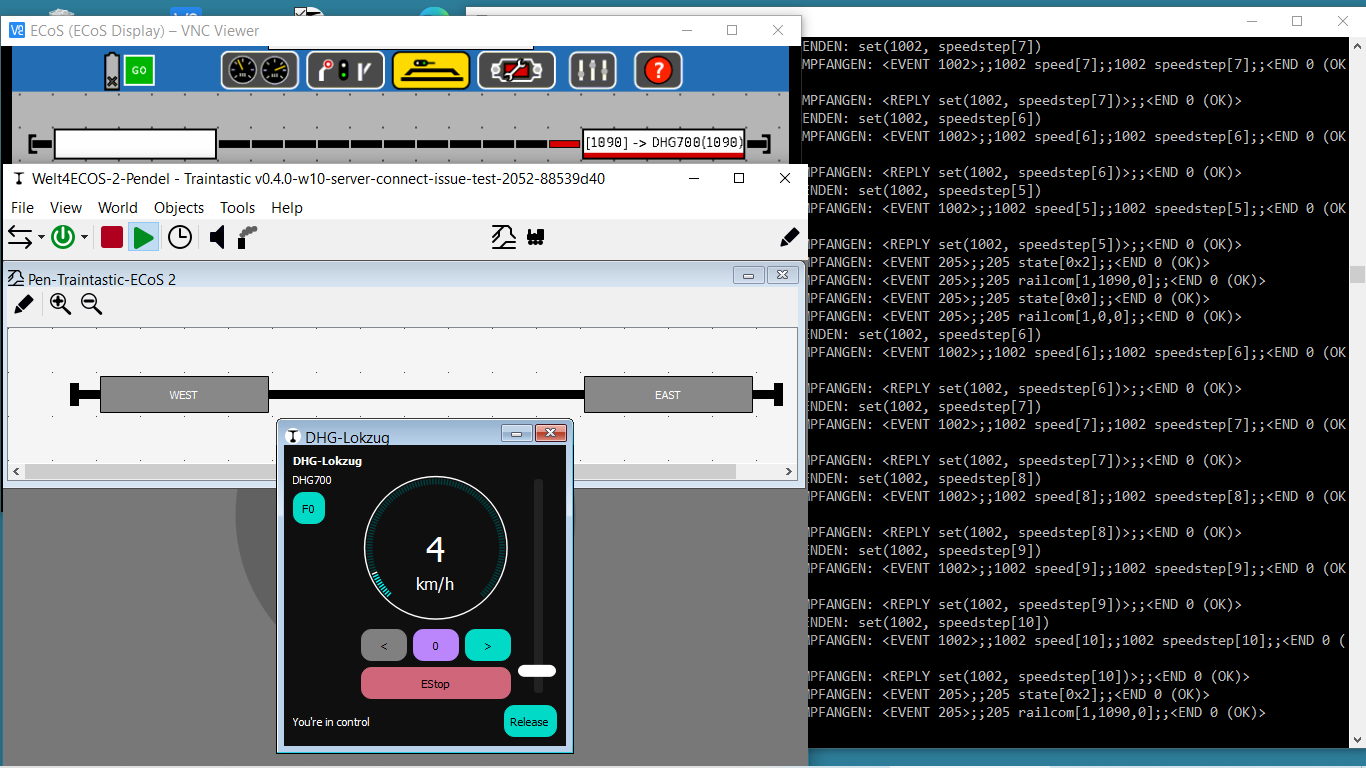
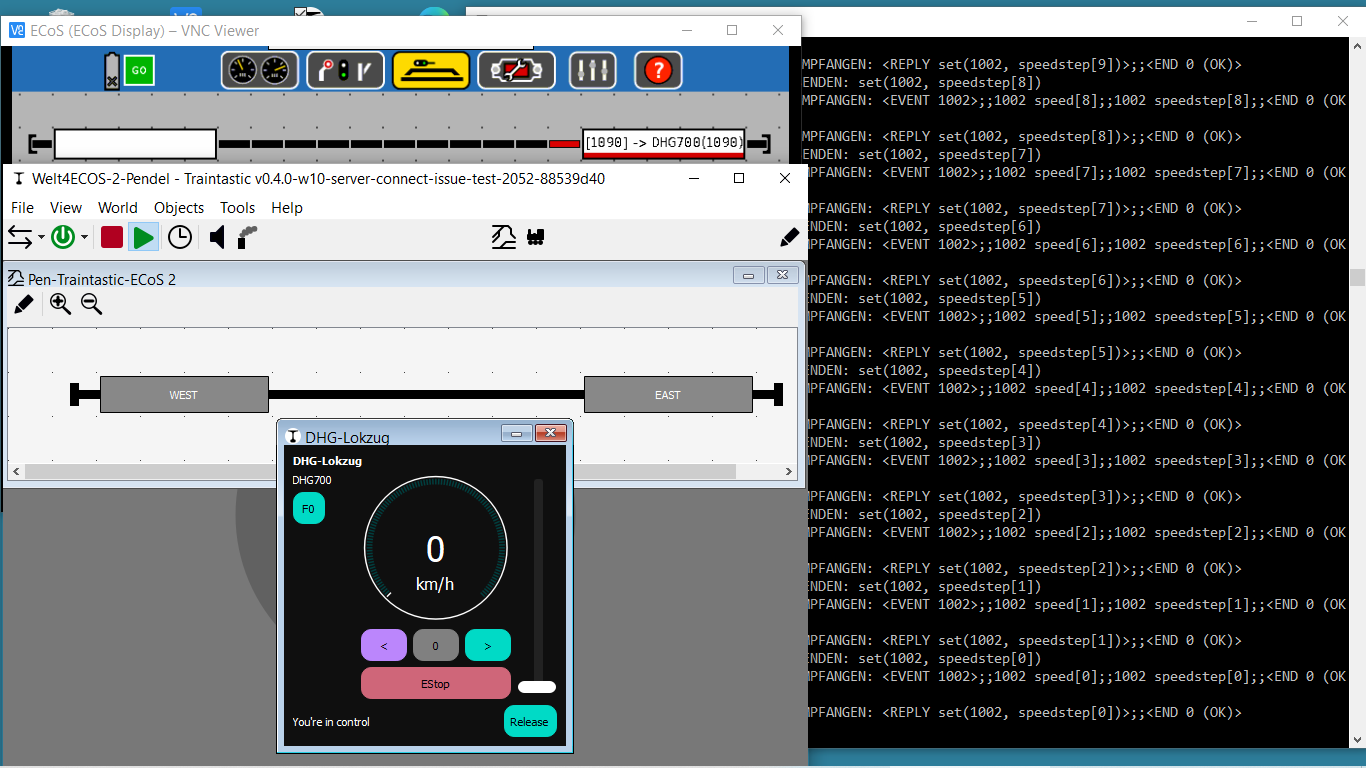
First Step above line only occupation of the Sensor (on ECoS-Display Tracks became red).
Second Step qualified occupation with DCC-Adress, NAME and Direction of the Lok in the Track-Block.
how did you set this up with the ECoS? How did you configure the occupancy and RailCom detectors? Or does the ECoS have some kind of built-in AI that allows it for self configure?
its not really self configured. A user has to choose Items in several Menues in the ECoS-Settings (Decribed in the ECoS-Manual and in the manuals, who came withe the ECoSDetectors). When everything is well done, the ECoS shows it in there own display and send it over LAN also to an extern Software.
I’ve moved some the ECoS related post here, it is a bit offtopic for the Traintastic demo layout topic. Better to have a seperate thread for ECoS related questions
Which ECoS hardware is connecte to you ECoS?
When going online Traintastic will query the ECoS for information, can you enable the Log all communication option (before going online), and post a Diagnostic Report here. That will help me a lot
thanks for your engagement.
I’ll collect the informations, but i’ll need some time.
My ESU ECoS is a 50200, the ECoSDetector for this layout ist one 50098 with four Railcom-Inputs.
The tracks are Trix-C, the turnout has an in-build DCC-Decoder (double-loop).
More Information later, but first my question:
For the ECoS you can (by the wizzard) choose between Interface “ECoS” and “ECoS 2”. Which is the better one for the ESU 50200?
May be there is a need to configure any Identifications?
for further Infos, please ask me.
kindly regards
vik
PS.: when I move the Slider of the traintastic-throttle, the in-build-throttle, in the ECoS turns also. But turning the ECoS-throttle did’nt move the slider of the Traintastic-throttle. Same with Direction and Functions.
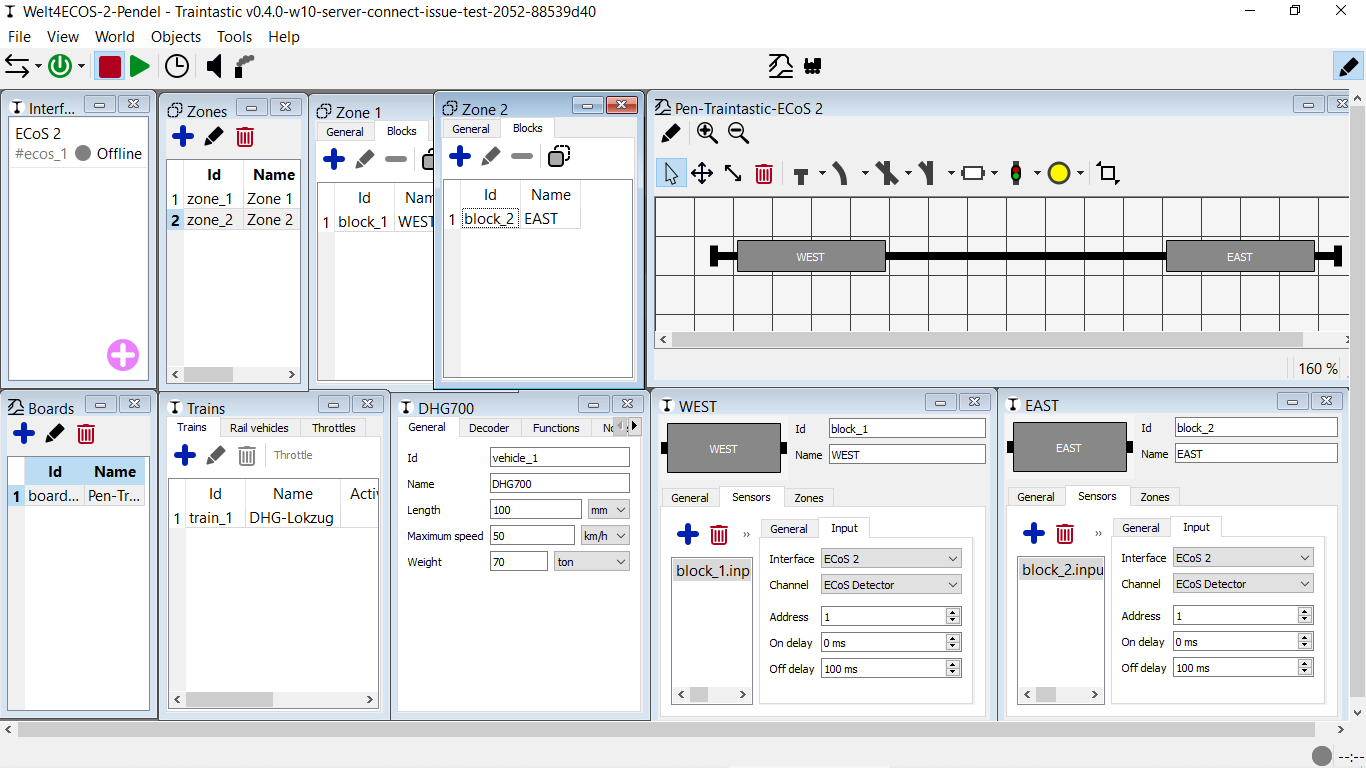
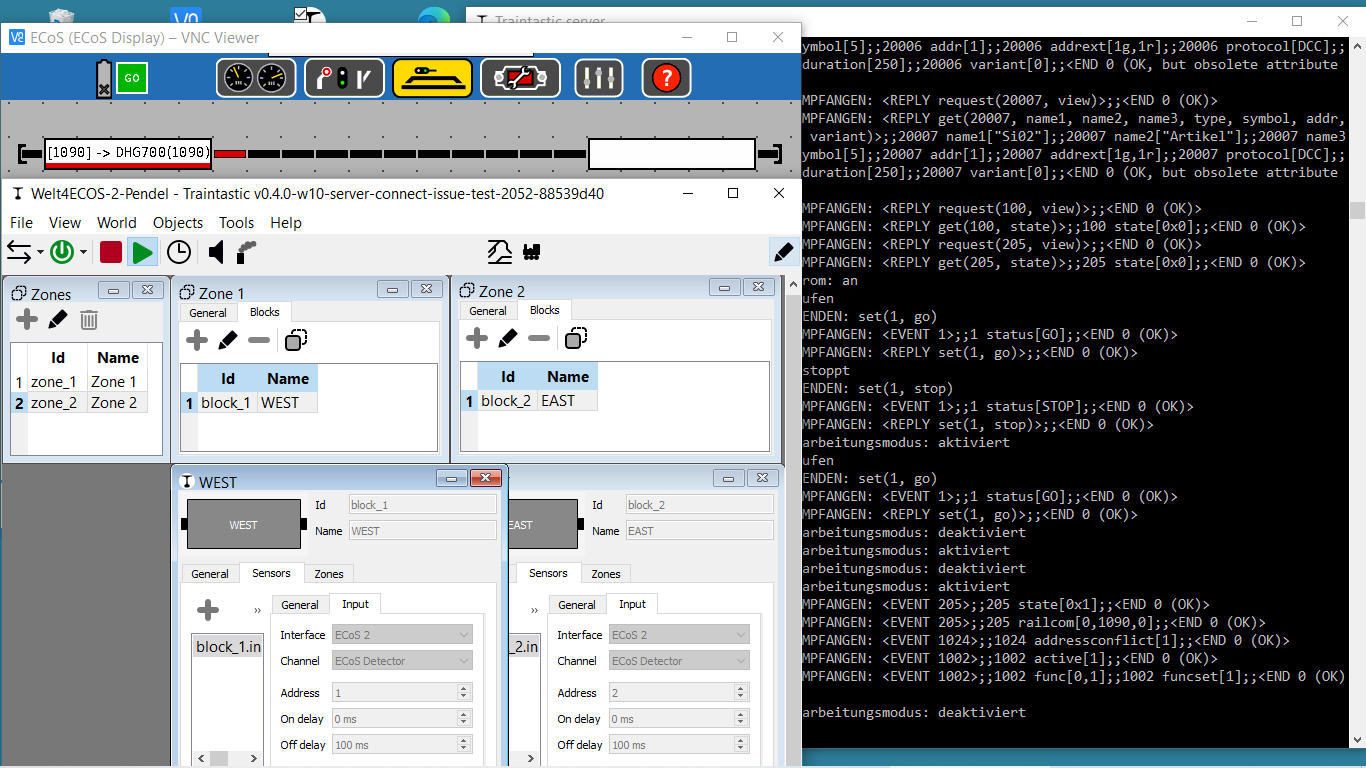
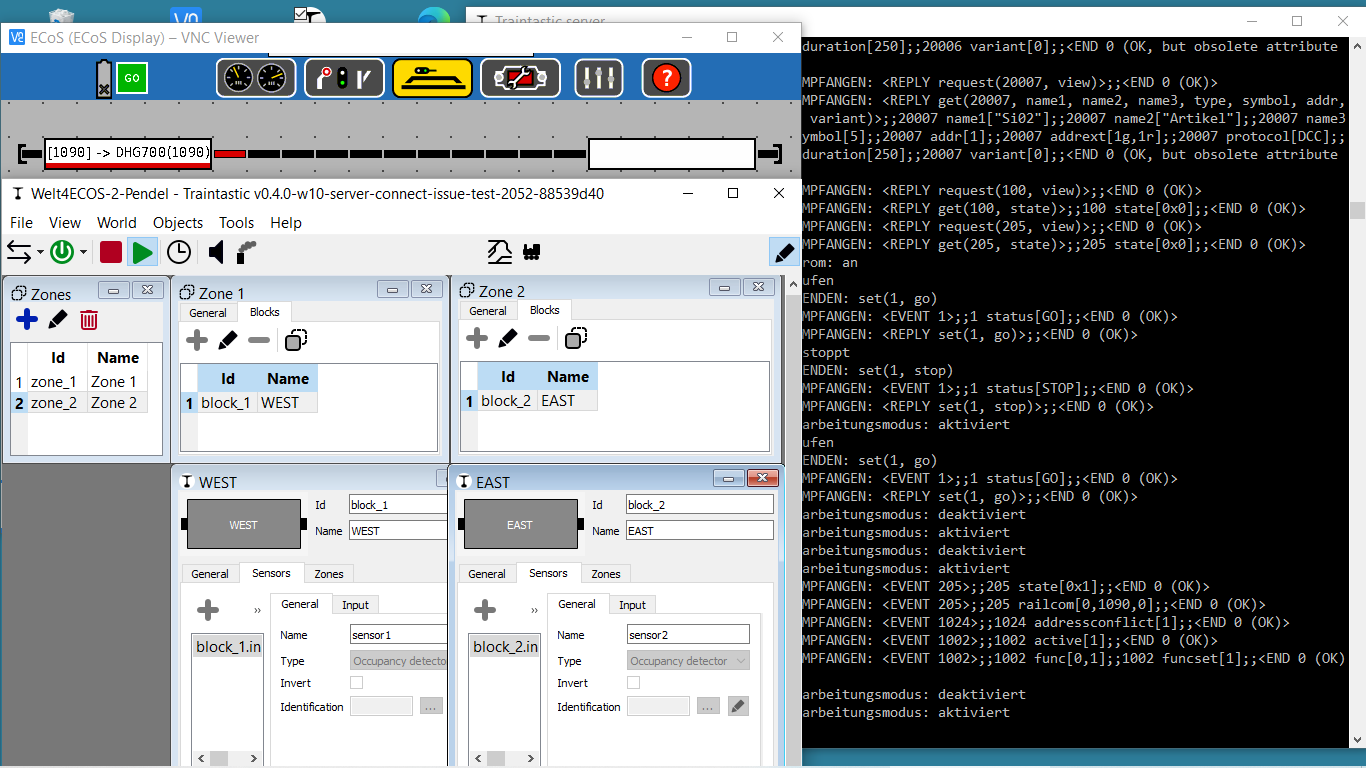
I am missing the configuration options for every port of the 50098. A module with multiple ports must be have more than only one address to distinguish between the Blocks / Sensors or must have an address and port (like a loco decoder has many CVs, but only one address) This could be done in a data protocol to the control software, but where is this configured in Traintastic? How do Traintastic know, that i.e. Port 3 is for Block “West”? Must this be configured in the Tab General in the field Identification?
Vik, do you have a screenshot of the General Tabs from WEST and EAST, especically of the “Identification” settings?
Reads Traintastic these data from the Ecos for minimal user configuration?
I read something about the 50098 and 50200 in the manuals for these devices, but can’t find something about the configuration of the ports. Also I can’t find a protocol specification to communicate with the Ecos. So I can’t read something about the Ecos protocol, it seems that’s not a public available document.
Greetings, Tom
Reinder has some ToDo’s for the throttle management on his list, also for the CANCAB2 with CBUS. So this could be a known problem.
This diagnostic report is made before connecting, I need one after connecting to the ECoS with the log all communication setting enabled.
Just had a look at the ECoS source (made it some time ago, so don’t remember everything).
Identification isn’t implemented yet, I don’t have the hardware to test it, not all protocol stuff is documented clearly, so I did a bit of trail n error and reverse engineering to get it going.
It would help me a lot if with the log all communication setting enabled you put a loco on the track, then flip it. The ECoS will send messages to Traintastic, they will be logged, based on that I can implement it. We done, you can do some additional testing
Yes, that isn’t working yet, like @DL7BJ said, it is on my big todo list
There is one old document, but that is very limited, the protocol documentation is also in the ECoS itself, via commands information can be requested. Back then I wrote the ECoS help generator, it will generate HTML pages, for easier offline reference, see: [Online help for the ECoSNet 0.5 implementation of the ECoS v4.2.12].
always the same with commercial products! As I know only Z21 is very well documented.
With the CANCAB2 it’s only the accquire/release problem. I mention that only one throttle does have the control. Other throttles with the same address could display the information, but “readonly” if one throttle has accquierd a loco. I think, the same is important, if Traintastic has the head on for automatic control. It’s not such a simple thing as it seems
I think that’s wrong with address 1 and address 2. If you have only one RailCom Detector. In your first screenshot both have address 1, I think it’s correct. If you have a look at your screenshots of the logs, then you see:
railcom [0,1090,0]
railcom [1,1090,0]
Reinder wrote a telegram looks like this: railcom <port>,<addr>,<dir>,where port is one of the 4 possible Blocks, addr is the loco address and dir is the direction.
Is 1090 the Decoder Address of the DHG700? And is WEST/EAST Port 0 and Port 1 (connectors) of the Ecos Detector? If I am right with my theoretical analysis (because I don’t have a full specification from ESU and the manuals have no information about the port numbers) then Reinder has to implement the identification with port 0 to 3 and later you have to assign i.e. WEST to port 0 and EAST to port 1. But at the moment, this functions are not implemented. So it is important, that you send the complete diagnostic report with some movements from EAST to WEST and WEST to EAST. Reinder asked for these logs to implement these functions.
In simple words as analogue to DCC, you have a decoder with address 1 and 4 variables for every Railcom Block and these block variables got the loco address if the loco is in the right block or 0 if the block is free.
The Adress in Sensor 2 (Block 2) I changed from “1” to Adress “2”. should I have change in Sensor 1 (Block 1) the Adress to “0”?
in ECoSDetectors 50098 the Configuration of Ports starts from 1 to 4. So in Traintastic it will be mapped starting with 0 and end with 3, when it is implemented.
Vik, I read shortly the manual and as I understand it, every 50098 needs one address between 1 and 100. But this is the address of the 50098, not the identification of the 4 RailCom connectors. If the 50098 has the address 1 than you must have something additional identification to distinguish between connector 1 to 4 (or 0 to 3). I can’t find anything about this in the ESU documentation.
Please, wait until Reinder could check your logs and screenshots. I have no experience with the Ecos and the modules, I am only thinking loud
Vik, why do you think you must use in Traintastic another address?
In German:
Warum meinst Du, das Du in Traintastic eine andere Adresse nehmen musst, wenn das bei der Ecos, die vermutlich das Modul auch konfiguriert, die 6 ist? Das kann doch gar nicht unterschiedlich sein, das ist doch die feste Adresse des Moduls! Du versuchst doch auch nicht eine Lok mit der Dekoderadresse 6 mit der Adresse 1 am Handregler zu fahren oder? Ich denke, die “Identification” Einstellungen bei Traintastic entsprechen dann dem, was die Ecos unter Status anzeigt. Dort wird dann jeder der 4 Ports konfiguriert werden müssen, ein Port für WEST, ein Port für EAST. Dazu schrieb aber Reinder, das dies noch gar nicht programmiert ist und dafür möchte er eben die Logs, um das zu machen.
Thanks for all the info, it really helps, based on that I think it works like this:
<EVENT 205>;;205 railcom[0,1090,1];;<END 0 (OK)>
       ^                 ^ ^    ^
       |                 | |    \- train direction
       |                 | \------ train DCC address
       |                 \-------- ECoS Detector port: 0-3 means input 1-4 on the device
       \-------------------------- ECoS Detector address: yours is 6, so 205 means 6, 200 means 1, 299 is 100
In the diagnostic report server log I found: <EVENT 205>;;205 railcom[0,0,0];;<END 0 (OK)> that means loco gone I think.
No, my bad, what I meant was, pickup the loco, rotate it 180deg and put it back on the track, that should change the train direction, we need to find out if 0 or 1 is forward, the other then is reverse.
@vikr, I need one more diagnistic report, can you perform the following steps:
start Traintastic
go Online, so Traintastic connects to the ECoS
wait a bit (traintastic will do some initial communication with the ECoS)
go Offline, so Traintastic disconnects from the ECoS
create a diagnostic report.
Then the log should contain the startup communication, I need to know how the ECoS Detector announces itself.
I the meantime I start working on adding support for RailCom feedback for the ECoS.
I’ve added RailCom support for the ECoS, I can’t test it, I’d hope it will work
A little note on ECoS vs. Traintastic addressing:
ECoS module number
ECoS port
Traintastic address
1
1
1
1
2
2
1
3
3
1
16
16
2
1
17
2
16
32
3
1
33
4
1
49
5
1
65
6
1
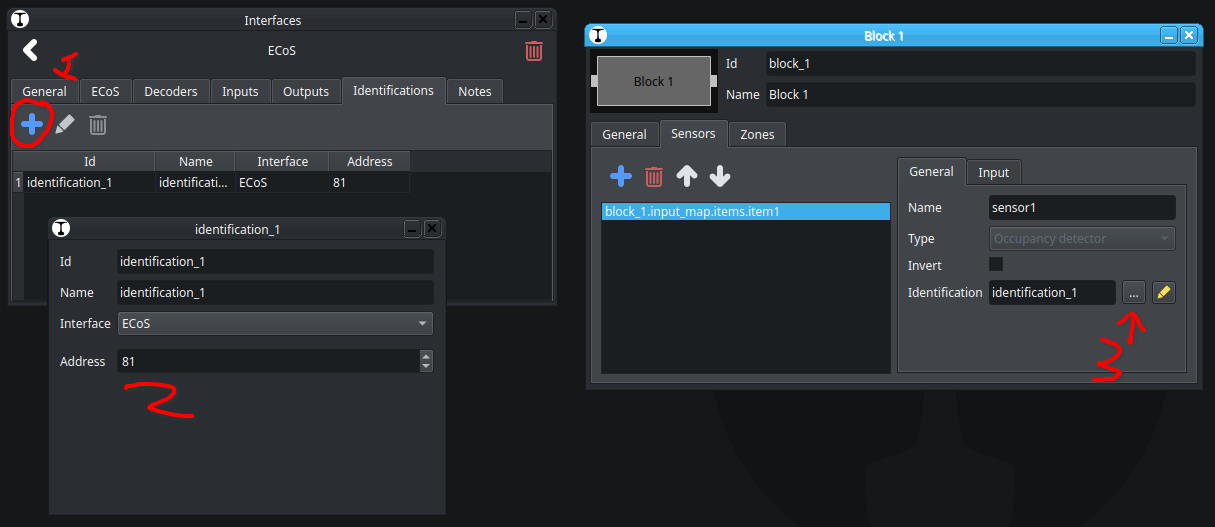
81
Traintastic always reserves 16 addresses for each ECoS Detector, so in case of the RailCom detector, which has only four ports the other reserved addresses are unused.
This might change in the future, as my goal is to make it as easy as possible, but for now this is it.
@vikrBuild #2056 at Traintastic development builds has the (untested) RailCom support. (Might take some time to build and become available.)
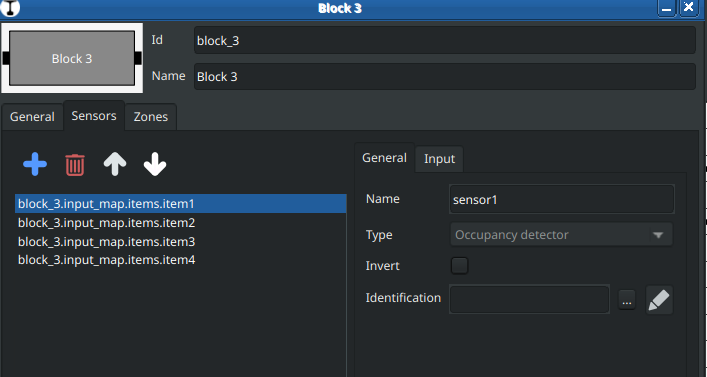
To connect the railcom identification to a block you have to create an identification sensor first, then link it to the block.
it’s always impressive how quickly you just go ahead and implement things like that! I know that making something like this possible so quickly depends a lot on excellent software design. I see that myself when tinkering with decoder programming. Still, a big from me!



 from me!