First impressions testing Traintastic 0.4

… running notes for my initial tests
Please allow me to gather my notes here, basing my findings on
this build combo:

traintastic-data/now 0.4.0~ubuntu~noble~cbus~1939~9887163c all [installed,local]
traintastic-server/now 0.4.0~ubuntu~noble~cbus~1939~9887163c amd64 [installed,local]

On scales: 1:72.2 (OO scale ) and 1:120 tt:120 [ hornby new stuff ]
probably not of much consequence…

I am aware i am working on a dev version, i will more than likely do some back-checking if things get out of hand.
If all goes to plan i will keep notes which might be helpful for future documentation/examples? HTH.

Client will be a Windows install, unless i run into serious issues.

  1. i found traintastic bound to localhost only:
tcp        0      0 127.0.0.1:5740          0.0.0.0:*               LISTEN      138        35536      9950/traintastic-se

Found the json, updating. Maybe ask some questions re: data path and/or local/public access in a post-script / add to the docs as a note?
( if you need help i am willing to help if needed )

Added dcc-ex, noticed: no obvious OK, < goes back
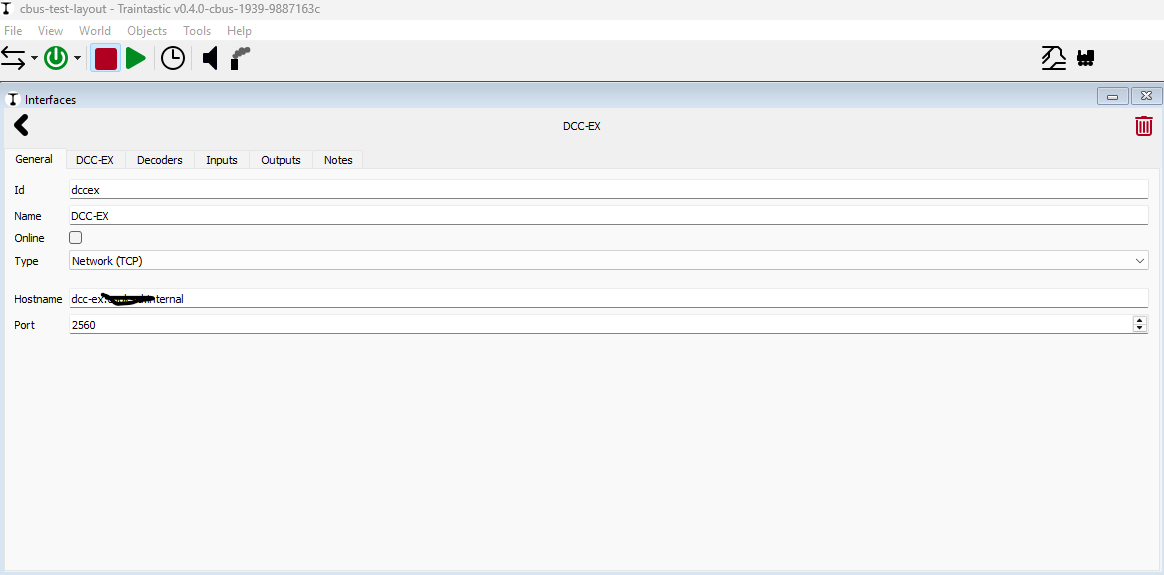
but than shows
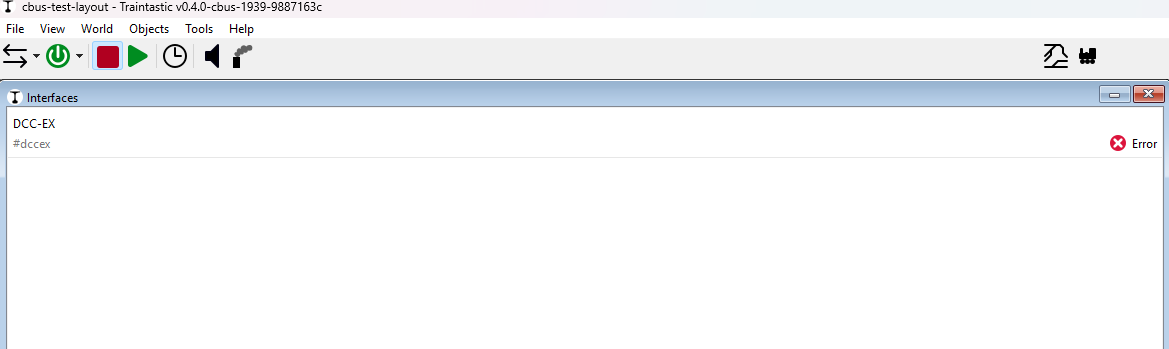
Repeat with the proper IP addr: same outcome.

Pity that i cant use my “vanity” links in my udev rules:

SUBSYSTEM=="tty", ATTRS{idVendor}=="04d8", ATTRS{manufacturer}=="SPROG DCC", ATTRS{product}=="CAN_USB4",SYMLINK+="ttyACMCANUSB4"

SUBSYSTEM=="tty", ATTRS{idVendor}=="2341", ATTRS{idProduct}=="0042", ATTRS{serial}=="950373235353511062F0", SYMLINK+="ttyACMDCCEX"

:rofl: but that is my own invention so only myself to blame…
On the other hand: maybe restricting to ttyACM[0-9+] might be a bit restrictive?

Actually got it to work…
May i suggest a “submit/ok/test” button to make it more obvious before returning to the previous list? The plain “error” box without explanation did give me slight head-scratcher in naive testing mode …

I appreciate the ability to have an interface to be taken online/offline
but if you forget the online button before hitting back it is imho slightly confusing to see an error. Would it be possible to split out error [ and why ] vs offlined?

Will have to do a replay but i am pretty sure i had to hit online multiple times to have it enabled and online/accepted once.

To be honest i have already achieved more in a couple of hours in traintastic than i have in a same amount of time in other software …
Hats off there!

Drawing the track plan i have right now is a breeze; but for larger plans the 45 degrees curves to make the connections might impose some limitations. Others choose to do a 45 degrees “cut the corner” and essentially work from middles of a squere [ both for straight as well as curves which might save some space?
Dont get me wrong i do like your choices here for ui / editing and relative simplicity!

A post was merged into an existing topic: MERG CBUS/VLCB hardware support

Hi,

Moved your post to a new topic, it is a bit outside the CBUS scope.

Found the json, updating. Maybe ask some questions re: data path and/or local/public access in a post-script / add to the docs as a note?
( if you need help i am willing to help if needed )

Traintastic by default binds to localhost, this is usually fine, but for a setup like you have it is not ideal. When installing the server DEB it should ask that, I never took the time to figure out how to ask a question while installing the DEB.

The data path is fixed because it should just work, for power users that want to alter it command line options are available.

Pity that i cant use my “vanity” links in my udev rules:

The Device dropdown shows all found common serial devices (based on common namings schemes), you’re free to enter something else :slight_smile: So entering /dev/ttyACMDCCEX should work :slight_smile:

May i suggest a “submit/ok/test” button to make it more obvious before returning to the previous list?

Traintastic does not have that, everything is applied immediately just like modern mobile apps.

The plain “error” box without explanation did give me slight head-scratcher in naive testing mode …

Did you open the server log? (F11)

I appreciate the ability to have an interface to be taken online/offline
but if you forget the online button before hitting back it is imho slightly confusing to see an error. Would it be possible to split out error [ and why ] vs offlined?

The preferred workflow is to use the online/offline button on the toolbar, the online checkbox, is a bit leftover from the past that should be removed.

To be honest i have already achieved more in a couple of hours in traintastic than i have in a same amount of time in other software …
Hats off there!

Thanks, my goal is make it easy to use and also very powerful. (Hard combination, love the challenge)

Did you read/follow the Getting Started guide?

Drawing the track plan i have right now is a breeze; but for larger plans the 45 degrees curves to make the connections might impose some limitations. Others choose to do a 45 degrees “cut the corner” and essentially work from middles of a squere [ both for straight as well as curves which might save some space?

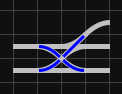
I believe both can be done with Traintastic, there are also 90 deg curves and turnouts. The 45 deg curves allow to draw smoother layout which look nice and gives much more possibilities for complex turnout groups, e.g.

Three turnouts and a double crossover

Dont get me wrong i do like your choices here for ui / editing and relative simplicity!

Thanks, feedback is always welcome, I’m open to improvements.

Greetings,
Reinder

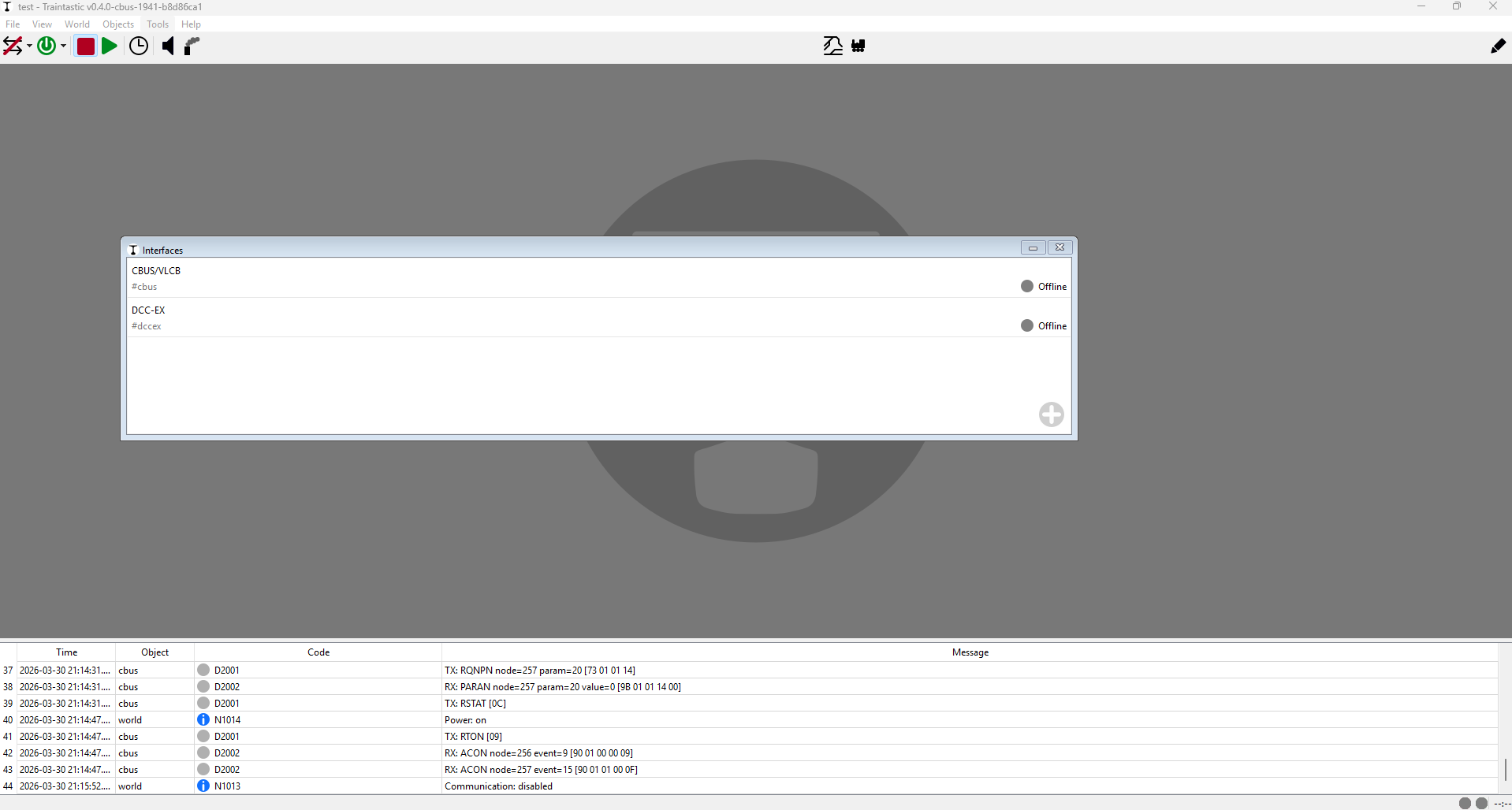
When i was working on building a fw for an esp32 to communicate via [ mqtt || native merg ] to jmri was happy to take a single interface offline to prevent startup issues. i might regret not having that option and having to resort to adding another world just for that. Would be nice if the master on/off would retain the enabled/disabled state. But i can see your argument…

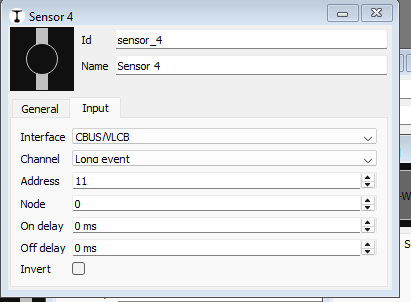
@reinder Here is where i found that node/address thing:

Wait a minute… Saw you have a newer version. Lets switch to build 1941
I think something is not right with the canEther implementation.
Admittedly connecting to a network port opened by jmri cbus hub but attempting to open that port completely crashes the gui and kicks the gui off the traintastic server ( regardless of whether i use ip address or dns ).
( fyi: connecting FliM to jmri’s cbus hub works fine. )
@reinder happy to gather logs if you need it ( if i know how do that for that crash-point )

also connecting to DCC-EX via DNS gives a

E2003/make address failed ( invalid argument ) 

Until i change to an IP address → happy and green.

PRAISE!!!
Your way of handling the 3way switch is <…> AWESOME!!
i can do away with my hackery of having 2 switches nested
Getting back to verification of sensors and co

Now time to read the manual:
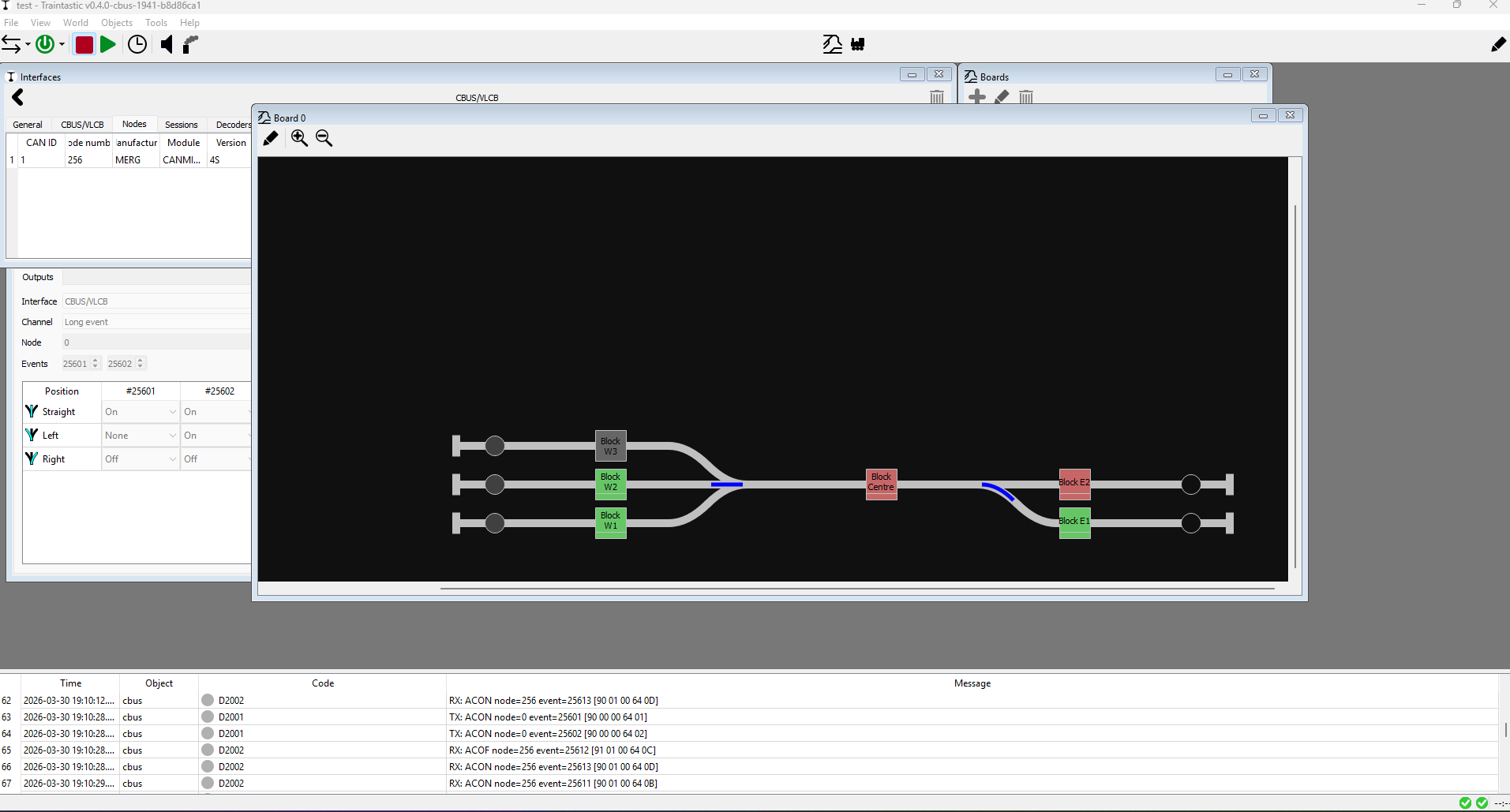
First off Left side == West,
Right side == East.
Single track section == centre.
front track East == East 1
back track east == East 2
Front trac West == West 1
Back track West == West3

Here is what happened:
East 2 has got a a loco on :white_check_mark:
East 1 has seen a loco: :white_check_mark:
West 1 and 2 has seen loco and is pulled back to Centre :white_check_mark:

Debatable: Whether West 3 should see gray [ unknown essentially ] or whether that should also have been green. Implication: having to drive the entire layout first to set a state could be challenging :slight_smile:

Also:

One more confusting thing:
Once configured, you cant change your config anymore?
( add new controllers for example )

Quick reply, I’ll respond to the rest this evening (I’m in UTC+2)

The world is not in “edit” mode, once you enable edit mode you can add net interfaces.

:person_facepalming:
… thanks! that got me fooled for a bit

The control the online/offline of a single interface is still useful, I agree. The online checkbox is just a bit weird. Adding a control to each item in the interface list would be better (my opinion).

Here is where i found that node/address thing:

Thanks, I forgot that one, I’ll fix that :slight_smile:

Admittedly connecting to a network port opened by jmri cbus hub but attempting to open that port completely crashes the gui and kicks the gui off the traintastic server ( regardless of whether i use ip address or dns ).
( fyi: connecting FliM to jmri’s cbus hub works fine. )

Found one issue in it, can you retry with build #1942?

also connecting to DCC-EX via DNS gives a

Yes, I named it Hostname because I want to support hostnames as well…but never implemented it…so that’s why it isn’t working, sorry.

PRAISE!!!
Your way of handling the 3way switch is <…> AWESOME!!

Thanks :blush:

Debatable: Whether West 3 should see gray [ unknown essentially ] or whether that should also have been green. Implication: having to drive the entire layout first to set a state could be challenging :slight_smile:

I agree, that is a bit of an issue, in case of CBUS I can problably request the state of all events at startup, so that will help. This is however not an options for all digital systems, so Traintastic will need a mark all unknown block free like option I think to overcome that.

Thanks for the feedback (and PRAISE), this helps improving Traintastic!

Greetings,
Reinder

@reinder I just noticed this:
I have saved my world before exiting client and shutting down server.
Continued to upgrade to CBus build # 1942 ( server [ linux/ubuntu ] and client [ windows ] )

server started succesfully.
After startup of client i have no details of previous connections and/or hinted of discovery. Fine, i know where my stuff lives :slight_smile:
HOWEVER: I can not find any of my old worlds.

Turns out: installing the data package is a bad plan → world gone.

At least apt install did shuffle the old content in a backup directory.

Is there a guard missing: only create directory if not exists??
( or i am holding it wrong all together … )

That is bad, I’ll try to look into it ASAP. In the mean time, create an Export using the client as backup before the upgrade, in case it gets lost you can Import it again.

Greetings,
Reinder

@reinder I think i have found another slight issue:
Admittedly self induced but maybe the file handling excerbates?
Here is what happened:

  1. Data .deb updated world files are gone.
  2. world file restored from backup
    HOWEVER I FORGOT TO CHECK DIRECTORY/FILE OWNERSHIPS
    ( :shame: :shame: :shame: should have known better )
  3. some save attempts & dinner [ couple of hours ] later: warning unable to save (fair) but also original world file gone when reloading?

Move file before save is a possible explanation?

Let me retest this scenario again, this is an interesting one.