MERG CBUS/VLCB hardware support

@reinder Just noticed this in my world json:

  {
      "can_id": 125,
      "cbus": {
        "class_id": "cbus_settings",
        "dcc_accessory_switch_time": 200,
        "debug_log_rx_tx": false,
        "engine_keep_alive": 4
      },
      "class_id": "interface.cbus",
      "device": " /dev/ttyACM0",
      "hostname": "192.168.13.52",
      "id": "cbus",
      "interface": "",
      "name": "CBUS/VLCB",
      "notes": "",
      "port": 5550,
      "type": "canusb"
    },

Would the presence of host + device cause a conflict hence the problem of not starting?
Maybe some GUI stuff??

I think it would be a major pain if you can not change from USB → network or back
( or network ip addrs; alltough i trust that a little bit more )

I know this is an advanced topic but if at least Traintastic would be kind anough to work with symlinks if if where to filter based on /dev/ttyACM* …
JMRI allows that naming scheme without hiccups.

That should work, Traintastic just opens a device file like any other application, based on the screenshot it look like there is a space in front of the path.

The list of ports is retrieved via SystemD, Traintatic asks which serial device are available, so that won’t list the simlinks. Maybe there is a way to discover that. But…is someone is able to setup such linking, he/she can also just enter it, it is basically a one time thing.

IMHO: If you cut all track power, any DTC4 should not be able to detect any power differential useage → sensor should go to false

Yes, but that is up to the sensor, not Traintastic, Traintastic will just display what the sensor reports. Using communication logging you can check if the senser sends an OFF event or not. If it doesn’t do that it is a sensor issue, not a Traintastic issue.

Apologies if i am going to be the pain in your sides for attempting things that might break stuff → ultimately i hope it will make traintastic better :slight_smile:

Feedback is welcome, it helps in making Traintastic better and/or identifies manual improvements.

Greetings,
Reinder

No that is not a problem, Traintastic reads the type value, based on that value it reads the device or hostname+port value. The other values are remembered in case you switch back.

You can just do: World Offline → switch between CANUSB / CANEther → World Online.
That should work, I do that all the time when testing stuff (also other protocols like LocoNet, DCC-EX etc.)

Greetings,
Reinder

Going back to backup and retracing my steps.
My train-tastic server right now failed to start without clear errors.
Manually did some edit → claims to start but no open port.
:wastebasket: and start this again…

Hi Menno,

sudo apt install is the right way.

Symlinks are ok, but you could define multiple interfaces in Traintastic. I have the canether and canusb for CBUS both defined.

You can work with symlinks, even as root, but most users can’t do that; it should all be quite simple. Add the user to the dialout group, and `sudo ` is usually enabled after installation on most distributions.

@reinder

Installation under /opt is ok if multiple users are working on the system. But it’s much easier for single users in $home, because they have no problems with access rights. But I have never installed Traintastic, I work only from my $home/projects without installation. I should check it :wink:

Greetings, Tom

… Sometimes i wished i had a screen capture ala OBS installed so i could show my outcomes. I kinda dislike it when a same action creates a different result :sob:
@DL7BJ Sometimes i try to play dumb user because they will come back and ask the weird questions and/or break stuff in interesting ways :slight_smile:

The symlink thing i agree is an advanced thing reserved to expert users.
However this has also come up in discussions within merg asking how to side-step it.

I am interested to pick both your brains to try and get my dev env up.
Sofar without luck MSVC being a pita.
Tempted to have a look if i can patch out the DNS thing :rofl:

anyhow: successful transition from network to ttyACMCANUSB :tada:

Time to get a little bolder, build some sides to my boards and figure out how to run automatic trains.

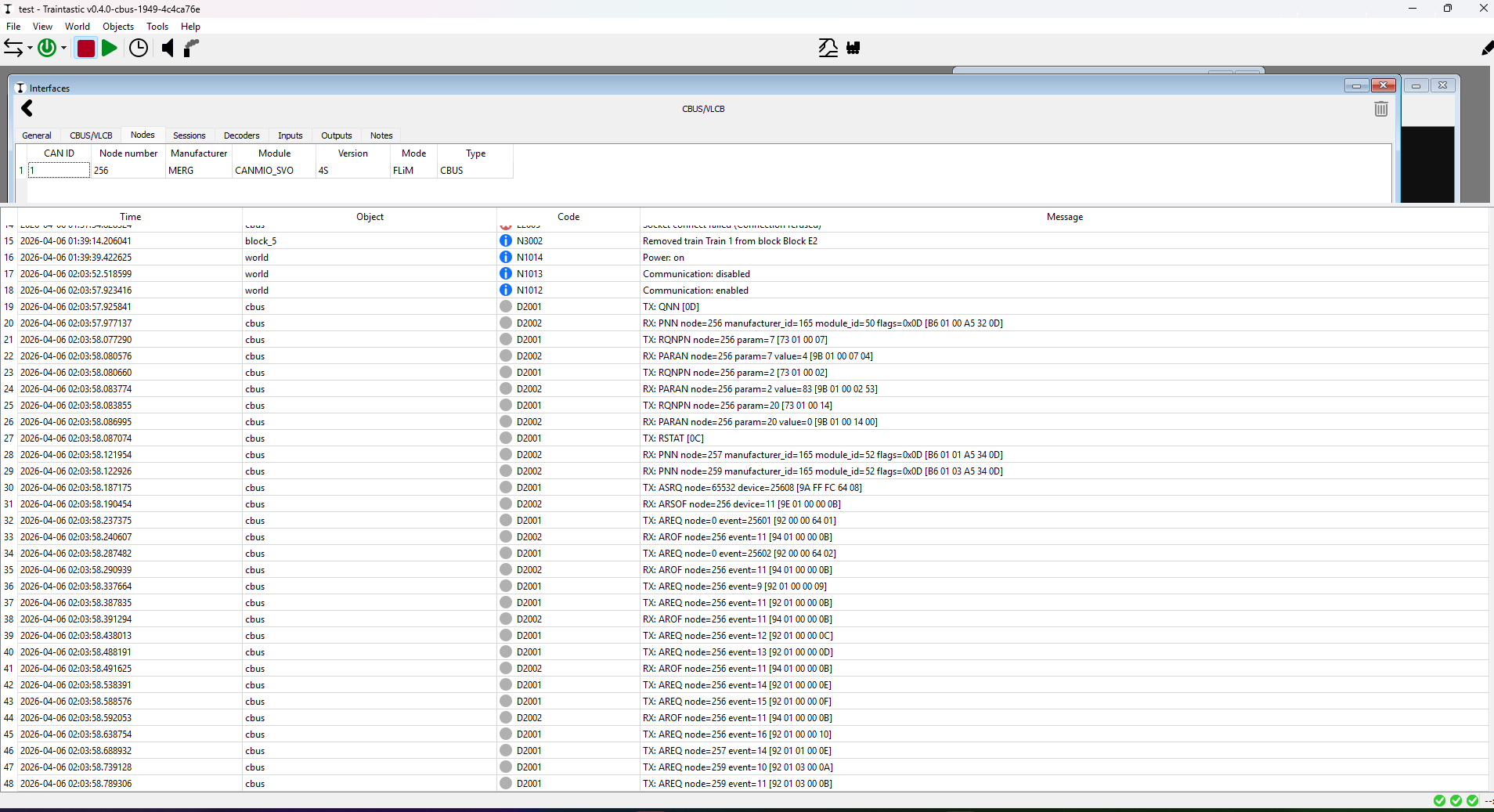
@reinder Where did we end up on the potential of sensors on points/turnouts ?
:rofl:

@reinder / @DL7BJ

CanUSB via USB ( same with ethernet via JMRI hub )

Only 1 board found.
Log does mention AREQ 257/259 but not present in the node list

PS: off to bed with me, 0300 is early enough :slight_smile:

@MZwa the modules are responding a bit slowly, Traintastic’s timeout is 100ms, the modules respond just over 100ms, I’ll raise the timeout to 250ms. The 100ms was just a guess, it worked at @DL7BJ’s setup.

Greetings,
Reinder

That isn’t supported currently in Traintastic. I’m willing to add that, but first need to know what is the common CBUS/VLCB way of doing it. Next question is, how would that work it work for other command stations/systems. Based on that a hardware independent solution can be designed and implemented.

So:

  1. How does it work on your layout?
  2. How does it work on other layouts of other (MERG) CBUS users?
  3. Is there a standardized method on CBUS controlled layouts?
  4. How does it work in combination with the start of day event?
  5. Are there besides start of day other events to take into account?

For non CBUS/VLCB hardware I’ve a pretty good idea of the possibilities.
For the user interface as well, but feel free to make a sketch, user driven input is always welcome :slight_smile:

Greetings,
Reinder

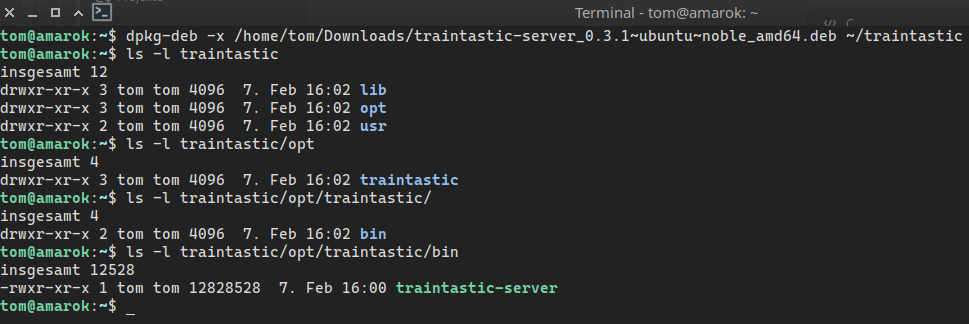
As far as I know it it not possible to install in $HOME using a deb file, therefor it is installed in /opt. Another distribution option for Traintastic for Linux would be using e.g. AppImage. Never build something like that, need to look into it.

Greetings,
Reinder

Moin Reinder,

It’s possible to unpack a deb or it do like this: sudo dpkg --root=$HOME/local -i paket.deb but the rights must changed for the user.

The package don’t contains the libs, I have no libboost-1.83 installed, so I can’t start the server. This could be a problem with different distributions and deb could also be a problem with Fedora, SuSE, Arch (it’s possible, but the user must have the knowledge). This is always a problem with the different packet managers and different linux distributions.

Therefore a AppImage is the solution. You put all neccessary files in a folder structure like bin, usr, lib and build with appimagetool one executable file; the AppImage. There are some tools; more like Innosetup for Windows.

Greetings, Tom

My loco nearly did what this could protect :slight_smile:
Run with a bit too much speed into the wrong track because Traintastic & layout disagreed :thinking:

  1. How does it work on my layout
    1a) Set up events to throw a turnout [ consumed effectively ]
    1b) set up events when turnout state changes.
    ( default positions available: Thrown / Mid / Closed per servo in this case )
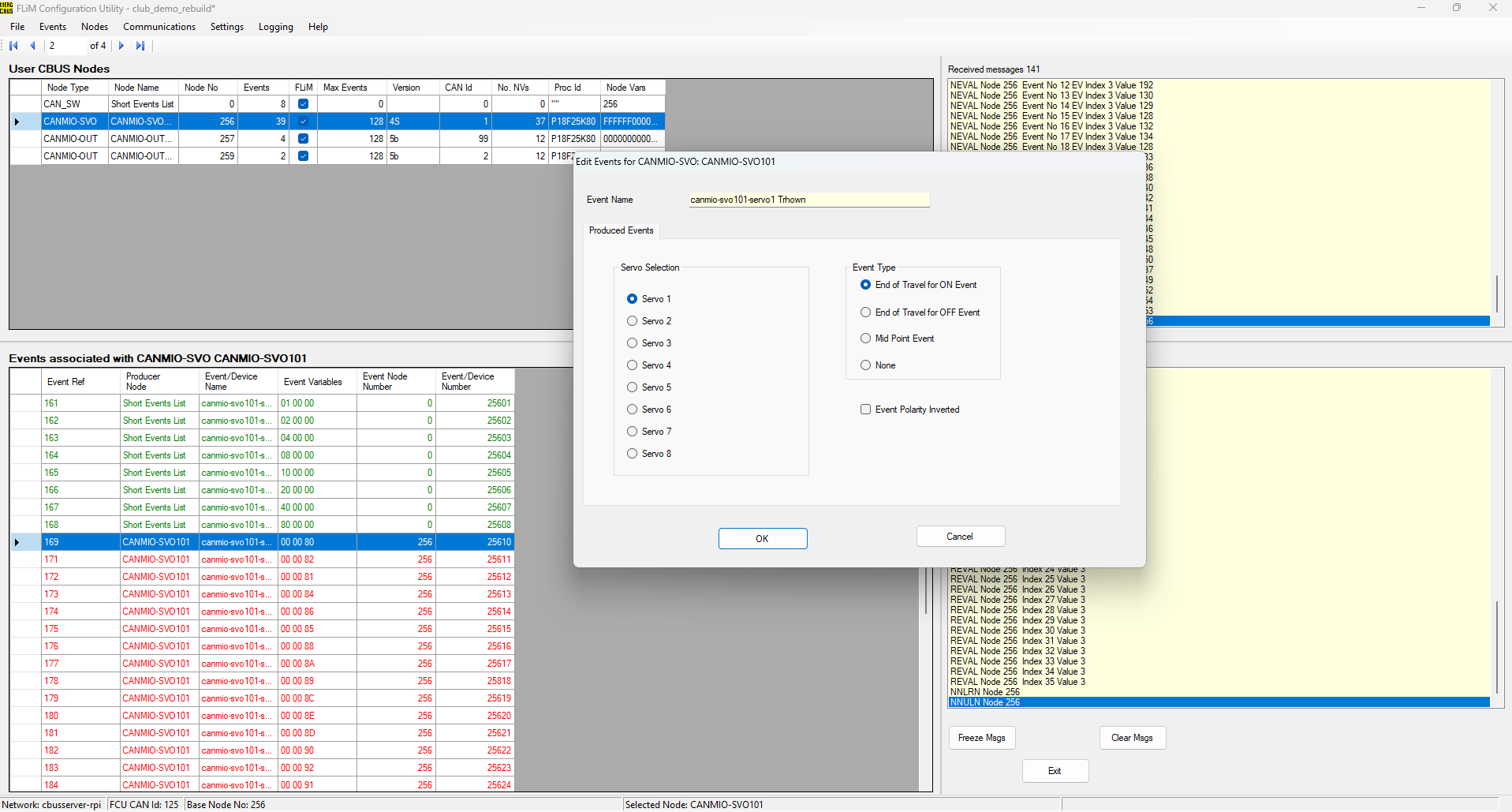
    example from my config:

2)How does it work on other CBUS users

It is possible to set up a CANCOMPUTE [ same pic controller ] and embed rules
on what to do on startup / what to do upon receiving a certain event etc.

Other options: forget start of day and write scripts to do actions from your layout software ( ie fire a bunch of commands from a python/jython/lua script )

3)Is there a standardized method on CBUS controlled layouts?
Start of day fires a set servos to thrown example:

  • West inner [ wye ]
  • West Outer [ wye ]
  • East

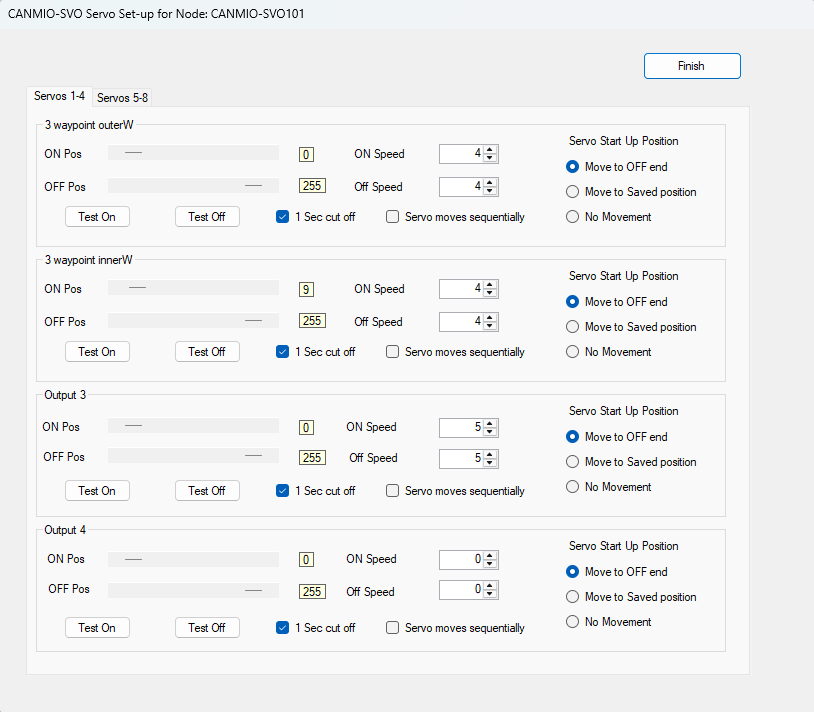
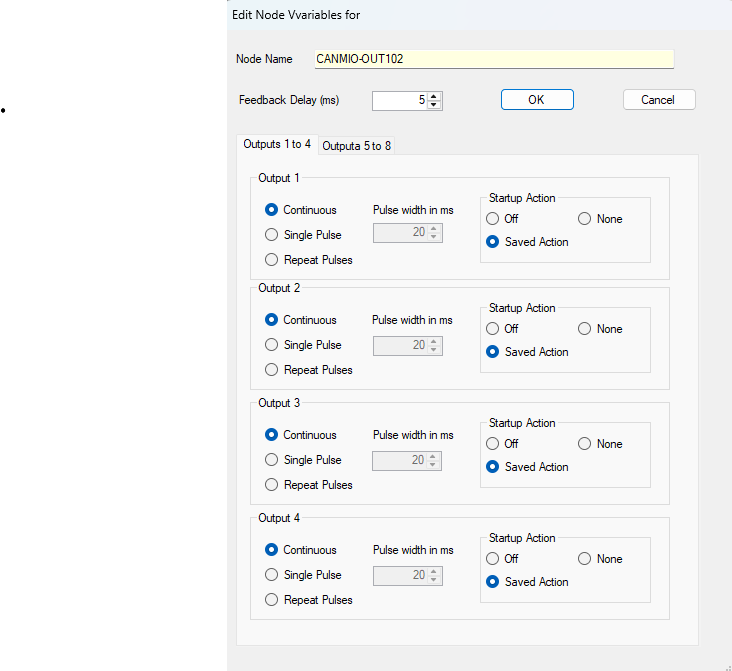
I can not remember this dialog [ my config has been around for a while and FliM config has gone through a couple of updates in the mean time ]
But this might as well be a more dummy-friendly way to set the start of day on a node:

It is part of the standard Config software with a few mouse-clicks
Yes i am a dinosaur, i have FliM and not the NodeJS config software :rofl:

Based on the above canmio-out / probably any of the canv series
will more than likely expose the same behavior.


canmio-out can be used as driver for leds relays etc.
canv4bip solenoid driver: appears to have the feature as well.

Any recent board out of the CANV series has a common software ancestry before setting up the “thing” that makes it special

4)How does it work in combination with the start of day event?
Hope the screenshots help a bit.
what it boils down to:

  1. set your “action” event [ servo | solenoid | tortoise motor | led | whatever ]
  2. setup events to emit on state change
  3. set powerup behaviour activate one action from 1)
  4. write config
  5. powercycle

upon power-cycle the servo will move to it’s desired position and will emit any changes set up that it encounters.

5)Are there besides start of day other events to take into account?
maybe this: CBUS is basicaly a publish/subscribe bus.
You could have a physical control panel to drive your layout based on CBUS comms. It would be contentious with Traintastic driving the layout but i have seen people drive from a panel with help of jmri.
Supporting this advanced use-case: maybe consider it for the Zimbabwe release :-). Having either sensors on layout objects and/or bring the layout to a known state might be a smart plan

Sidenote:
Hmm You might mimic Start of Day on all busses by walking through all turnouts and issue a set turnout to my last saved state.
If you do that, you can be fairly sure the layout will be in the same state as Traintastic expects it to be.
If you decide this is useful, maybe pace it a little bit for larger layouts since that could in theory cause bus or power issues

( There are some docs out there where power usage on startup can become an issue or where “broadcast storms” overwhelm the system )

Rob from little wicket did an actual example:; in this case with CMRI :face_vomiting: and JMRI
Sorry i hate CMRI :slight_smile:

@reinder I’m curious:
I did a stop/start of traintastic and saw this

● traintastic-server.service - Traintastic server daemon
     Loaded: loaded (/usr/lib/systemd/system/traintastic-server.service; enabled; preset: enabled)
     Active: active (running) since Mon 2026-04-06 21:36:39 AEST; 8s ago
    Process: 8098 ExecStart=/opt/traintastic/bin/traintastic-server -d -u traintastic -g traintastic -D /var/opt/traintastic -P (code=exited, status=0/SUCCESS)
   Main PID: 8100 (traintastic-ser)
      Tasks: 2 (limit: 9107)
     Memory: 1.2M (peak: 2.0M)
        CPU: 16ms
     CGroup: /system.slice/traintastic-server.service
             └─8100 /opt/traintastic/bin/traintastic-server -d -u traintastic -g traintastic -D /var/opt/traintastic -P

Apr 06 21:36:39 dcc-master.cook-rd.internal systemd[1]: Starting traintastic-server.service - Traintastic server daemon...
Apr 06 21:36:39 dcc-master.cook-rd.internal systemd[1]: traintastic-server.service: Supervising process 8100 which is not our child. We'll most likely not notice when it exits.
Apr 06 21:36:39 dcc-master.cook-rd.internal systemd[1]: Started traintastic-server.service - Traintastic server daemon.

esp this:

server.service: Supervising process 8100 which is not our child. We'll most likely not notice when it exits.

i havent seen that happen elsewhere. It is not a problem just … curious?

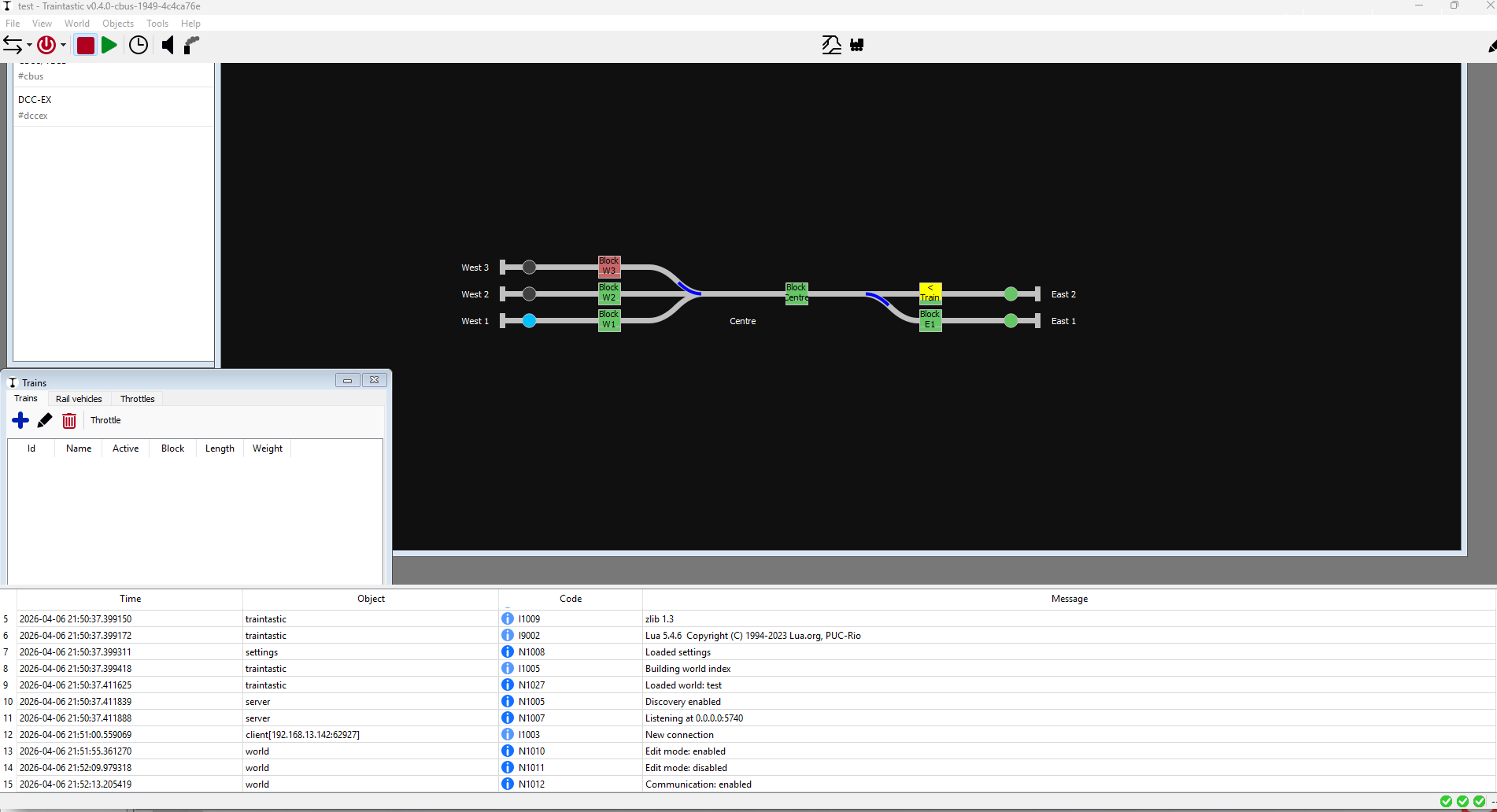
Single shot online: :white_check_mark:
CANUSB Online ticked :white_check_mark:
Good changeover :white_check_mark:

Something i do not understand:
I had an active train which i deleted from the train table.
Board suggests: the deleted train still exists?
Are train on the board vs train in the table considered different entities?

( template vs the actual thing? )

Attempted to remove train 1 from board/block E2 → still flags as train ready in block.

Sensors + Servo turnouts on CANSVO work as expected :white_check_mark:
Reconfigure WiThrottle port without restart :white_check_mark:

Oh so you know: i was using a small home theatre server from ~ 10 years ago to drive my train stuff; but it’s too loud :slight_smile:

I think i might resurrect my bananapi m5 / raspberry pi knockoff for a bit;
If it runs → should be enough and i have silence in my office again
THANKS!!

Moin,

Quick update: as of cbus branch build #1956 Traintatic support a JMRI like hub feature. So now it is possible to run: CBUS config app → Traintastic → CANUSB :slight_smile:

I’ll repond to all the above at a later time.

Greetings,
Reinder

1 Like

Thanks heaps much appreciated !
Question tho

What will daemon startup order be ?
previous experience with jmri was a mixed bag and had to do some wrangling to make it work

Perhaps ensure cbus and other prequisite hubs / gateways are started before world daemon starts?

Moin Reinder,

the server hangs after closing the client.

The CPU load is nearly 100% and there is only a kill -9 possible.

grafik

This happens with hub enabled and disabled.

If I try to connect with MMC to 127.0.0.1 5550 I get timeouts, same with DecoderPro.

Greetings, Tom

@DL7BJ just in case: tried your main ip address?
Bind localhost has been occasionally weird to me in other programs when bound to 0.0.0.0 ipv4 & 6

Menno,

0.0.0.0 is not localhost, that is a placeholder for all configured ip addresses. 127.0.0.1 is localhost and I have much stuff, which runs without problems, like the hub of JRMI :slight_smile:

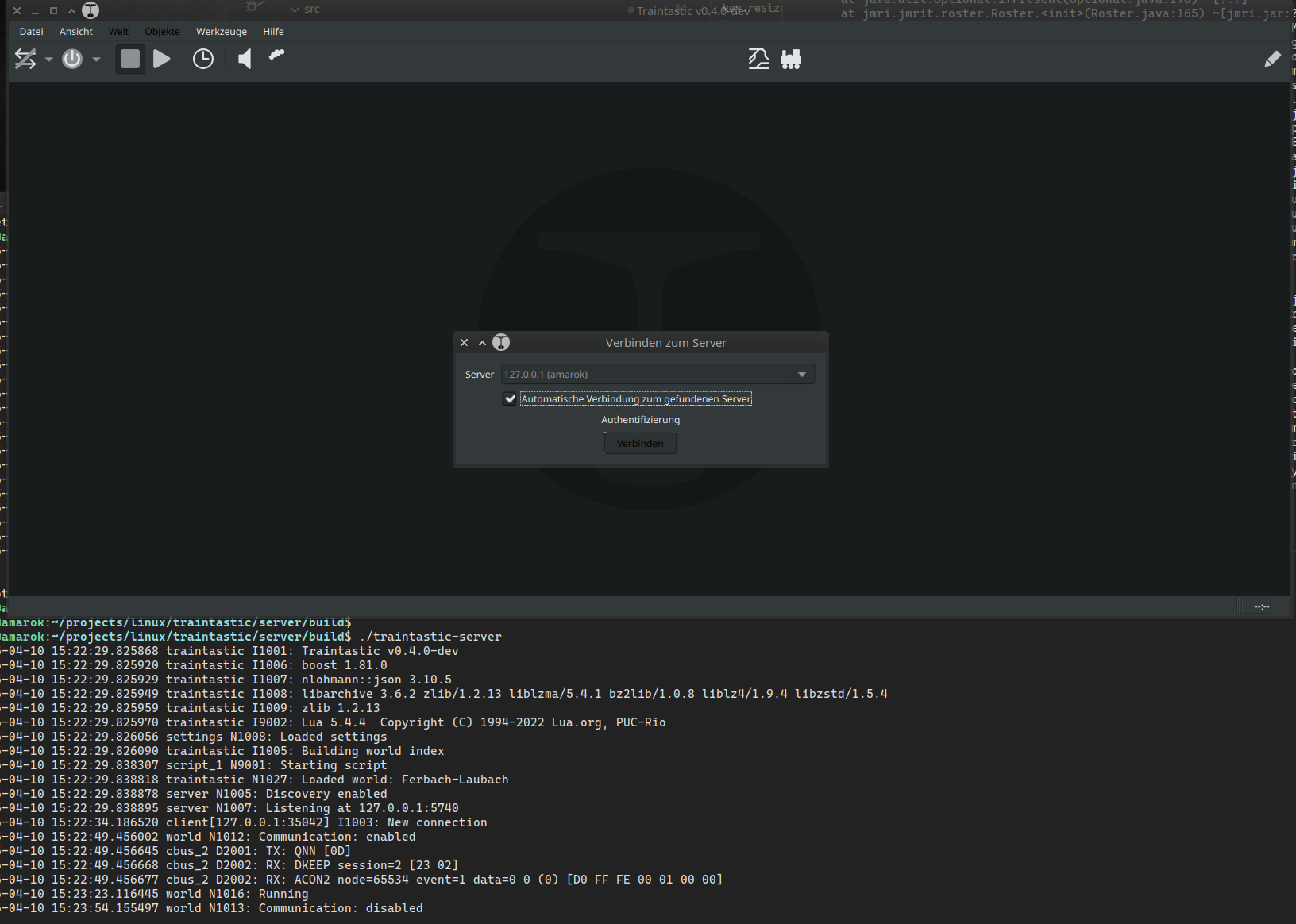
Also the Traintastic Server listen on localhost for the client:

2026-04-10 16:16:46.016544 traintastic I1001: Traintastic v0.4.0-dev
2026-04-10 16:16:46.016596 traintastic I1006: boost 1.81.0
2026-04-10 16:16:46.016605 traintastic I1007: nlohmann::json 3.10.5
2026-04-10 16:16:46.016627 traintastic I1008: libarchive 3.6.2 zlib/1.2.13 liblzma/5.4.1 bz2lib/1.0.8 liblz4/1.9.4 libzstd/1.5.4
2026-04-10 16:16:46.016637 traintastic I1009: zlib 1.2.13
2026-04-10 16:16:46.016646 traintastic I9002: Lua 5.4.4  Copyright (C) 1994-2022 Lua.org, PUC-Rio
2026-04-10 16:16:46.016731 settings N1008: Loaded settings
2026-04-10 16:16:46.016763 traintastic I1005: Building world index
2026-04-10 16:16:46.029116 script_1 N9001: Starting script
2026-04-10 16:16:46.029666 traintastic N1027: Loaded world: Ferbach-Laubach
2026-04-10 16:16:46.029731 server N1005: Discovery enabled
2026-04-10 16:16:46.029748 server N1007: Listening at 127.0.0.1:5740

Sometimes at client start I get this if open the hardware configuration wizard:

A message should actually be displayed here every 5 seconds, because CANCMDB is sending messages.

026-04-10 16:32:31.069480 server N1007: Listening at 127.0.0.1:5740
2026-04-10 16:32:37.919834 client[127.0.0.1:57482] I1003: New connection
2026-04-10 16:33:14.715402 world N1012: Communication: enabled
2026-04-10 16:33:14.716201 cbus_1 D2001: TX: QNN [0D]
2026-04-10 16:33:14.716232 cbus_1 N2008: Hub listening at 127.0.0.1:5550
2026-04-10 16:33:14.716243 cbus_1 D2002: RX: ACON2 node=65534 event=1 data=0 0 (0) [D0 FF FE 00 01 00 00]
2026-04-10 16:33:14.716252 cbus_1 D2002: RX: DKEEP session=2 [23 02]

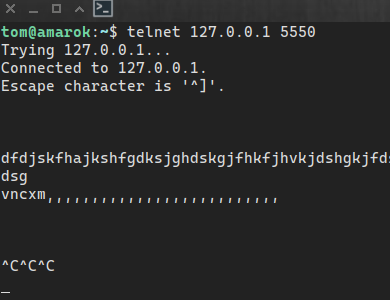
A telnet connection to 127.0.0.1 5550 hungs, as the server too, if I disable the communication.

To me, it looks like the server is stuck on the port during the read operation, running in a loop.

Greetings, Tom

:man_facepalming: apologies for interfering

Moin Tom,

Another quick response…sorry

I wonder what causes the hanging,do you have theTRAINTASTIC_LOCALE_PATH env. var. set? May it is related to missing translations. I don’t see the log message that the Hub hast started listening.

2026-04-10 16:49:45.954898 world N1024: Simulation: enabled
2026-04-10 16:49:48.324456 world N1012: Communication: enabled
2026-04-10 16:49:48.333630 cbus_1 D2001: TX: QNN [0D]
2026-04-10 16:49:48.333679 cbus_1 N2008: Hub listening at 127.0.0.1:5550
2026-04-10 16:49:48.333699 cbus_1 D2002: RX: PNN node=65534 manufacturer_id=165 module_id=83 flags=0x0E [B6 FF FE A5 53 0E]
2026-04-10 16:49:48.333725 cbus_1 D2002: RX: PNN node=65535 manufacturer_id=165 module_id=9 flags=0x0A [B6 FF FF A5 09 0A]

Something like this is expected, then when JMRI or something else connects:

2026-04-10 16:52:18.960992 cbus_1 I2007: New hub connection (127.0.0.1:53822)

Greetings,
Reinder