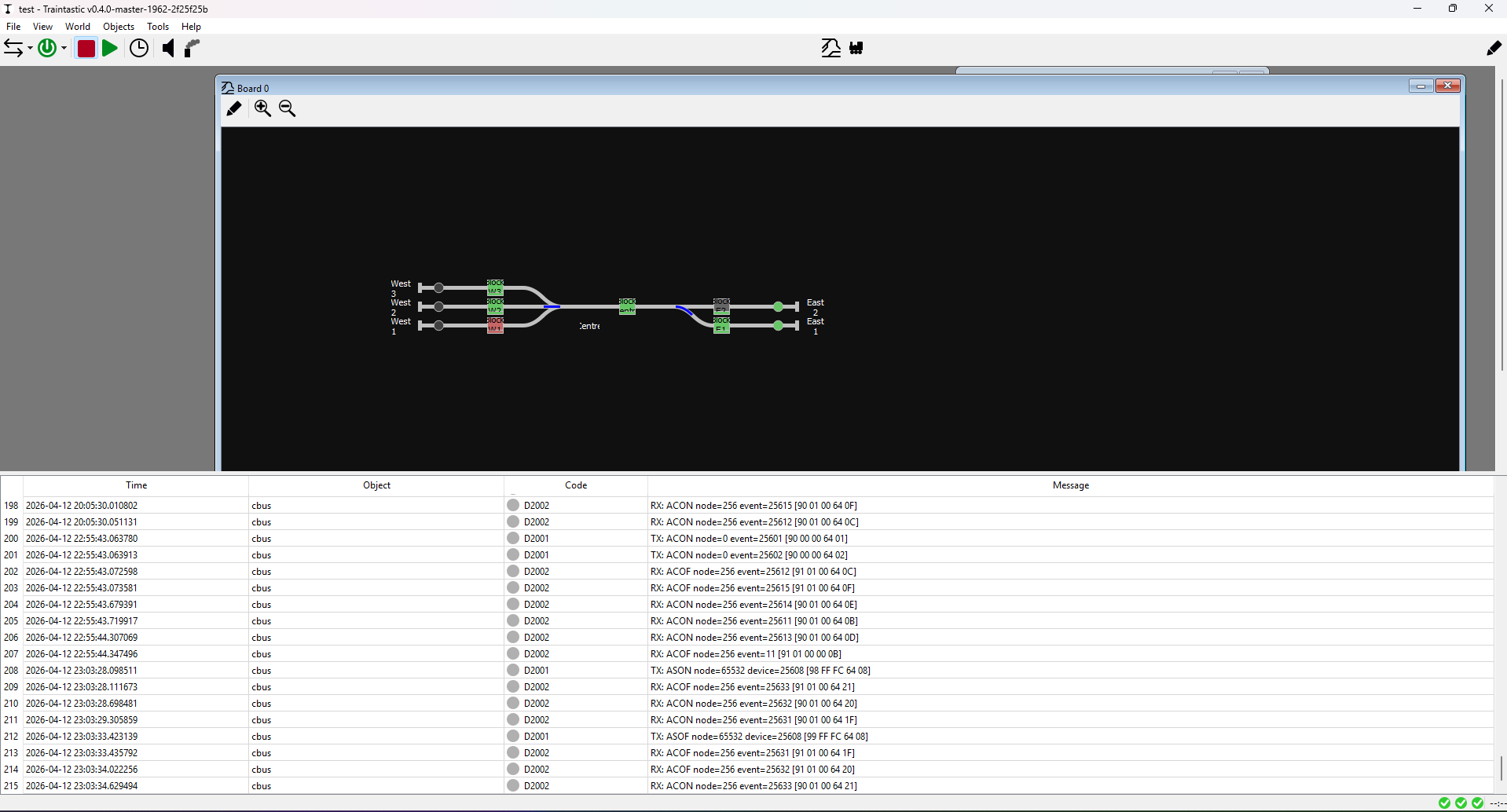
Yes the master development builds as of build #1962 contain CBUS/VLCB support.
Greetings,
Reinder
Yes the master development builds as of build #1962 contain CBUS/VLCB support.
Greetings,
Reinder
Moin Reinder,
I have an Lawicel RS232-CAN Adapter, somewhere … But no other full CAN devices.
Greetings, Tom
I have ordered a can-ether (again) which should land here before the heat-death of the universe…
( ordering from europe can be painfully slow )
Will try and re-assemble ( and set fire to the one i <…> )
Love the progress, doing some sanity checks
CBUS HUB: seems to be bound to 127.0.0.1 instead of 0.0.0.0
 and socat to set up a hub on 5550 fails → port in use.
Lets grab another port:
⚡ root@dcc-master ~ netstat -tunelp|grep LIST|grep train
tcp 0 0 0.0.0.0:5740 0.0.0.0:* LISTEN 138 13015 1407/traintastic-se
tcp 0 0 127.0.0.1:5550 0.0.0.0:* LISTEN 138 19036 1407/traintastic-se
tcp 0 0 0.0.0.0:12090 0.0.0.0:* LISTEN 138 22602 1407/traintastic-se
⚡ root@dcc-master ~ socat TCP-LISTEN:192.168.13.52:5551,fork,reuseaddr TCP:127.0.0.1:5550
✘ ⚡ root@dcc-master ~ socat TCP-LISTEN:5551,fork,reuseaddr TCP:127.0.0.1:5550
✘ ⚡ root@dcc-master ~
⚡ root@dcc-master ~ netstat -tunelp|grep LIST |grep 555
tcp 0 0 0.0.0.0:5551 0.0.0.0:* LISTEN 0 19258 2269/socat
tcp 0 0 127.0.0.1:5550 0.0.0.0:* LISTEN 138 19036 1407/traintastic-se
⚡ root@dcc-master
------ Separate ssh session -------
⚡ root@dcc-master ~ netstat -tunelp|grep LIST |grep 555
tcp 0 0 0.0.0.0:5551 0.0.0.0:* LISTEN 0 19258 2269/socat
tcp 0 0 127.0.0.1:5550 0.0.0.0:* LISTEN 138 19036 1407/traintastic-se
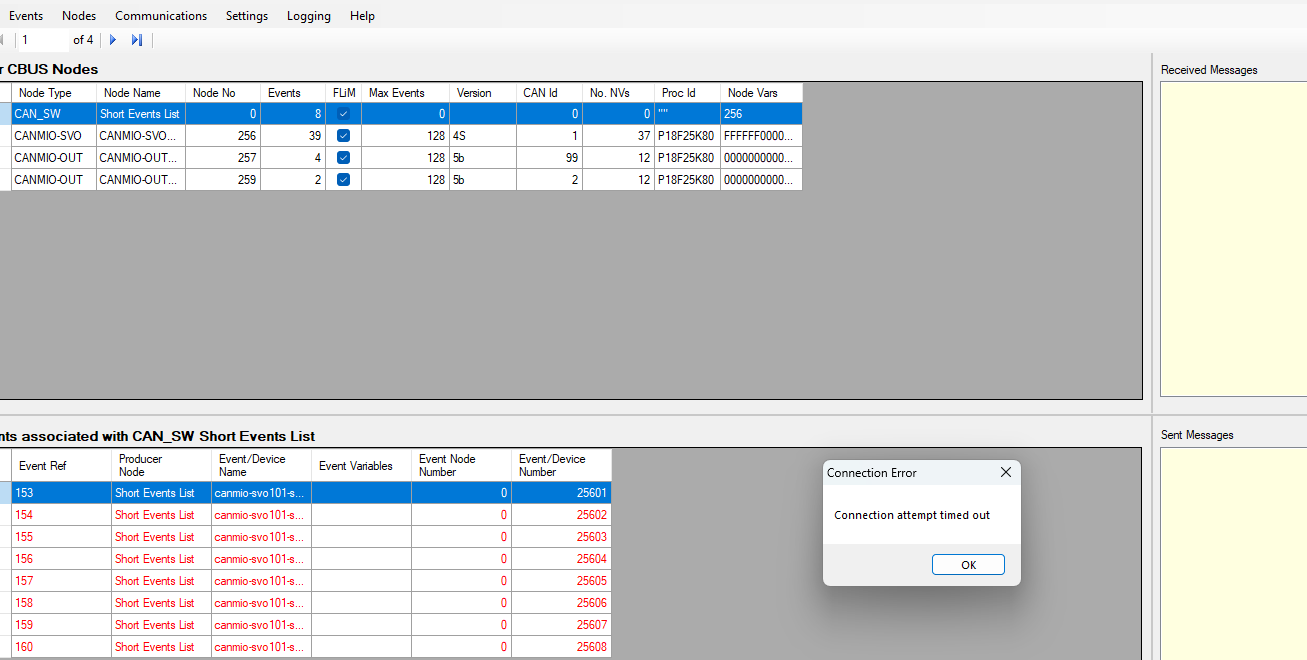
Port is open however can’t get it to communicate via a socat redirect and port is bound to localhost instead of a “public” interface"
No obvious config entries in json or abilities to change the behaviour from gui?
update of packages was successful, world remained intact 
All elements on the cbus config seem to be working as planned
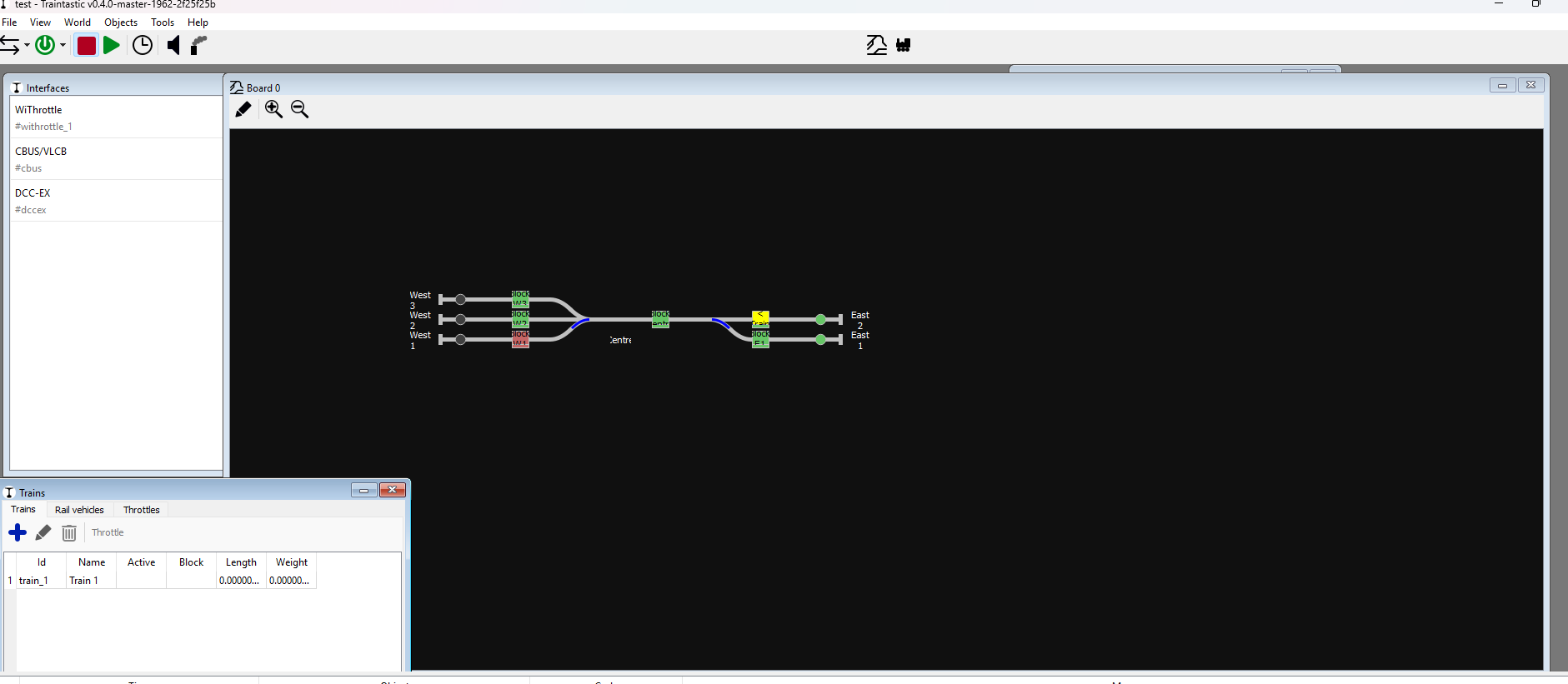
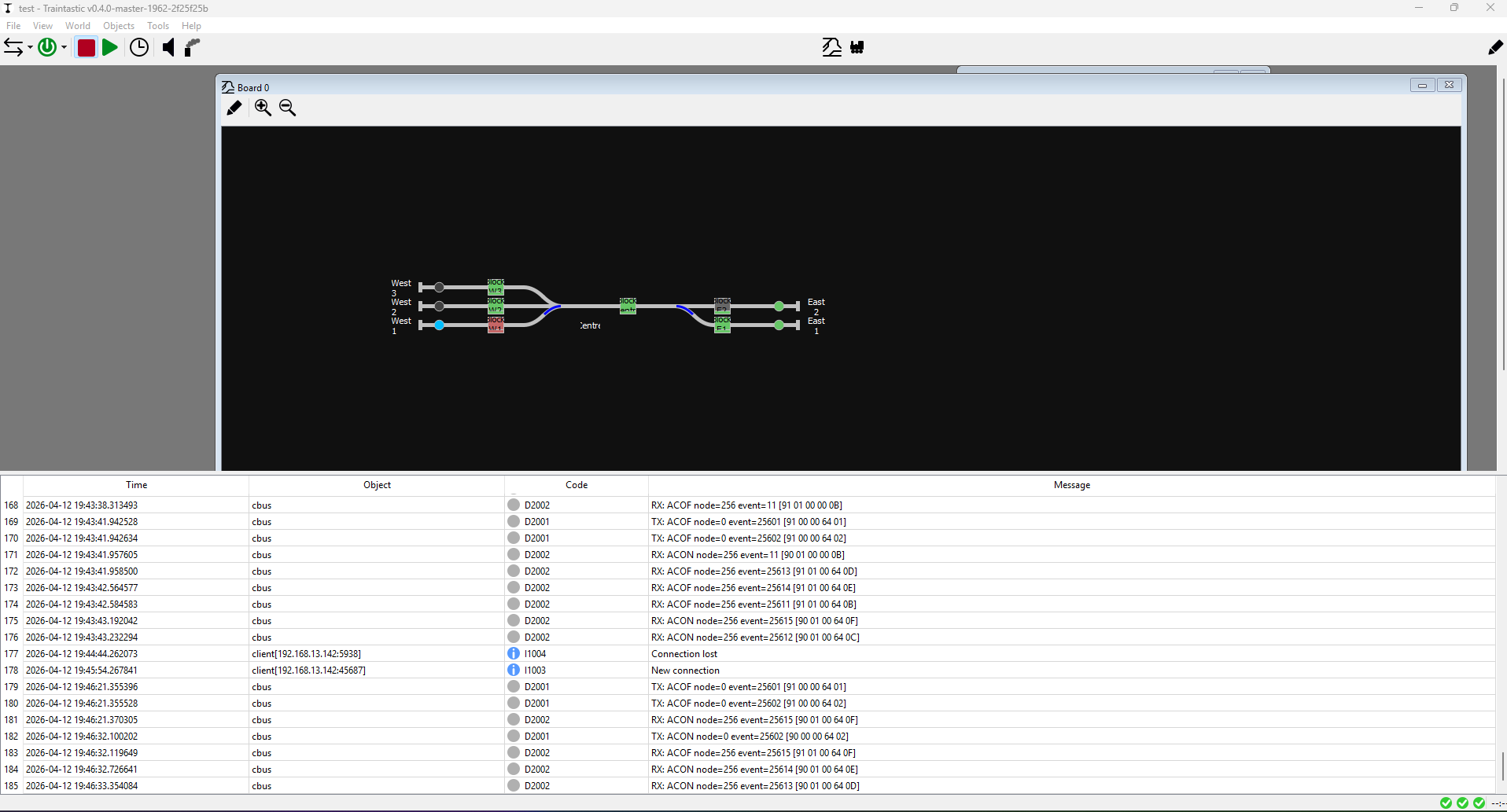
Checking this one train causing the block W2 going yellow with a train:
Note: W2 does not have a train on it / empty block
Lets see if i can delete it from the W2 block:
( right click block, remove train )
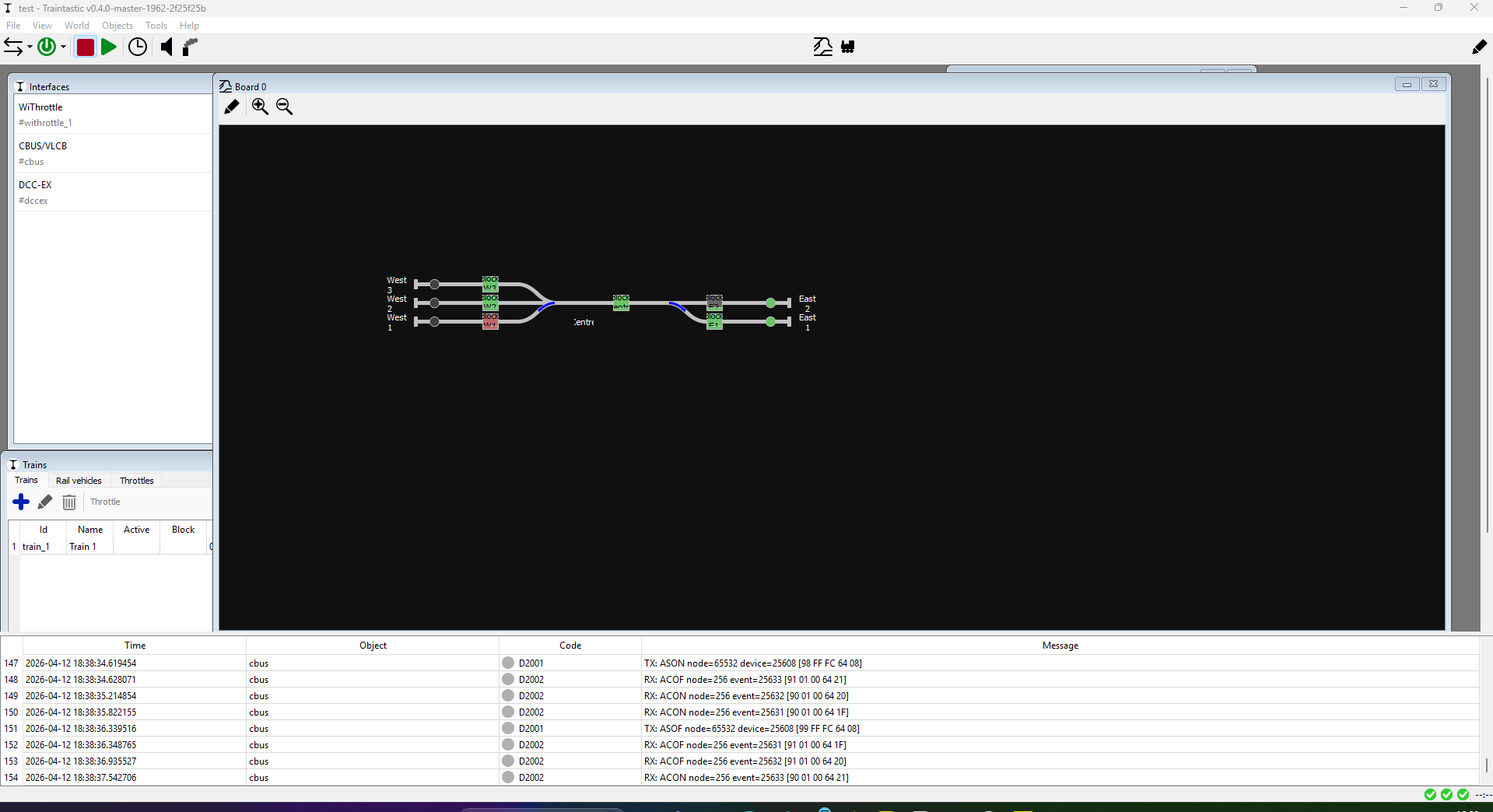
Succes but block occupancy icon still looks weird:
( and the train list still contains a train → assuming to be a template? )
Hi Menno,
I just added an option for that: Hub localhost only, enabled by default but you can turn it off  (Requires master build #1963 or later)
That’s good news, I wonder what went wrong the first time.
Gray means unknown, but the sensor is green, so I think it’s a bug, it is not properly re-evaluated, I’ll look into it.
Yes that is correct, you can create different trains sharing the same loco’s/wagons, but only one maybe active at a given time.
Greetings,
Reinder
p.s. For the turnout feedback, can you share a part of the communication log where Traintastic sends a turnout switch event, and then receives the feedback event. e.g. for the 3 way turnout switch left/middle/right/left.
Sure:
from right to left:
ACON node 0   ; Event 25602  <- Switch to right W1 Inner (wye)
ACOF node 256 ; Event 25615  <- Sensor Active: canmio-svo101-servo2 Closed
ACON node 256 ; Event 25614  <- Sensor Active: canmio-svo101-servo2 Mid
ACON node 256 ; Event 25613  <- Sensor Active: canmio-svo101-servo2 Thrown
Left → Mid:
ACON: Node 0;  EVENT; 25601 <- Switch to right W1 Outer (wye)
ACON: Node 0;  EVENT; 25602 <- Switch to right W1 Inner (wye)
ACOF: Node 256; EVENT; 25612 <- Sensor Inactive: canmio-svo101-servo1 Closed
ACON: Node 256; EVENT; 25613 <- Sensor Inactive: canmio-svo101-servo2 Thrown
ACON: Node 256; EVENT; 25611 <- Sensor Active: canmio-svo101-servo1 Mid
ACOF: Node 256; EVENT; 25611 <-  Sensor Active: canmio-svo101-servo1 Mid
Looks like Traintastic seems to miss an event or two?
For each servo i expect the sequence:
From Thrown [ ACOF ] → mid [ ACON/ACOF?? ] → close [ ACON ]
I will have another look after i had my dinner and fire up JMRI with a filter… Strange.
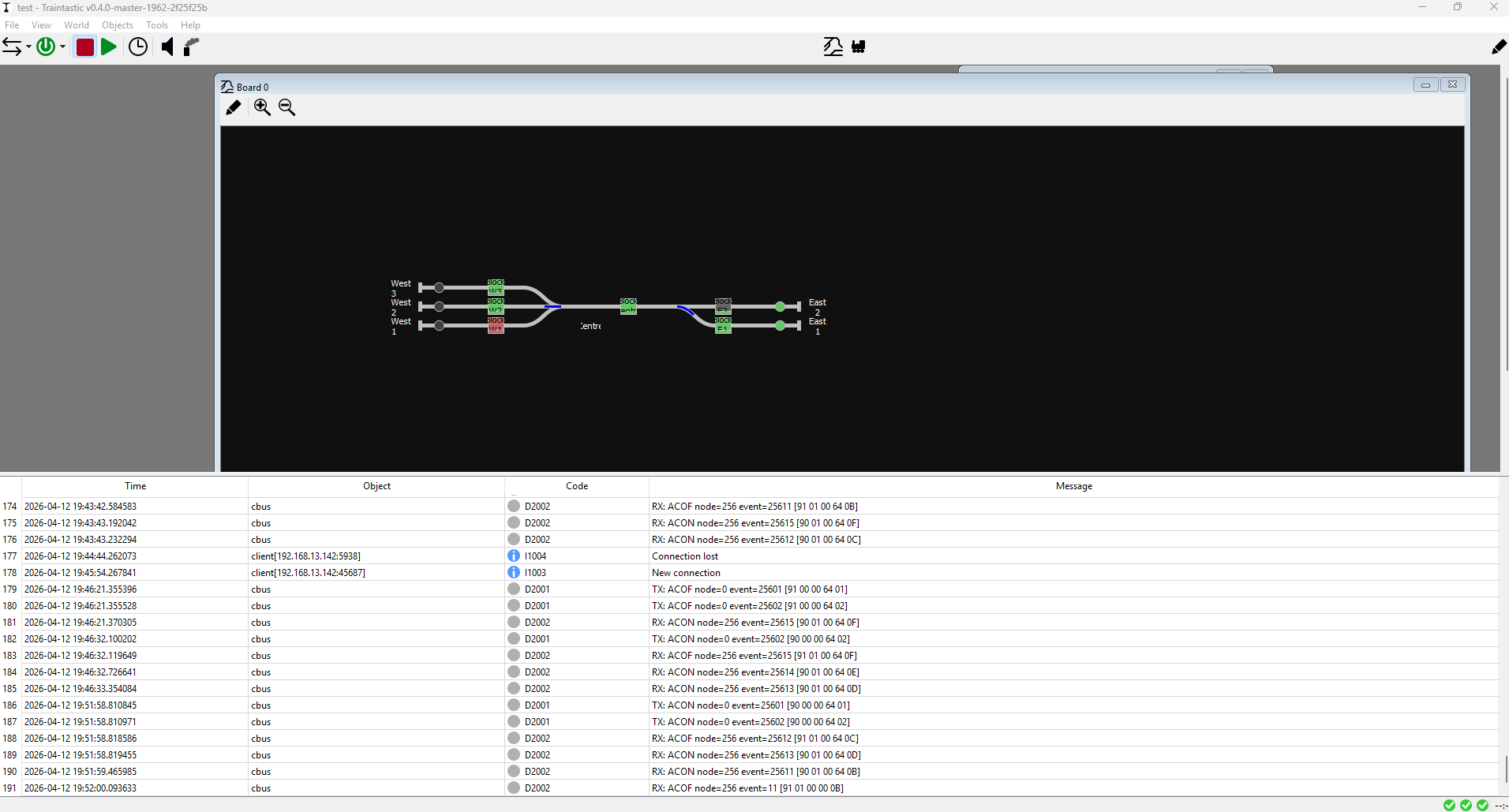
For confirmation see screenshot. PS you should have my config / excell sheet ( csv ) with all my events in case i copy it down wrong 
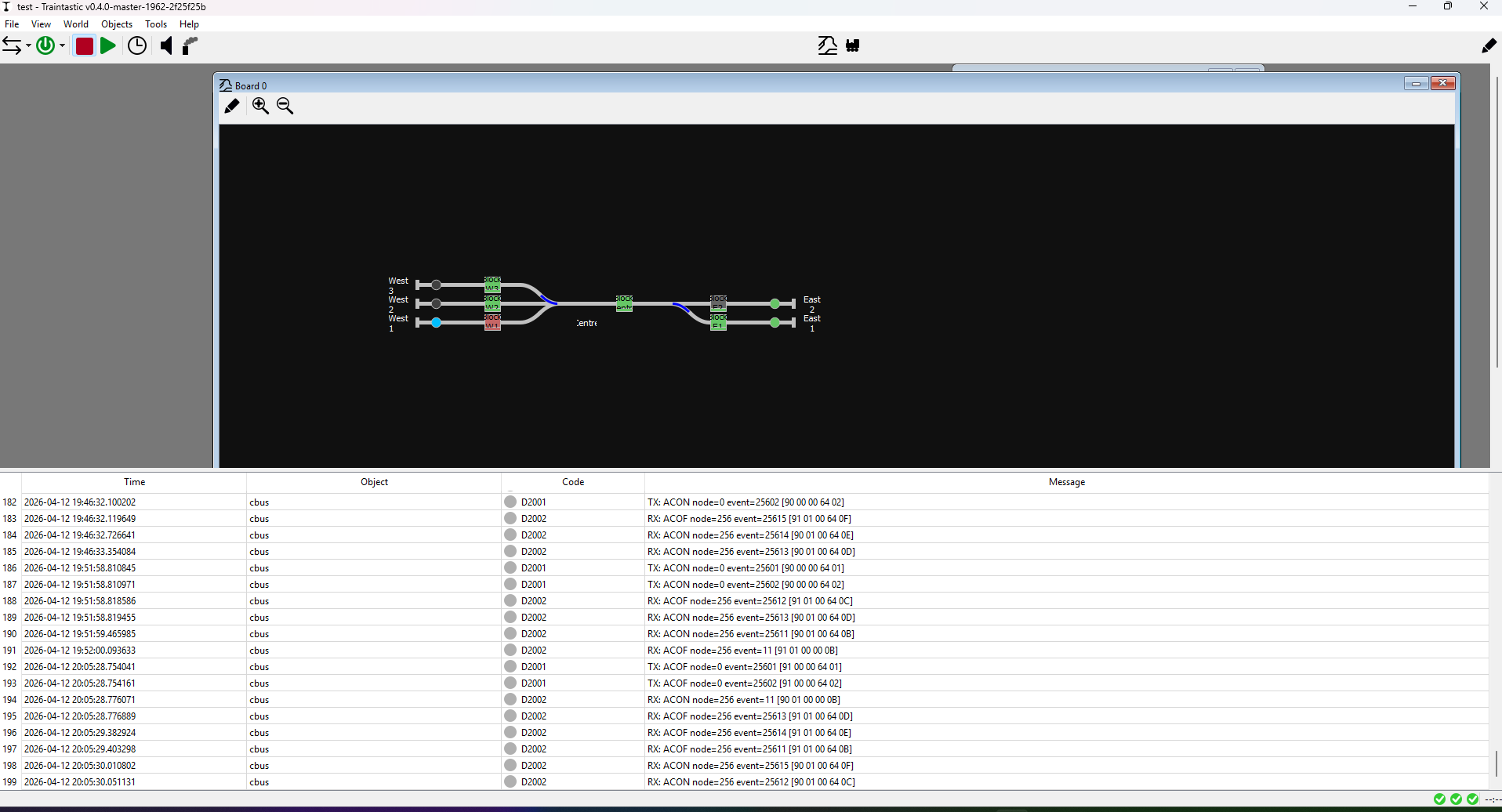
Mid → right:
⚡ root@dcc-master /var/opt/traintastic/log grep "2026-04-12;20:05" traintastic.txt
2026-04-12;20:05:28.754041;cbus;D2001;TX: ACOF node=0 event=25601 [91 00 00 64 01] <- Servo1 Wye Outer
2026-04-12;20:05:28.754161;cbus;D2001;TX: ACOF node=0 event=25602 [91 00 00 64 02] <- Servo2 Wye Inner
2026-04-12;20:05:28.776071;cbus;D2002;RX: ACON node=256 event=11 [90 01 00 00 0B] <- Servo1 MID
2026-04-12;20:05:28.776889;cbus;D2002;RX: ACOF node=256 event=25613 [91 01 00 64 0D] <- Servo2 THROWN
2026-04-12;20:05:29.382924;cbus;D2002;RX: ACOF node=256 event=25614 [91 01 00 64 0E] <- Servo2 MID
2026-04-12;20:05:29.403298;cbus;D2002;RX: ACOF node=256 event=25611 [91 01 00 64 0B] <- Servo1 MID
2026-04-12;20:05:30.010802;cbus;D2002;RX: ACON node=256 event=25615 [90 01 00 64 0F] <- Servo2 Closed
2026-04-12;20:05:30.051131;cbus;D2002;RX: ACON node=256 event=25612 [90 01 00 64 0C] <- Servo1 Closed
| Node | Event | Name |
|---|---|---|
| 0 | 25601 | Turnout Closed (-): canmio-svo101-servo1: W1 outer (wye) |
| 0 | 25602 | Turnout Closed (-): canmio-svo101-servo1: W1 inner (wye) |
| 0 | 25603 | Turnout Thrown (+): canmio-svo101 - 2 |
| 0 | 25608 | Turnout Thrown (+): canmio-svo101-servo1: E1 |
| 256 | 25610 | Sensor Inactive: canmio-svo101-servo1 Thrown |
| 256 | 25611 | Sensor Active: canmio-svo101-servo1 Mid |
| 256 | 25612 | Sensor Inactive: canmio-svo101-servo1 Closed |
| 256 | 25613 | Sensor Active: canmio-svo101-servo2 Thrown |
| 256 | 25614 | Sensor Active: canmio-svo101-servo2 Mid |
| 256 | 25615 | Sensor Active: canmio-svo101-servo2 Closed |
| < snip > |
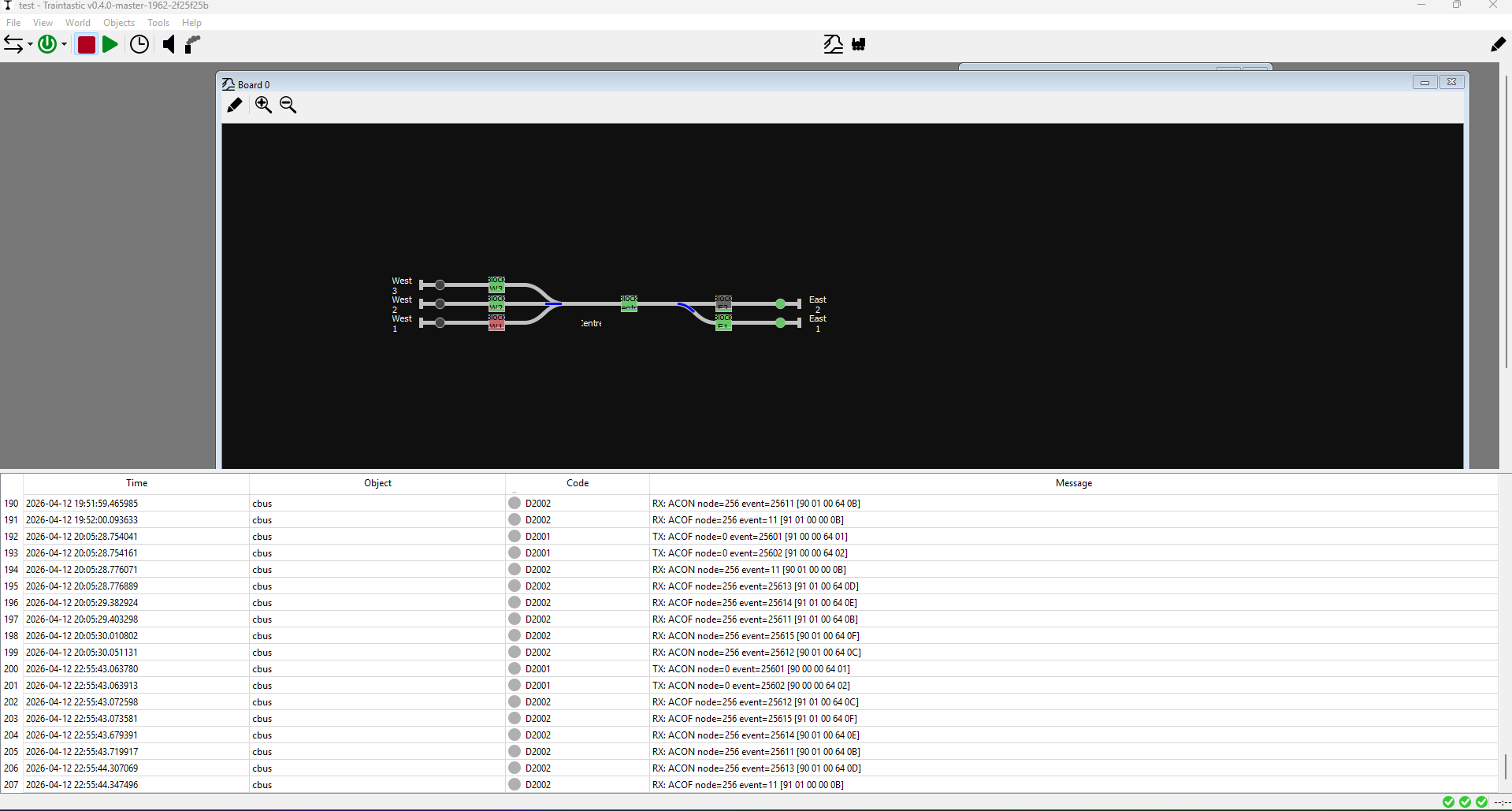
From right to straight:
⚡ root@dcc-master /var/opt/traintastic/log grep "2026-04-12;22:" traintastic.txt
2026-04-12;22:55:43.063780;cbus;D2001;TX: ACON node=0 event=25601 [90 00 00 64 01] <- anmio-svo101-servo1: W1 outer (wye)
2026-04-12;22:55:43.063913;cbus;D2001;TX: ACON node=0 event=25602 [90 00 00 64 02] <- anmio-svo101-servo1: W2 inner (wye)
2026-04-12;22:55:43.072598;cbus;D2002;RX: ACOF node=256 event=25612 [91 01 00 64 0C] <- Sensor Inactive: canmio-svo101-servo1 Closed
2026-04-12;22:55:43.073581;cbus;D2002;RX: ACOF node=256 event=25615 [91 01 00 64 0F] <- Sensor Active: canmio-svo101-servo2 Closed
2026-04-12;22:55:43.679391;cbus;D2002;RX: ACON node=256 event=25614 [90 01 00 64 0E] <- Sensor Active: canmio-svo101-servo2 Mid
2026-04-12;22:55:43.719917;cbus;D2002;RX: ACON node=256 event=25611 [90 01 00 64 0B] <- Sensor Active: canmio-svo101-servo1 Mid
2026-04-12;22:55:44.307069;cbus;D2002;RX: ACON node=256 event=25613 [90 01 00 64 0D] <- Sensor Active: canmio-svo101-servo2 Thrown
2026-04-12;22:55:44.347496;cbus;D2002;RX: ACOF node=256 event=11 [91 01 00 00 0B] <- Sensor Inactive: canmio-out102-E2 End of Track
256-11 Should be unrelated → ghosts?
For the bonus:
Lets change East turnout …
⚡ root@dcc-master /var/opt/traintastic/log grep "2026-04-12;23:" traintastic.txt
2026-04-12;23:03:28.098511;cbus;D2001;TX: ASON node=65532 device=25608 [98 FF FC 64 08] <- Turnout Thrown (+): canmio-svo101-servo1: E1 [ allegedly different software node ]
2026-04-12;23:03:28.111673;cbus;D2002;RX: ACOF node=256 event=25633 [91 01 00 64 21] <- Sensor Active: canmio-svo101-servo8 Closed
2026-04-12;23:03:28.698481;cbus;D2002;RX: ACON node=256 event=25632 [90 01 00 64 20] <- Sensor Active: canmio-svo101-servo8 Mid
2026-04-12;23:03:29.305859;cbus;D2002;RX: ACON node=256 event=25631 [90 01 00 64 1F] <- Sensor Active: canmio-svo101-servo8 Thrown
2026-04-12;23:03:33.423139;cbus;D2001;TX: ASOF node=65532 device=25608 [99 FF FC 64 08] <- Turnout Thrown (+): canmio-svo101-servo1: E1 [ allegedly different software node ]
2026-04-12;23:03:33.435792;cbus;D2002;RX: ACOF node=256 event=25631 [91 01 00 64 1F] <- Sensor Active: canmio-svo101-servo8 Thrown
2026-04-12;23:03:34.022256;cbus;D2002;RX: ACOF node=256 event=25632 [91 01 00 64 20] <- Sensor Active: canmio-svo101-servo8 Mid
2026-04-12;23:03:34.629494;cbus;D2002;RX: ACON node=256 event=25633 [90 01 00 64 21] <- Sensor Active: canmio-svo101-servo8 Closed
⚡ root@dcc-master /var/opt/traintastic/log
Moin Menno,
“please could you draw”
forget it, found the event list above. I have no CANSERVO, but I will build one to test it.
Thanks, Tom
@DL7BJ: @reinder asked me about how the servo states work in my instance.
So far i have only found 2 issues, 1 of them is not CBUS related.
So… CBUS is behaving.
@reinder was asking about the “embeded” sensors for turnouts
And i was collecting that data.
Unless you look at the data, maybe consider the abstract first.
you can set up sensors jmri to have feedback on what the turnout status is [ as prevention for accidents when turnouts change without Traintastic’s knowledge ] Eg: control panels, difference created on startup etc.
states in JMRI can be: single, dual or tristate
i chose tri-state in my config, so canservo will emit a message where appropriate ( being: thrown/mid/closed and reverse )
above shows the transistion for a wye ( west ) turnout and for ease of readability a single turnout ( east )
So if a turnout say turnout east is set to: THROWN and goes to closed:
I expect
i have included snippets of the logfile and tried to “enhance” with my config dump from JMRI
@DL7BJ If i need to set up something specific HTH let me know
Same if you need screenshots from FliM Config manager, let me know
incase it matters: here is my csv export from JMRI containing my events etc
cbus-events.csv (6.2 KB)
Menno, I’m unsure whether node number 0 is correct, because I believe I read that in FLiM mode node numbering should always start at 1.
The CBUS specification says this:
As all nodes need to accessed by the configuration tool, both producers and consumers must have node
numbers. These are a 16 bit range (1 to 65535) and would normally be allocated by the configuration
software. Nodes (modules) can be given names linked to their NNs.
NN of 00 00 is a special case reserved for SLliM consumer nodes and configuration software.
It might be worth trying to avoid node number 0.
Greetings, Tom
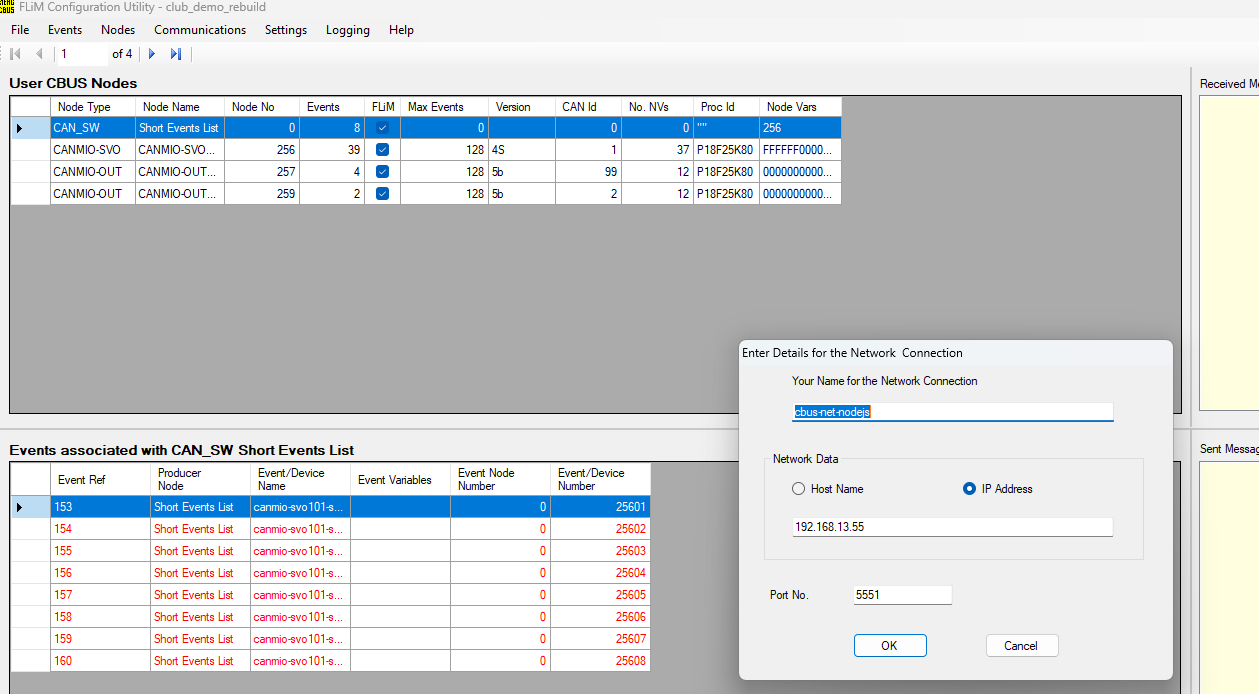
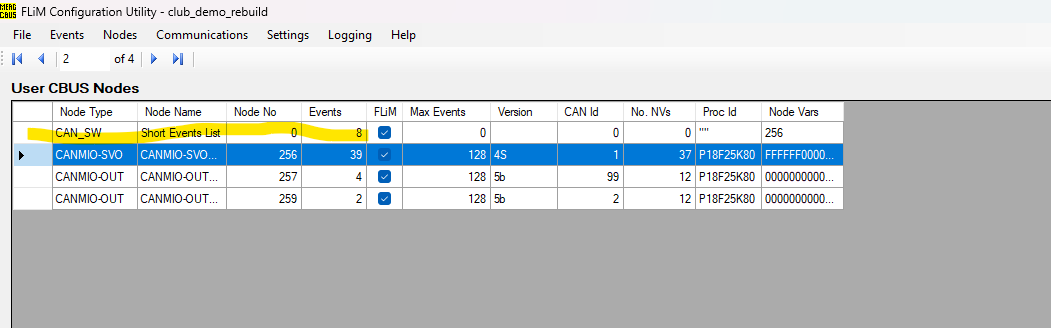
Interesting… Especially since i do not remember me having the ability to configure things. FliM config Screenshot:
But the software node in FliM and/or JMRI Config may be the exception?
Note: i did set up the servo moves as an event initiated by the Software node
actually
NN of 00 00 is a special case reserved for SLliM consumer nodes and configuration software.
… ye software node
Okay, I use only MMC, there is no “software node”.
(the node 1 is a not connected CANMIO)
But there is a configuration option, which I can’t use, because I have no node 0. I could reset a node to initialize, than I get a popup for this node.
Traintastic has also no node number 0. I don’t know why Flim needs this.
How am I supposed to understand this? A servo is triggered by an event, or by Traintastic, right? I urgently need to build a CANservo!
Greetings, Tom
Well FliM does have node 0 as it’s default node.
I set up an event on node 0 and have my canservo taught that event.
Traintastic triggers node 0’s [ software node ] event
Reason: i might have been relateively early with my canservo build and FliM has been in need of attention for a while.
It is not impossible that the Current FliM [ OR MMC (!) ] may have newer/better options.
FliM did not have ways of direct triggering the event to move the servos when i was looking.
While i am at it:
https://www.merg.org.uk/merg_wiki/lib/exe/fetch.php?media=cbus_flim:fcu_user_guide_1.4.7.42-49.pdf
( members only )
page 8 has the software node at 0.
HTH let me know if i can help
for now: 

Menno, that means you couldn’t use the canservo without FliM?
If I set up a short event in MMC, it is listed in the event list with node 0:
But there is no real node 0 and short events are consumed by all nodes where the short event is configured.
socketServer: ACCESSORY_SHORT_ON {"nodeNumber":0,"deviceNumber":250}
mergAdminNode: eventIdentifier : 000000FA
mergAdminNode: EventSend : {"eventIdentifier":"000000FA","nodeNumber":0,"eventNumber":250,"status":"on","type":"short","count":1}
Why Traintastic don’t trigger the event for CANSERVO directly?
Could it be, that Traintastic also consumed the short event?
Greetings, Tom
IMHO any canv* series node is flim only
Hi,
I’m still not fully into the CBUS/VLCB slang, but soon I can join as the package from @DL7BJ arrives 
In my hardware abstract vision it should work like this (similar to output mapping):
| Turnout state | Input A | Input B |
|---|---|---|
| Straight / Closed | On | Off |
| Left / Thrown | Off | On |
Input A/B can be an CBUS event, an S88 input, a LocoNet input.
Based on this truth table Traintastic can set the turnout state, if the combination is not in the list the state is Unknown.
The Mid event, is that an indication of servo moving?
If Traintastic sends a short event it uses the CANUSB/CANEther node number as node number. Technically the node number is ignored for short events, so it doesn’t really matter actually, but if I remember correctly the specs stated the the senders node number should be set, so it is possible to tract who sent it.
Greetings,
Reinder
Moin Reinder,
CANUSB4 has no node number, it’s a transparent interface. Traintastic should use for short events the node number 0 as it MMC does.
socketServer: ACCESSORY_SHORT_OFF {"nodeNumber":0,"deviceNumber":250}
mergAdminNode: eventIdentifier : 000000FA
mergAdminNode: EventSend : {"eventIdentifier":"000000FA","nodeNumber":0,"eventNumber":250,"status":"off","type":"short","count":2}
messageRouter: GRID_CONNECT_SEND ASOF (99) Node 0 Device Number 250
socketServer: EVENTS sent
I think it’s the same with CANETHER, but CANETHER has some NV’s, CANUSB4 not.
I will test later some short events with Traintastic.
Greetings, Tom